
API Blueprint Syntax Cheat-Sheet
API Blueprint syntax is a set of Markdown-based conventions that let you describe REST API endpoints, request bodies, response schemas, and authentication rules in plain text. Apidoke reads .apib files written in this format and renders them as a live, three-column reference page with a built-in try-it console, so you get human-readable source and interactive docs from one file.
- API Blueprint uses standard Markdown headings and list markers; no special toolchain is required to write it.
- The specification is maintained by Apiary under an MIT licence at apiblueprint.org, making it a portable, vendor-neutral format.
- Apidoke renders every
# Group,## Resource, and### Actionblock into navigation, content, and a live console without any extra configuration. - Auth tokens entered in the try-it console stay in the browser and never reach Apidoke servers.
What is the structure of an API Blueprint file?
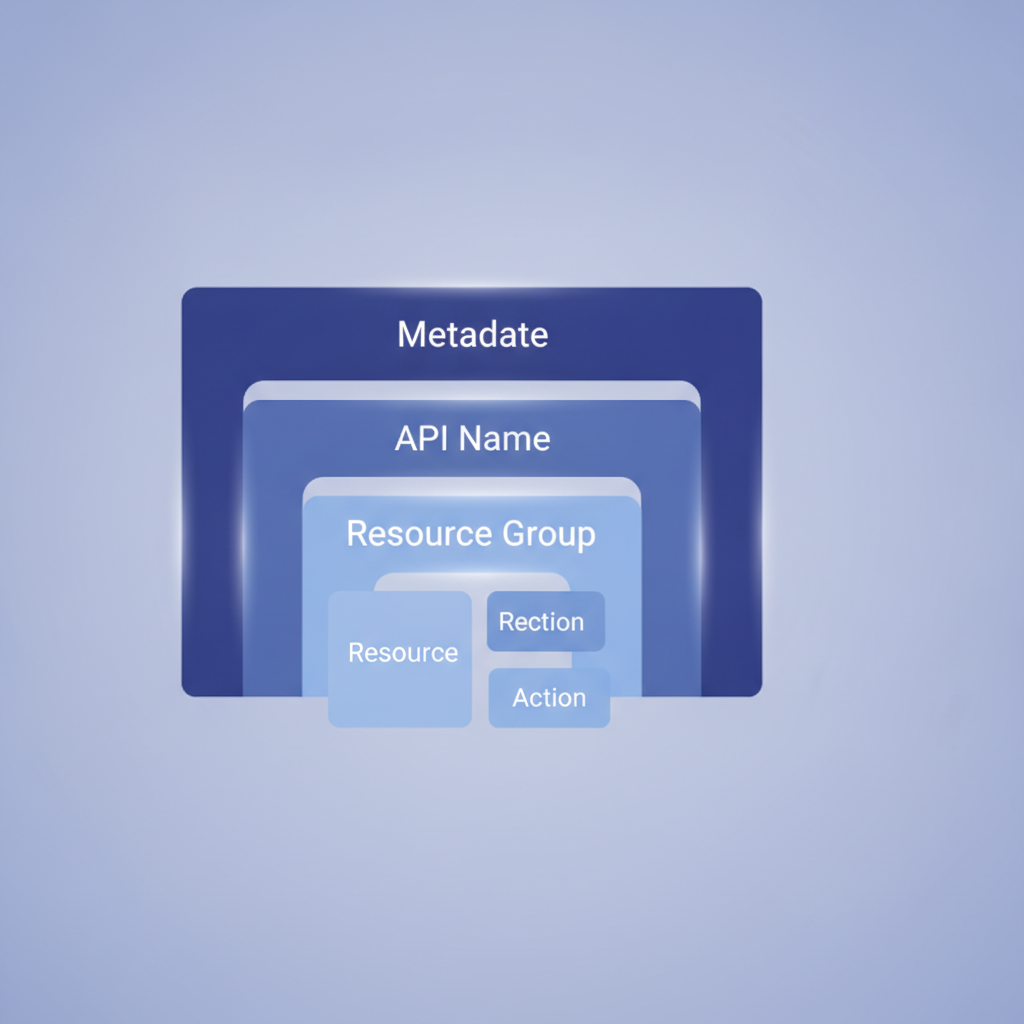
An API Blueprint document is a plain-text file saved with the .apib extension. It follows a fixed hierarchy: metadata at the top, a single API name heading, optional resource groups, resources, and finally actions with their requests and responses. Understanding that hierarchy is the fastest way to read and write .apib files confidently.
Top-level metadata and the API name
Every API Blueprint file opens with a metadata section, then an H1 heading that becomes the API title. The two most common metadata keys are FORMAT (always 1A for the current spec) and HOST (the base URL for the try-it console).
FORMAT: 1A
HOST: https://api.example.com

# Bookstore API

A simple REST API for managing books and authors.
Apidoke uses the HOST value to pre-populate the base URL in the live try-it console. If you omit it, the console still works but users must type the full URL manually.
Resource groups
A resource group is an H1 heading prefixed with the word Group. Groups appear as top-level sections in Apidoke's left-hand navigation panel.
# Group Books

Endpoints for creating, reading, updating, and deleting books.
Resources
A resource is an H2 heading that contains the URI template. The heading text is the resource name; the URI template appears inside square brackets. URI templates follow RFC 6570 syntax, so path variables are wrapped in curly braces.
## Book Collection [/books]

## Book [/books/{id}]
Actions
An action is an H3 heading that names the operation and the HTTP method in square brackets. HTTP methods are written in uppercase: GET, POST, PUT, PATCH, DELETE.
### List All Books [GET]

### Create a Book [POST]

### Get a Book [GET]

### Update a Book [PUT]

### Delete a Book [DELETE]
Requests: how to define request bodies, headers, and parameters
Query parameters
Use a + Parameters list directly beneath a resource or action heading. Each parameter is a nested list item. The format is: parameter name (type, required or optional) -- description.
### List All Books [GET]

+ Parameters
    + page (number, optional) -- Page number, starting at 1. Default: 1.
    + limit (number, optional) -- Results per page. Max 100. Default: 20.
    + genre (string, optional) -- Filter by genre slug.
Request body
Use a + Request block followed by a content-type in parentheses, then a nested + Body block containing a fenced JSON example. Indentation is four spaces throughout.
### Create a Book [POST]

+ Request (application/json)

    + Body

            {
              "title": "The Pragmatic Programmer",
              "author": "David Thomas",
              "isbn": "978-0135957059",
              "genre": "software-engineering"
            }
Request headers
Add a + Headers block inside the + Request block. Each header is a key-colon-value pair, one per line, indented by twelve spaces from the left margin.
+ Request (application/json)

    + Headers

            Authorization: Bearer eyJhbGciOiJIUzI1NiJ9...
            X-Request-ID: f47ac10b-58cc-4372-a567-0e02b2c3d479

    + Body

            {
              "title": "Clean Code"
            }
Responses: status codes, bodies, and schemas
Every action needs at least one + Response block. The HTTP status code follows Response as a bare number. Apidoke renders each response as a tab in the right-hand console panel, so documenting multiple status codes gives readers a complete picture.
A successful 200 response
+ Response 200 (application/json)

    + Body

            {
              "id": "b1c2d3",
              "title": "The Pragmatic Programmer",
              "author": "David Thomas",
              "isbn": "978-0135957059",
              "genre": "software-engineering",
              "created_at": "2025-03-14T09:00:00Z"
            }
A 201 Created response for POST actions
+ Response 201 (application/json)

    + Headers

            Location: /books/b1c2d3

    + Body

            {
              "id": "b1c2d3",
              "title": "Clean Code"
            }
Error responses
Document every realistic error. Per RFC 9110, client errors are 4xx and server errors are 5xx. The most common ones to document are 400 (Bad Request), 401 (Unauthorized), 403 (Forbidden), 404 (Not Found), 409 (Conflict), and 422 (Unprocessable Entity).
+ Response 400 (application/json)

    + Body

            {
              "error": "validation_failed",
              "message": "'isbn' must be a 13-digit string."
            }

+ Response 401 (application/json)

    + Body

            {
              "error": "unauthorized",
              "message": "Bearer token is missing or expired."
            }

+ Response 404 (application/json)

    + Body

            {
              "error": "not_found",
              "message": "No book found with id 'xyz'."
            }
Complete worked example: a Books resource
The following snippet is a production-ready resource you can paste directly into a new Apidoke project. It covers collection and item resources, query parameters, a POST with a request body, and a full set of response codes.
FORMAT: 1A
HOST: https://api.example.com

# Bookstore API

A REST API for managing a bookstore catalogue.

# Group Books

## Book Collection [/books]

### List All Books [GET]

Returns a paginated list of books.

+ Parameters
    + page (number, optional) -- Page number. Default: 1.
    + limit (number, optional) -- Results per page. Max 100.

+ Response 200 (application/json)

    + Body

            {
              "total": 142,
              "page": 1,
              "limit": 20,
              "data": [
                {
                  "id": "b1c2d3",
                  "title": "The Pragmatic Programmer",
                  "author": "David Thomas"
                }
              ]
            }

### Create a Book [POST]

Creates a new book record. Requires authentication.

+ Request (application/json)

    + Headers

            Authorization: Bearer <token>

    + Body

            {
              "title": "The Pragmatic Programmer",
              "author": "David Thomas",
              "isbn": "978-0135957059"
            }

+ Response 201 (application/json)

    + Headers

            Location: /books/b1c2d3

    + Body

            {
              "id": "b1c2d3",
              "title": "The Pragmatic Programmer"
            }

+ Response 400 (application/json)

    + Body

            {
              "error": "validation_failed",
              "message": "'isbn' must be a 13-digit string."
            }

+ Response 401 (application/json)

    + Body

            {
              "error": "unauthorized",
              "message": "Bearer token is missing or expired."
            }

## Book [/books/{id}]

+ Parameters
    + id (string, required) -- The unique book identifier.

### Get a Book [GET]

+ Response 200 (application/json)

    + Body

            {
              "id": "b1c2d3",
              "title": "The Pragmatic Programmer",
              "author": "David Thomas",
              "isbn": "978-0135957059"
            }

+ Response 404 (application/json)

    + Body

            {
              "error": "not_found",
              "message": "No book found with id 'b1c2d3'."
            }

### Delete a Book [DELETE]

+ Request

    + Headers

            Authorization: Bearer <token>

+ Response 204

+ Response 404 (application/json)

    + Body

            {
              "error": "not_found",
              "message": "No book found with id 'b1c2d3'."
            }
Quick-reference table of every syntax element
| Element | Markdown syntax | What it produces in Apidoke |
|---|---|---|
| Metadata | FORMAT: 1A and HOST: https://... at line 1 | Sets spec version; pre-fills console base URL |
| API name | # My API | Page title in the viewer |
| Resource group | # Group Books | Top-level nav section |
| Resource | ## Book Collection [/books] | Nav item under its group |
| Action | ### List All Books [GET] | Endpoint row with method badge |
| URI parameter | + Parameters list under a resource | Parameter table in docs and console |
| Request | + Request (application/json) | Request panel in try-it console |
| Request headers | + Headers inside a + Request | Pre-filled headers in console |
| Request body | + Body inside a + Request | Editable body in console |
| Response | + Response 200 (application/json) | Response tab with status badge |
| Response headers | + Headers inside a + Response | Header display in response panel |
| Response body | + Body inside a + Response | JSON example in response panel |
| Free-text description | Any plain Markdown paragraph under a heading | Rendered description in the content column |
Indentation rules and the most common mistakes
API Blueprint is more sensitive to indentation than most Markdown dialects. Get these three rules right and you will avoid almost every parse error:
- Use four spaces, not tabs. Tabs cause inconsistent parse results across editors. Configure your editor to insert spaces on tab-key press.
- Body content requires eight spaces of indentation from the left margin (four to enter the list item, four more to enter the code block). A body at six spaces will be treated as ordinary Markdown text, not a code block.
- Blank lines are required between a list keyword like
+ Bodyand the content that follows it. Skipping the blank line is the single most common reason a body is rendered as plain text instead of a formatted code block.
Data structures and named types (advanced)
API Blueprint supports a # Data Structures section at the bottom of the file. Named types defined there can be referenced with (MyType) inside attribute lists, reducing duplication. This feature is part of the MSON (Markdown Structured Object Notation) extension to the spec. Coverage of MSON is outside the scope of this cheat-sheet but is detailed in the official MSON specification.
How does Apidoke render these blocks?
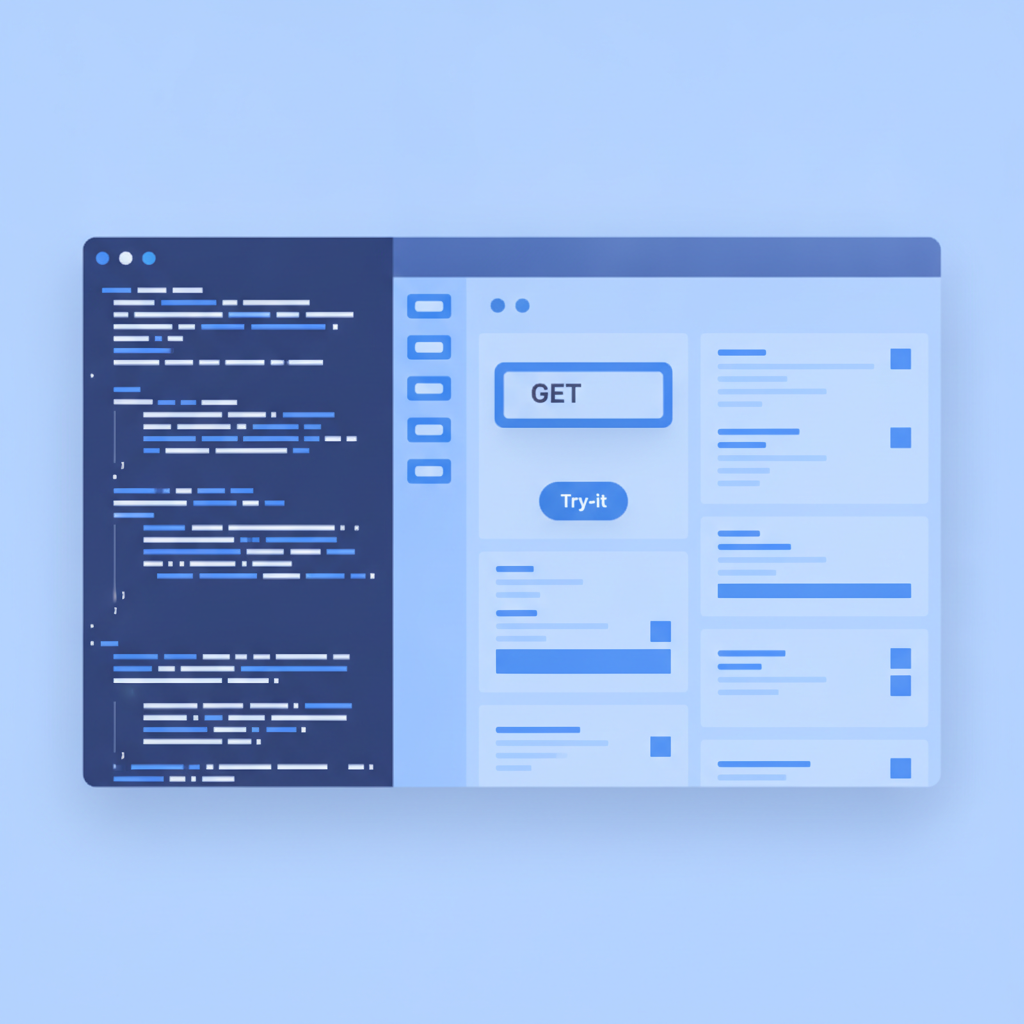
When you paste or type a valid .apib file into Apidoke's split-pane editor, the live preview in the right pane updates in real time. Groups appear as collapsible nav sections. Resources appear as anchor-linked items within each section. Actions get colour-coded HTTP method badges (GET is green, POST is blue, DELETE is red) and a try-it button that fires real HTTP requests directly from the browser to your HOST URL.
Version history is per-project. Every time you save, Apidoke records a snapshot you can diff or roll back to. This makes it safe to experiment with syntax changes without losing a working draft. For a step-by-step walkthrough of publishing your first document, see the guide on publishing your first interactive API doc with Apidoke.
If you are weighing API Blueprint against OpenAPI or Swagger before committing to a format, the API Blueprint and Formats hub covers format trade-offs, tooling compatibility, and when each format is the right choice.
Status codes worth documenting every time
Most APIs share a common set of status codes. Documenting all of them consistently, not just the happy path, is what separates reference-quality docs from a stub. Here is a concise decision table:
| Code | Meaning (RFC 9110) | When to document it |
|---|---|---|
| 200 | OK | Every GET, PUT, PATCH that returns a body |
| 201 | Created | Every POST that creates a resource |
| 204 | No Content | DELETE or PUT with no response body |
| 400 | Bad Request | Any endpoint that validates input |
| 401 | Unauthorized | Any authenticated endpoint |
| 403 | Forbidden | Endpoints with scoped permissions |
| 404 | Not Found | Any endpoint with an ID path parameter |
| 409 | Conflict | POST endpoints that enforce uniqueness |
| 422 | Unprocessable Entity | Validation errors with semantic detail |
| 500 | Internal Server Error | Any endpoint; helps consumers handle outages |
Frequently asked questions
What file extension does API Blueprint use?
API Blueprint files use the .apib extension by convention. Some teams also use .md since the format is valid Markdown, but .apib makes the format explicit and is what Apidoke expects when you upload or paste a document.
Does API Blueprint support authentication documentation?
API Blueprint does not have a dedicated authentication block the way OpenAPI does. The standard practice is to document auth inside + Request headers (for example, Authorization: Bearer <token>), add a description at the top of the file explaining the auth scheme, and document 401 responses on every protected endpoint. This is explicit and readable, even if it requires a bit more repetition.
How many spaces of indentation does a + Body block need?
Eight spaces from the left margin: four to enter the list item and four more to open a Markdown code block. The blank line between the + Body line and the JSON is also required. Skipping either the blank line or the extra four spaces is the leading cause of body content rendering as plain text.
Can I document multiple response codes for the same action?
Yes. Add multiple + Response blocks one after the other under the same action. Apidoke renders each one as a separate tab in the response panel, so readers can inspect the 200, 400, and 404 shapes without scrolling. This is the recommended approach for any endpoint that has more than one realistic outcome.
What is the difference between a resource and an action in API Blueprint?
A resource is the URL template, for example /books/{id}. An action is an HTTP operation (GET, POST, DELETE) performed on that resource. One resource can contain multiple actions. In Apidoke, the resource appears in navigation and the actions appear as expandable rows beneath it.
Ready to turn your first .apib file into a live, shareable API reference? Create a free Apidoke account and have your docs published in minutes, no credit card required.
Related reading: API Blueprint Cheat-Sheet: Request and Response Bodies (Deep Dive)