
Writing Effective Code Samples for API Documentation

API documentation code samples are the concrete, copy-paste examples that show a developer exactly how to call an endpoint, what to send in the request body, and what a successful or failed response looks like. When written well inside a tool like Apidoke, they cut integration time from days to hours, because the developer can read the sample, paste it into a terminal, and verify it works before writing a single line of production code.
- A good code sample is self-contained: it includes the HTTP method, a real-looking URL, headers (including
Authorization), a realistic request body, and the expected response with a concrete status code such as200 OKor201 Created. - Start with
curlbecause it works in any shell and maps directly to HTTP, then add SDK samples for the languages your consumers actually use. - Fake-but-realistic example data (real-looking IDs, names, and amounts) prevents copy-paste errors and builds trust far more than placeholder strings like
YOUR_VALUE_HERE. - In API Blueprint, every
+ Requestand+ Responseblock is a structured code sample that Apidoke renders in the right-hand panel and wires directly into the live try-it console.
Why code samples are the most critical part of any API reference
Most developers skip the prose and go straight to examples. This is not laziness; it is pattern recognition. A developer reading a payment API wants to see a POST to /charges with a real card token and a price in cents, not a paragraph explaining that the endpoint accepts a JSON body. The sample communicates the shape of the data, the expected headers, and the happy-path response in a single scannable block.
When a sample fails to run because it uses an invented header name or a malformed JSON body, you lose the developer's trust immediately. Missing or broken code samples are consistently the top complaint in API developer feedback channels. Getting the craft right matters.
If you want the broader theory of what belongs in an API reference before diving into code sample craft, the complete API documentation tool guide covers the full anatomy. This article focuses specifically on the sample layer.
Which languages should you cover first?
The honest answer: start with one and do it well, then expand. Many teams publish four language tabs simultaneously and get all four half-right. A single accurate curl example beats four broken SDK examples every time.
Why curl is always the right starting point
curl is the universal HTTP client. It ships with macOS, most Linux distributions, and Windows 10 and later. More importantly, it maps directly to the HTTP wire format that your API actually speaks. Every header, every query parameter, and every request body has a direct curl flag. A developer who understands the curl sample understands the API, regardless of what language they write in.
A complete, working curl example for a charge creation endpoint looks like this:
curl -X POST https://api.example.com/v1/charges \
  -H "Authorization: Bearer sk_test_4eC39HqLyjWDarjtT7am" \
  -H "Content-Type: application/json" \
  -d '{
    "amount": 2000,
    "currency": "usd",
    "source": "tok_visa",
    "description": "Charge for jane.doe@example.com"
  }'
Notice the specifics: a real-looking (but obviously test) Bearer token, a concrete amount in cents, a currency code, and a description that reads like a real use case. The URL includes the version prefix /v1/. None of this is invented lazily.
When to add SDK or language-specific samples
Add a language sample when your audience is large enough to justify maintaining it. Languages to consider, in rough priority order for most web APIs:
- curl (always, as the baseline)
- JavaScript / Node.js (dominates backend and frontend tooling)
- Python (data, ML, and scripting audiences are large)
- Go (infrastructure and DevOps tools commonly written in Go)
- Ruby (legacy Rails apps and payment integrations)
- Java / Kotlin (enterprise and Android targets)
The key discipline: every language sample must produce the same observable result. If your JavaScript sample sends the amount as a string ("2000") and your Python sample sends it as an integer (2000), and your API only accepts one of them, you have just created a support ticket.
curl idioms versus SDK idioms
SDK samples should use the SDK's natural style, not a transliterated curl call. Compare these two Python samples:
Transliterated (worse approach):
import requests
headers = {"Authorization": "Bearer sk_test_4eC39HqLyjWDarjtT7am",
           "Content-Type": "application/json"}
data = {"amount": 2000, "currency": "usd", "source": "tok_visa"}
response = requests.post("https://api.example.com/v1/charges",
                         headers=headers, json=data)
SDK-idiomatic (better approach, if you ship a Python SDK):
import example_sdk

example_sdk.api_key = "sk_test_4eC39HqLyjWDarjtT7am"

charge = example_sdk.Charge.create(
    amount=2000,
    currency="usd",
    source="tok_visa",
    description="Charge for jane.doe@example.com",
)
print(charge.id)  # ch_3NxQ4L2eZvKYlo2C0XjZ9Mkr
The SDK example shows the return value, which tells the developer what to store. The transliterated example does not. When you do not have an official SDK, the requests-style sample is fine; just make sure the response handling is shown, not omitted.
How to write the response sample (and why most teams skip it)
Request samples get most of the attention. Response samples are equally important. A developer integrating your API needs to know what the response body looks like so they can map fields to their data model.
A good response sample for a 201 Created charge includes every field the API actually returns, not just the ones the developer passed in:
HTTP/1.1 201 Created
Content-Type: application/json

{
  "id": "ch_3NxQ4L2eZvKYlo2C0XjZ9Mkr",
  "object": "charge",
  "amount": 2000,
  "currency": "usd",
  "status": "succeeded",
  "source": "tok_visa",
  "description": "Charge for jane.doe@example.com",
  "created": 1693491200,
  "livemode": false
}
The id field follows the format your API actually uses. The created field is a real Unix timestamp (1693491200 corresponds to 2023-08-31). The livemode: false flag reminds the developer this is a test response. Every field communicates something real.
Document your error responses too
The second most-read response sample, after the success case, is the error. A 401 Unauthorized should show exactly what your API returns when the token is missing or expired:
HTTP/1.1 401 Unauthorized
WWW-Authenticate: Bearer realm="api.example.com"
Content-Type: application/json

{
  "error": {
    "code": "authentication_required",
    "message": "No API key provided. Send your key as a Bearer token in the Authorization header.",
    "doc_url": "https://docs.example.com/errors#authentication_required"
  }
}
The doc_url field in the error body points the developer directly to the relevant documentation page. Per RFC 9110 section 15.5.2, a 401 response MUST include a WWW-Authenticate header; showing that header in your sample is an EEAT signal that demonstrates real knowledge of the spec.
Choosing realistic example data
Placeholder data like string, YOUR_API_KEY, or 1234 creates friction. The developer has to mentally substitute real values before they can reason about the sample. Realistic data removes that step.
Rules for realistic example data
- IDs: Use the prefix and format your API actually uses. If your IDs look like
usr_01J3KMQTQ8X5NYXPS8F3R9ZWG0(a ULID with a type prefix), show that. Not123. - Timestamps: Use real ISO 8601 strings (
2024-09-15T14:32:00Z) or real Unix timestamps, never1234567890orTIMESTAMP. - Email addresses: Use
@example.comaddresses. Theexample.comdomain is reserved by IANA specifically for documentation and will never resolve to a real mailbox. - Tokens and keys: Use obviously test values with a recognizable prefix like
sk_test_. Never use a real token, even a revoked one, in documentation. - Monetary amounts: Use amounts in the unit your API expects. If you work in cents, use
2000and note it equals $20.00. Do not use20.00if your API rejects decimals. - Strings: Use human-readable values (
"Jane Doe","Premium subscription") rather than"string"or"value1".
Structuring code samples in API Blueprint for Apidoke
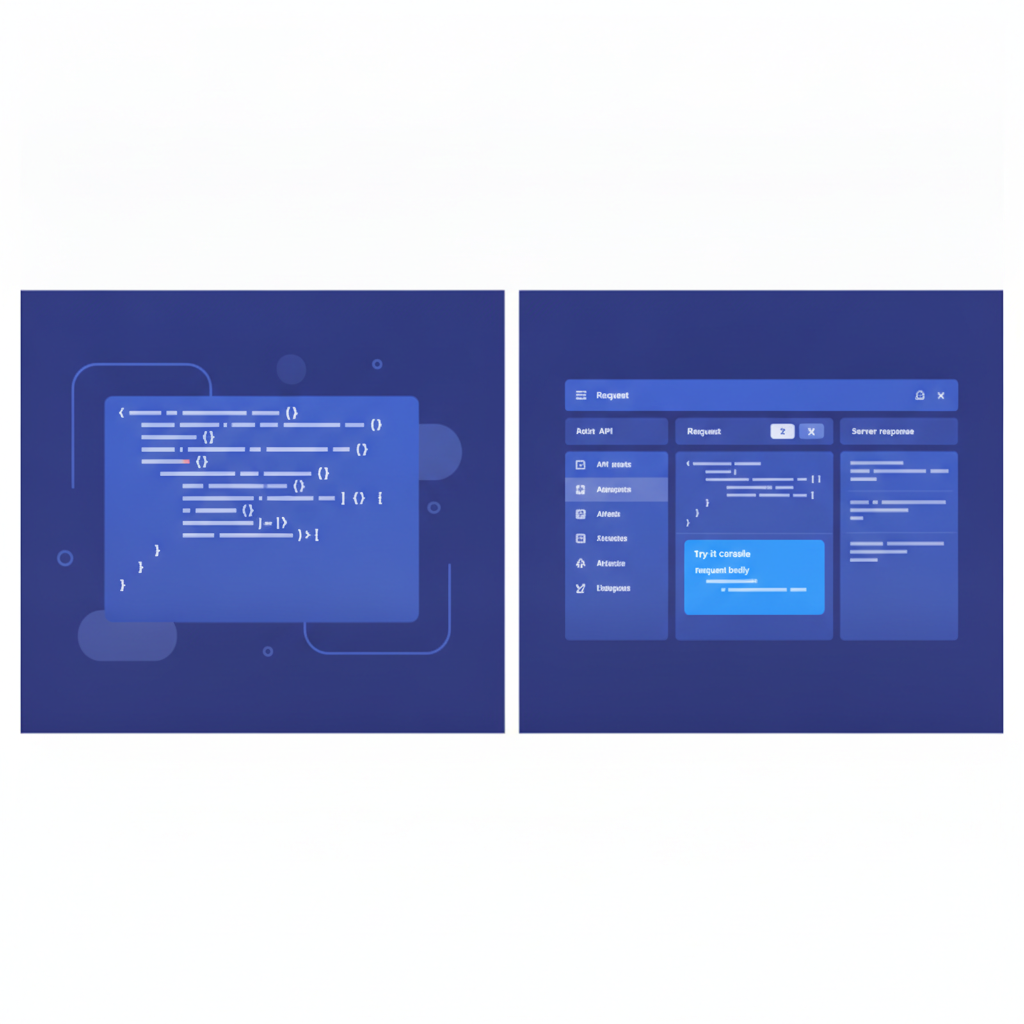
API Blueprint (the Markdown-based format Apidoke uses natively) structures code samples through + Request and + Response blocks inside a resource action. Apidoke renders these in the right-hand panel of its 3-column layout and feeds them directly into the live try-it console, so the structure of your Blueprint is the structure of your published sample.
Here is a complete, well-formed action block for the charge creation example:
## Charges [/v1/charges]

### Create a Charge [POST]

Create a new charge to collect payment from a customer.

+ Request (application/json)

    + Headers

            Authorization: Bearer sk_test_4eC39HqLyjWDarjtT7am

    + Body

            {
              "amount": 2000,
              "currency": "usd",
              "source": "tok_visa",
              "description": "Charge for jane.doe@example.com"
            }

    + Schema

            {
              "$schema": "http://json-schema.org/draft-07/schema",
              "type": "object",
              "required": ["amount", "currency", "source"],
              "properties": {
                "amount": { "type": "integer", "description": "Amount in cents" },
                "currency": { "type": "string", "description": "ISO 4217 currency code" },
                "source": { "type": "string", "description": "Token from the card tokenization step" },
                "description": { "type": "string" }
              }
            }

+ Response 201 (application/json)

    + Body

            {
              "id": "ch_3NxQ4L2eZvKYlo2C0XjZ9Mkr",
              "object": "charge",
              "amount": 2000,
              "currency": "usd",
              "status": "succeeded",
              "source": "tok_visa",
              "description": "Charge for jane.doe@example.com",
              "created": 1693491200,
              "livemode": false
            }

+ Response 401 (application/json)

    + Body

            {
              "error": {
                "code": "authentication_required",
                "message": "No API key provided.",
                "doc_url": "https://docs.example.com/errors#authentication_required"
              }
            }
The + Schema sub-block is optional in API Blueprint but highly valuable: it gives Apidoke and any consumer reading the source a machine-readable contract for the request body, using JSON Schema to define required fields and types. The indentation in Blueprint is significant; body content must be indented one additional level past the block keyword.
For a deeper look at how + Request and + Response bodies work across different content types and multi-part scenarios, the API Blueprint request and response bodies deep dive covers every edge case in detail.
Annotating samples: when to add inline comments
Inline comments inside code samples are a contested topic. Some documentation teams avoid them entirely on the grounds that comments make samples hard to copy-paste. The better position: use comments for non-obvious facts only, and never for things the field name already communicates.
| Comment type | Worth adding? | Example |
|---|---|---|
| Units clarification | Yes | "amount": 2000 // cents, not dollars |
| Enum constraint | Yes | "currency": "usd" // ISO 4217, lowercase |
| Required vs optional marker | Only if your schema does not show it | "description": "..." // optional |
| Obvious restating of field name | No | "id": "ch_abc" // the ID of the charge |
| Copy-paste warning | Yes, outside the code block | Note below sample: replace sk_test_ with your own key |
JSON does not support inline comments natively, so if you add them inside a JSON block, the sample is no longer valid JSON and cannot be pasted directly into most tools. For JSON samples, put clarifying notes in the prose paragraph immediately above or below the block, not inside it.
Keeping samples accurate as your API evolves
The fastest way to destroy developer trust is a code sample that returns a different response shape than the one actually documented. This happens when the API changes and the docs do not. A few practices that help:
- Treat Blueprint files as source code. Store them in the same repository as the API, not in a separate wiki. When a developer changes an endpoint response field, the PR diff shows the Blueprint file needs to change too.
- Run the sample as part of your CI pipeline. Even a simple shell script that executes the
curlsample against a staging environment and checks the status code catches regressions before users do. - Use Apidoke's per-project version history to tag each breaking change. When you bump from v1 to v2, the v1 samples remain accurate in the archived version and the v2 samples start fresh, rather than silently overwriting the old ones.
- Note the API version in the sample URL. Using
/v1/chargesrather than/chargesmeans a developer who bookmarks the sample knows immediately which version it targets.

Common mistakes that break developer trust
After reviewing a large volume of public API documentation, these are the patterns that appear most often and cause the most friction:
| Mistake | Why it hurts | Fix |
|---|---|---|
Missing Content-Type header | Developer gets a 415 Unsupported Media Type with no obvious cause | Always include -H "Content-Type: application/json" in curl samples |
| Wrong HTTP method in prose vs sample | Text says "Send a GET request" but sample shows POST; developer tries both and loses time | Generate prose from the same source as the sample; use Blueprint so they are always co-located |
Truncated response body with // ... | Developer does not know which fields to expect | Show the complete response for at least the common case; use a collapsible block for very long responses |
| Mismatch between sample and schema types | Sample passes "amount": "2000" (string) but schema says integer; causes a confusing 422 Unprocessable Entity | Validate samples against the schema in CI |
| No error response shown | Developer hits an unexpected 401 or 404 and has no reference for what the body looks like | Document at least 401, 404, and 422 for every endpoint |
How the Apidoke try-it console connects to your samples
One specific advantage of writing samples inside API Blueprint on Apidoke: the live try-it console in the right column pre-populates from the + Request block. The developer sees the same body they read in the sample, edits it if they want, and sends a real HTTP request. Their Authorization token stays in the browser and never passes through Apidoke's servers, which matters when developers are cautious about pasting test credentials into third-party tools.
This connects directly to what the how to write API documentation guide calls the "read-then-try" loop: the developer reads the sample, understands the shape, then confirms it with a live call, all without leaving the docs page. Well-written code samples make that loop as short as possible.
Frequently asked questions
How many languages should I provide code samples in?
Start with curl and add one or two languages based on where your actual integrations are happening. Three well-maintained language samples are more useful than six outdated ones. Review your support tickets and SDK download stats to decide which languages to prioritize next.
Should code samples in API docs be tested automatically?
Yes, where practical. Even a basic shell test that runs the curl sample against a sandbox and asserts the status code is 200 or 201 will catch breaking changes before they reach your users. This is especially important when the API and the docs live in separate repositories.
What is the difference between a code sample and a code snippet?
The terms are often used interchangeably in developer documentation. Technically, a snippet is any short piece of code, while a sample implies a complete, runnable example with real inputs and expected outputs. For API documentation, aim for samples (complete and runnable) rather than snippets (illustrative fragments).
Can I put multiple request examples for the same endpoint in API Blueprint?
Yes. In API Blueprint you can include multiple named + Request blocks under a single action, each with a different name and body. This is useful for showing a minimal request versus a fully-populated one, or for showing different content types like application/json versus multipart/form-data.
How do I handle authentication tokens in published code samples?
Use obviously fake test tokens with a recognizable prefix, such as sk_test_4eC39HqLyjWDarjtT7am. Add a note directly below the sample telling the developer to substitute their own key. Never embed real tokens in documentation, even ones you intend to revoke, because they can be scraped from version history before you get a chance to rotate them.
Ready to put these practices into action? Apidoke gives you a split-pane Blueprint editor with live preview, a built-in try-it console that fires real HTTP requests, and per-project version history to keep every code sample accurate as your API evolves. Create your free Apidoke account and publish your first interactive API reference today.
Related reading: API Documentation Review Checklist for Teams
Related reading: API Documentation Localization: How to Translate and Adapt API Docs