
API Documentation Examples: Real-World Docs Worth Studying

The best API documentation examples share a handful of measurable traits: they answer the first question a developer asks before they ask it, they show a real request and a real response side by side, and they make the cost of a wrong call obvious. Stripe, Twilio, and GitHub have each built docs that do exactly this, and Apidoke gives you the structure to replicate those patterns without a proprietary toolchain.
- Great API docs lead with a working code sample, not a conceptual overview.
- Every endpoint page should show at least one complete request/response pair, including realistic HTTP status codes such as 200, 201, 400, and 401.
- Inline error documentation reduces support tickets more than any other single change.
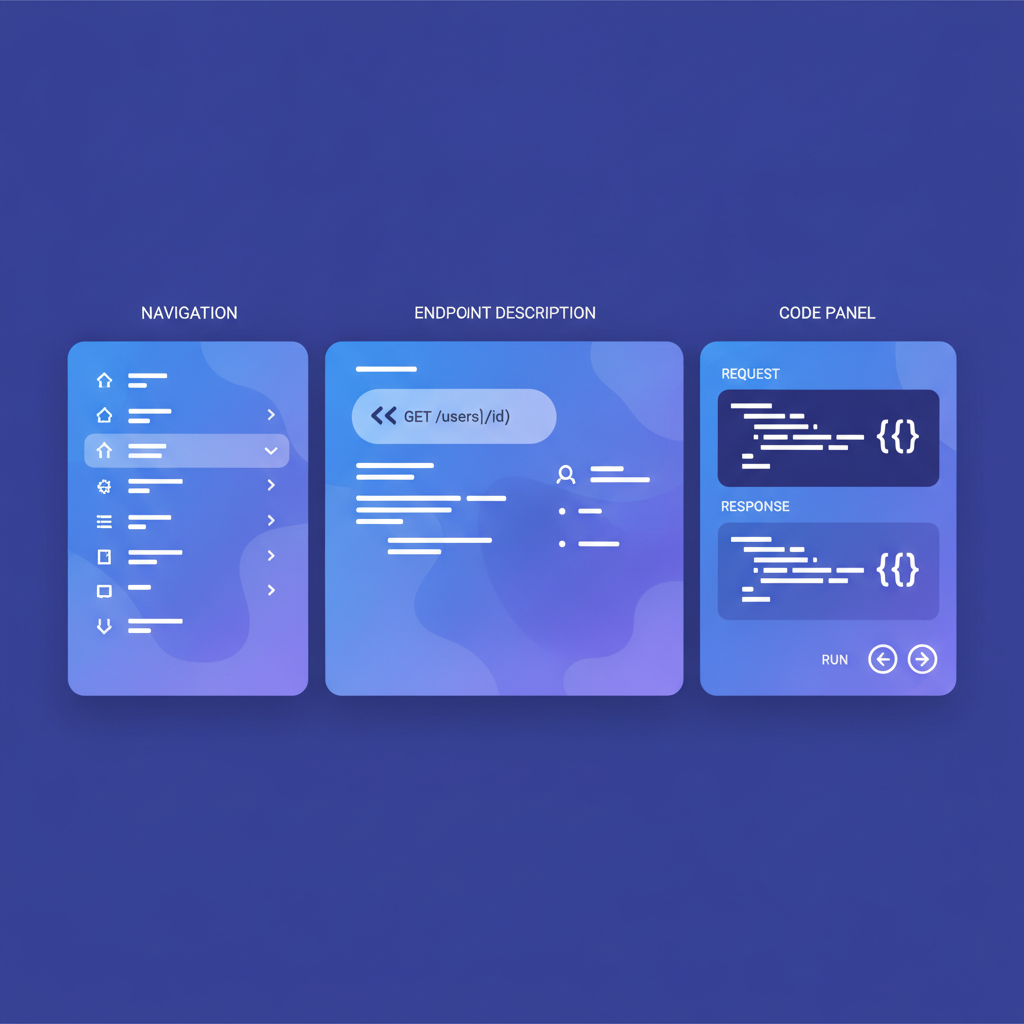
- You can apply every lesson here using API Blueprint syntax in Apidoke, which renders a live 3-column reference with a try-it console.
Why studying real docs beats reading generic advice
Most writing guides tell you to "be clear" and "include examples." That is true but nearly useless on its own. Looking at production docs that millions of developers have navigated tells you something more specific: which decisions survive contact with real traffic. The three examples below were chosen because they are publicly available, widely referenced in developer communities, and each teaches a distinct lesson.
Stripe: the reference that made inline error docs standard
Stripe's API reference (available at stripe.com/docs/api) is probably the single most imitated structure in the industry. A few things stand out when you read it critically.
What Stripe does exceptionally well
Every resource page opens with a short prose description, then immediately drops into an object model that lists every attribute with its type and a one-sentence explanation. Below that, each endpoint gets its own section showing the HTTP method, the URL path, required versus optional parameters, and a collapsible list of error codes specific to that operation.
The error section is the part most teams copy badly. Stripe does not just list 400 Bad Request. It lists the specific machine-readable error.code strings like card_declined, incorrect_cvc, and expired_card, alongside human-readable messages and links to recovery guidance. That specificity means a developer integrating Stripe can write error-handling code before they have ever made a real payment, because the contract is written down precisely.
The right-hand column shows a cURL example that is pre-populated with a real (test-mode) API key format, so you can copy-paste and run it immediately. The response body shown is real JSON with real field values, not placeholder strings like "string" or 0.
The lesson to take away
Document your error contract as carefully as your happy path. For every endpoint, list the HTTP status codes it can return (200, 201, 400, 401, 404, 422, 429, 500), explain what triggers each one, and give the developer enough information to handle each case in code. When you write this in API Blueprint using Apidoke, you would do it like this:
## Charge a Card [POST /v1/charges]

+ Request (application/json)
    + Headers

            Authorization: Bearer sk_test_4eC39HqLyjWDarjtT1zdp7dc

    + Body

            {
              "amount": 2000,
              "currency": "usd",
              "source": "tok_visa"
            }

+ Response 200 (application/json)

        {
          "id": "ch_3PZk2LGswQoRXeKr1Kz8bJmX",
          "object": "charge",
          "amount": 2000,
          "currency": "usd",
          "status": "succeeded"
        }

+ Response 400 (application/json)

        {
          "error": {
            "code": "card_declined",
            "message": "Your card was declined.",
            "type": "card_error"
          }
        }

+ Response 401 (application/json)

        {
          "error": {
            "type": "authentication_error",
            "message": "No API key provided."
          }
        }
Apidoke renders each + Response block as a separate tab in the viewer, so readers can switch between the success and error cases without scrolling. This pattern directly mirrors what Stripe does and costs you only a few extra lines per endpoint.
Twilio: progressive disclosure done right
Twilio's documentation (at twilio.com/docs) solves a harder problem than Stripe. Stripe is a payments API with one main job. Twilio is a communications platform with dozens of products, multiple SDKs in eight languages, and an audience ranging from solo hackers to enterprise engineering teams. The docs have to serve all of them without overwhelming any of them.
What Twilio does exceptionally well
Twilio uses progressive disclosure throughout. The quickstart path is five steps and produces a working SMS or phone call in under ten minutes. Each step shows only the information you need for that step. The full reference, with every query parameter, every webhook callback field, and every error code, lives one click away but is not in your face during onboarding.
The code samples are available in nine languages simultaneously, and switching languages updates every sample on the page at once via a sticky language selector. This is not magic; it is a deliberate content architecture decision to write and maintain separate samples for each SDK and store them against the same endpoint identifier.
Twilio's error dictionary is a standalone reference section, separate from the endpoint pages, cross-linked from every place that error can appear. Error code 21211, for example, has its own page explaining the exact condition (invalid To phone number), the fix, and sample corrected code. That level of specificity is what separates documentation written for copy-paste speed from documentation written for genuine understanding.
The lesson to take away
Separate your quickstart path from your full reference. Write the quickstart as a tutorial (goal-oriented, linear, minimal) and write the reference as a reference (alphabetical or resource-grouped, exhaustive, non-linear). These are genuinely different document types with different jobs. The article on choosing the right type of API documentation goes deeper on this distinction if you need help deciding how to split content for your own API.
For the reference side, group your endpoints by resource using API Blueprint's # Group directive. A real snippet for a messaging API would look like this:
# Group Messages

Resources for creating and retrieving SMS and MMS messages.

## Messages [/2010-04-01/Accounts/{AccountSid}/Messages]

### Send a Message [POST]

+ Parameters
    + AccountSid (string, required) - Your Twilio account SID.

+ Request (application/x-www-form-urlencoded)
    + Body

            To=%2B15551234567&From=%2B15559876543&Body=Hello+from+Twilio

+ Response 201 (application/json)

        {
          "sid": "SM1a2b3c4d5e6f7g8h9i0j",
          "to": "+15551234567",
          "from": "+15559876543",
          "body": "Hello from Twilio",
          "status": "queued",
          "date_created": "2024-06-15T10:23:00Z"
        }
The # Group heading becomes a section in Apidoke's left navigation column automatically, giving you Twilio-style resource grouping with no extra configuration.
GitHub: documentation as a trust signal
GitHub's REST API documentation (at docs.github.com/en/rest) is interesting for a different reason. GitHub's API has existed in some form since 2009 and has hundreds of endpoints. The docs have to handle deprecations, version differences, authentication options (personal access tokens, OAuth apps, GitHub Apps), and rate limiting across all of that surface area. The fact that developers trust the GitHub API docs is itself a feature of the product.
What GitHub does exceptionally well
GitHub makes authentication requirements explicit at the top of every endpoint page, before any parameter or response documentation. You know within two seconds whether an endpoint is public (unauthenticated GET, returns 200), requires a token (returns 401 without one), or requires specific OAuth scopes. The scope required is listed as a code string, like repo or read:org, not prose like "appropriate permissions."
Rate limiting is documented per endpoint category, not buried in a general concepts page. The docs explain that unauthenticated requests are limited to 60 per hour per IP, authenticated requests to 5,000 per hour per user, and search API requests to 30 per minute. Those numbers are specific, they tell you what HTTP headers to check (X-RateLimit-Remaining, X-RateLimit-Reset), and they explain what a 429 response will contain so you can implement retry logic correctly.
Deprecations are handled with inline callout banners on the affected endpoint pages, not in a separate changelog you have to go hunting for. A developer reading any endpoint page will see if that endpoint is deprecated, what replaces it, and when the old version goes away.
The lesson to take away
Authentication requirements and rate limits are not footnotes. They are first-class content that belongs adjacent to every endpoint, not in a separate "getting started" section that a reader has already scrolled past. In API Blueprint, you can add this context using a description block directly under the action heading, before the request and response blocks:
## Get a Repository [GET /repos/{owner}/{repo}]

Returns a repository's metadata. Public repositories do not require authentication.
Authenticated requests with a valid `Authorization: Bearer ` header return
additional private fields. Requests without credentials to a private repository
return `404 Not Found` (not `403`) to avoid leaking repository existence.

Rate limit: 5,000 requests/hour for authenticated users; 60/hour unauthenticated.

+ Parameters
    + owner (string, required) - GitHub username or org name.
    + repo (string, required) - Repository name.

+ Response 200 (application/json)

        {
          "id": 132935648,
          "name": "octocat",
          "full_name": "octocat/Hello-World",
          "private": false,
          "html_url": "https://github.com/octocat/Hello-World",
          "stargazers_count": 2341
        }

+ Response 401 (application/json)

        {
          "message": "Requires authentication",
          "documentation_url": "https://docs.github.com/rest"
        }

+ Response 404 (application/json)

        {
          "message": "Not Found",
          "documentation_url": "https://docs.github.com/rest"
        }
Note the deliberate choice to return 404 instead of 403 for private repositories. Documenting that decision is as important as documenting the status code itself. According to RFC 9110, section 15.5.5, a server may return 404 in cases where it does not want to reveal whether a resource exists, making this a valid and deliberate use of the status code.
Comparing the three approaches side by side
| Characteristic | Stripe | Twilio | GitHub |
|---|---|---|---|
| Error documentation depth | Per-endpoint, machine-readable codes | Standalone error dictionary, cross-linked | Inline, with HTTP header guidance |
| Authentication placement | Global getting-started + inline token format | Quickstart + per-product overview | Per-endpoint, explicit scope strings |
| Rate limit documentation | Separate guide page | Per-product, with retry guidance | Per-category, with header names |
| Code sample strategy | cURL + test credentials pre-populated | Nine languages, sticky selector | cURL, with clear auth examples |
| Deprecation handling | Changelog + migration guides | Versioned URLs + migration docs | Inline callout banners on endpoint pages |
| Primary structure | Object-first, then endpoints | Product-first, then quickstart + reference | Resource-grouped reference |
What all three have in common
Strip away the design differences and you find four shared decisions across Stripe, Twilio, and GitHub.
- Real values in every example. No
"string"placeholders. Real IDs, real amounts, real phone numbers in test format. A developer should be able to copy the example and run it immediately. - Every error is named and explained. Not just the status code. The specific condition, the machine-readable identifier where applicable, and the fix.
- Authentication is never assumed. Every endpoint page answers the question "what do I need to call this?" before the developer has to ask.
- The structure matches the mental model of the reader. Stripe developers think in objects (charges, customers, invoices). Twilio developers think in products (Voice, Messaging, Verify). GitHub developers think in resources (repos, issues, pull requests). Each docs site is structured accordingly.

How to apply these lessons when writing your own docs
You do not need Stripe's engineering budget or Twilio's content team. The structural decisions above are free. They are choices about what to write and where to put it. The guide on how to write API documentation walks through the full process in order if you are starting from scratch.
In Apidoke, the API Blueprint format handles the hard structural work. You write plain text with lightweight Markdown-style syntax, and Apidoke renders it as a 3-column reference with navigation, content, and a live try-it console. The try-it console fires real HTTP requests from the reader's browser directly to your API. Credentials never pass through Apidoke's servers, which means you can document internal or sensitive APIs with the same tool you use for public ones.
If you want a starting point rather than building from a blank file, the ready-to-use API Blueprint templates post has copy-paste patterns for REST APIs, authentication flows, and paginated list endpoints.
A note on what these examples do not teach you
Stripe, Twilio, and GitHub are large engineering organizations with dedicated developer relations teams. Some of what makes their docs great is the product itself (stable APIs, good SDKs, clear error responses at the API layer). Documentation cannot fully compensate for an API that returns vague 500 errors with no body, or one that changes field names between minor versions without notice.
Documentation and API design influence each other. If writing the docs for an endpoint is genuinely painful, that is often a signal that the endpoint itself is poorly designed. Treat the doc-writing process as a quality gate, not just a publishing step. The API Blueprint specification encourages this by making you write the contract explicitly before any implementation exists, which is exactly what Stripe and Twilio did when designing their APIs.
Frequently asked questions
What makes a good API documentation example?
Good API documentation examples show a complete, runnable request and a realistic response for every endpoint, document every HTTP status code the endpoint can return with a specific reason and fix, and place authentication requirements where a developer will see them before they try to call the endpoint. The examples from Stripe, Twilio, and GitHub all meet this bar consistently.
Can I use Apidoke to replicate the Stripe or GitHub documentation style?
Yes. Apidoke renders API Blueprint files as a 3-column reference with left navigation, center content, and a right-side try-it console, which matches the structural pattern used by Stripe and GitHub. You write multiple + Response blocks per endpoint and Apidoke renders them as selectable tabs, giving you the error-state coverage those docs are known for.
What HTTP status codes should every API document?
At minimum, every endpoint should document 200 (or 201 for creation), 400 (bad request or validation error), 401 (missing or invalid credentials), 403 (authenticated but not authorized), 404 (resource not found), 429 (rate limit exceeded), and 500 (unexpected server error). Endpoints that accept payloads should also document 422 for semantic validation failures where the request is syntactically valid but logically wrong.
How do Stripe, Twilio, and GitHub handle API versioning in their docs?
Each takes a different approach. Stripe pins the API version in the request header (Stripe-Version) and the docs show version-specific behavior in callout blocks. Twilio uses versioned URL segments like /2010-04-01/. GitHub uses media type versioning in the Accept header for some endpoints. All three document the versioning scheme explicitly so developers know what to expect when a version is deprecated.
Do I need to study other companies' docs before writing my own?
It helps, but what matters more is applying the underlying principles: real examples, complete error documentation, and authentication stated upfront. Studying Stripe, Twilio, and GitHub shows you what those principles look like in practice at scale, which makes it easier to apply them to an API with ten endpoints rather than a thousand.
Ready to put these patterns into practice? Create a free Apidoke account and publish your first API reference with a live try-it console in minutes.