
API Documentation for SaaS Products: Patterns and Pitfalls

API documentation for SaaS products means handling concerns that a simple CRUD reference never touches: per-plan rate limits, multi-tenant authentication contexts, tier-gated endpoints, and webhook event catalogs that grow with every release. Apidoke addresses these by letting you author all of this in API Blueprint format, publish a live 3-column reference with a try-it console, and maintain a separate version history per project so subscribers on older plans see docs that match what they actually have.
- SaaS APIs expose the same base URL to many tenants simultaneously; your docs must show how authentication tokens carry tenant identity, not just how to pass a bearer token.
- Rate limits almost always differ by subscription plan; document each tier in a dedicated table so developers know what to expect before they hit a 429.
- Endpoints gated behind a paid plan must be clearly marked; a developer who calls a 403-protected endpoint without warning blames the docs, not their account.
- Apidoke's per-project version history lets you keep a live reference for v1 subscribers while shipping v2 docs in parallel, all from the same self-hosted install.
Why SaaS API documentation is its own discipline
A pure REST API built for a single client has one tenant, one auth credential, and usually one SLA. A SaaS API is the opposite: hundreds or thousands of tenants share infrastructure, each with different plan limits and feature flags. The documentation has to explain the system clearly enough that a developer who signed up on a free trial understands why their request returned a 403 Forbidden when they called POST /v2/reports/export, and also understands what they need to upgrade to in order to get a 201 Created back.
That gap between generic API documentation advice and what SaaS teams actually need is wide. The sections below cover the most common structural patterns, with concrete API Blueprint examples you can copy and adapt.
Pattern 1: documenting multi-tenant authentication
Multi-tenancy (the practice of isolating each customer's data within a shared system) means every authenticated request carries both user identity and tenant identity. There are two common mechanisms:
- Tenant ID in the token: The JWT or opaque token encodes the tenant; the API resolves tenant context from the token itself. The developer sees only one credential.
- Tenant ID as a header or path segment: The developer passes an explicit
X-Tenant-IDheader or a path like/tenants/{tenantId}/resourcesalongside their bearer token.
In API Blueprint, you document this in the # Group section for authentication, and then reference it in every action that requires it. Here is a minimal example for the header-based approach:
FORMAT: 1A
HOST: https://api.example.com

# Example SaaS API

## Authentication

All requests require two headers:

- `Authorization: Bearer {access_token}` - your OAuth 2.0 access token
- `X-Tenant-ID: {tenantId}` - the UUID of the tenant your token was issued for

Missing either header returns `401 Unauthorized`. Sending a token that does
not match the tenant returns `403 Forbidden`.

# Group Reports

## Report Export [/v2/reports/export]

### Trigger a report export [POST]

+ Request (application/json)
    + Headers

            Authorization: Bearer eyJhbGciOiJSUzI1NiJ9...
            X-Tenant-ID: 4a1f2c88-9e3d-4b7a-a012-1c2d3e4f5a6b

    + Body

            {
              "format": "csv",
              "dateRange": {
                "from": "2025-01-01",
                "to": "2025-03-31"
              }
            }

+ Response 202 (application/json)

        {
          "jobId": "job_7f3a9c1e",
          "status": "queued",
          "estimatedSeconds": 12
        }

+ Response 403 (application/json)

        {
          "error": "plan_restriction",
          "message": "Report export requires the Growth plan or above.",
          "upgradeUrl": "https://example.com/pricing"
        }
Notice the explicit 403 response body with a machine-readable error field and an upgradeUrl. That one decision saves your support team dozens of tickets per week. Developers can read a structured error body; they often cannot read between the lines of a generic "forbidden" string.
The IETF HTTP specification (RFC 9110) distinguishes 401 (the request lacks valid credentials) from 403 (the server understood the credentials but refuses the action). Getting that right in your docs, and in your actual API responses, matters enormously for multi-tenant systems where both scenarios are common.
Pattern 2: documenting rate limits by plan tier
Rate limits (the maximum number of requests a client may make in a given window before receiving a 429 Too Many Requests response) are nearly universal in SaaS APIs. The documentation problem is that the limit usually depends on the plan, which means a single table in a generic "Limits" section is not enough.
The most effective approach is a plan-tier table followed by header documentation for the response values developers will actually read in code.
Rate limit tier table
| Plan | Requests per minute | Requests per day | Burst allowance |
|---|---|---|---|
| Free | 30 | 500 | None |
| Starter | 120 | 10,000 | 200 for 10 s |
| Growth | 600 | 100,000 | 1,000 for 10 s |
| Enterprise | Custom | Custom | Custom |
After the table, document the response headers your API sends so developers can build retry logic:
## Rate Limit Headers

Every API response includes:

| Header | Description |
|---|---|
| `X-RateLimit-Limit` | Requests allowed in the current window |
| `X-RateLimit-Remaining` | Requests left before the window resets |
| `X-RateLimit-Reset` | Unix timestamp when the window resets |

When the limit is exceeded, the API returns `429 Too Many Requests`
with a `Retry-After` header containing the number of seconds to wait.
In API Blueprint, document the 429 response explicitly on any endpoint that is meaningfully rate-limited, especially high-frequency ones like listing events or polling job status:
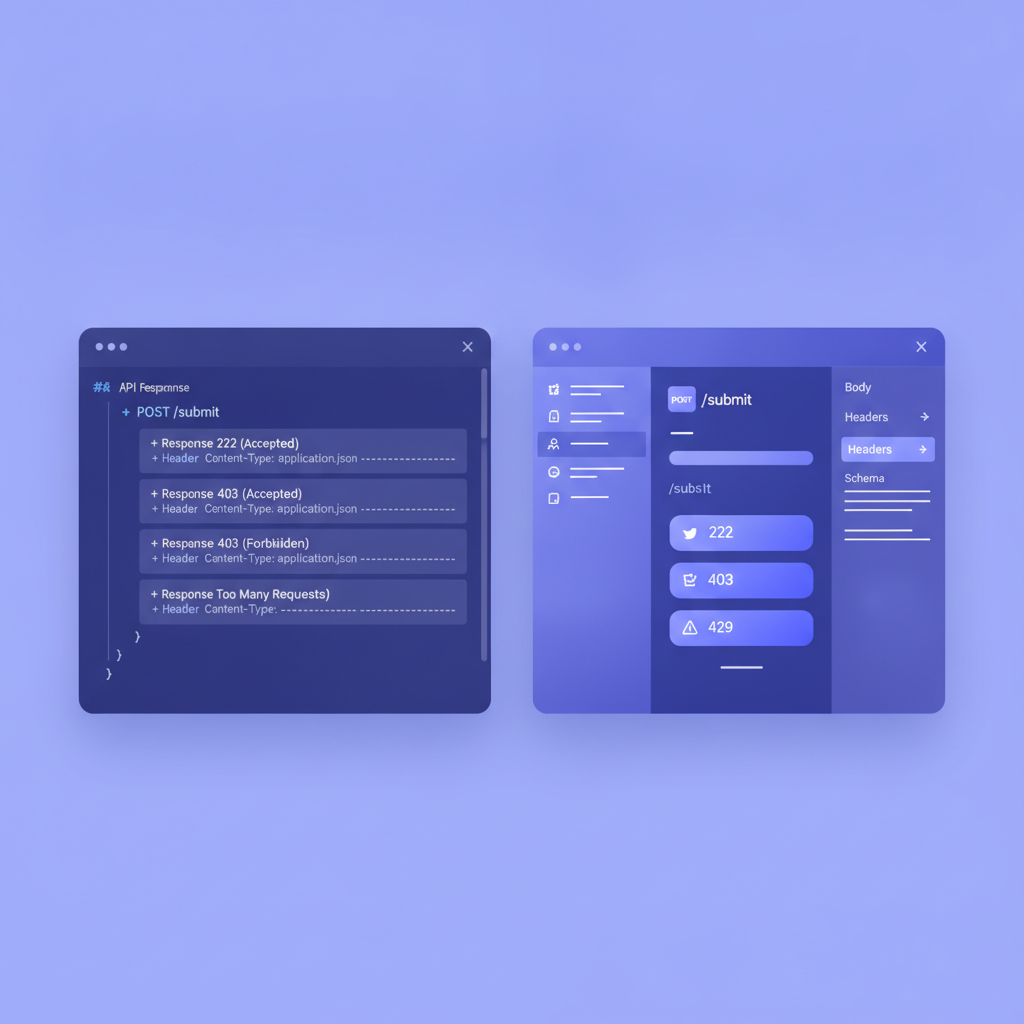
+ Response 429 (application/json)
    + Headers

            Retry-After: 47
            X-RateLimit-Limit: 30
            X-RateLimit-Remaining: 0
            X-RateLimit-Reset: 1748700000

    + Body

            {
              "error": "rate_limit_exceeded",
              "retryAfter": 47,
              "plan": "free",
              "upgradeUrl": "https://example.com/pricing"
            }
The pitfall most teams fall into here is documenting the limit only in prose and never in a Blueprint response body. A developer building a client library needs to know the exact field name to check. Prose alone does not give them that.
Pattern 3: marking tier-gated endpoints clearly
When an endpoint is only available on certain plans, every developer who calls it on a lower-tier account will get a 403. The documentation must set that expectation before they write a single line of integration code.
Two conventions work well in practice, and you can combine them:
- Inline badge in the heading: Put the plan requirement directly in the API Blueprint resource or action title, for example
## Trigger Report Export [POST] (Growth+). It appears in the rendered navigation so developers see it before reading the body. - Structured note block in the description: Add a note block immediately after the action heading that spells out the plan requirement and links to pricing. Apidoke renders Markdown within API Blueprint descriptions, so a simple blockquote or bold note works.
Here is how both look together:
### Trigger a report export [POST]

**Requires: Growth plan or above.**
Calling this endpoint on a Free or Starter plan returns `403 Forbidden`.

+ Request (application/json)
The common pitfall is burying plan requirements in a general "Pricing" page and hoping developers read it before they start coding. They rarely do. Put the restriction at the point of use.
Pattern 4: documenting webhook events in a SaaS context
Webhooks (outbound HTTP POST callbacks your API sends to a developer's endpoint when an event occurs) are standard in SaaS APIs. Documenting them well is harder than documenting REST endpoints because there is no request the developer sends; instead, they receive a request from your system.
The full guide on authoring this in API Blueprint lives in Documenting Webhooks in API Blueprint. For SaaS specifically, the extra concerns are:
- Which events are available per plan? A free-tier customer may only receive
invoice.createdevents while a Growth customer also receivesusage.threshold.reached. Document this in a table. - Signature verification: Every webhook payload should carry an
X-Webhook-Signatureheader (or equivalent) computed with HMAC-SHA256 over the payload. Document the algorithm and show a verification example in code. - Retry behavior: If your system retries failed deliveries, say so: how many retries, at what intervals, and what HTTP status codes trigger a retry (typically anything outside 2xx).
Here is a minimal webhook event blueprint for a SaaS billing scenario:
# Group Webhook Events

Webhook payloads are sent as `POST` requests to the URL you configure
in your dashboard. Every payload includes a `X-Webhook-Signature` header
for verification.

**Signature algorithm:** HMAC-SHA256, computed over the raw request body
using your webhook secret as the key.

## invoice.created [/webhooks/invoice.created]

### Event payload [POST]

Triggered when a new invoice is generated for any tenant on your account.

+ Request (application/json)
    + Headers

            X-Webhook-Signature: sha256=abc123def456...
            X-Webhook-Event: invoice.created

    + Body

            {
              "event": "invoice.created",
              "tenantId": "4a1f2c88-9e3d-4b7a-a012-1c2d3e4f5a6b",
              "invoiceId": "inv_9c2a4e7f",
              "amountDue": 4900,
              "currency": "usd",
              "dueDate": "2025-08-01",
              "createdAt": "2025-07-01T00:00:00Z"
            }

+ Response 200

    Your endpoint must return `200 OK` within 10 seconds to acknowledge
    the event. Any other status triggers a retry after 60 seconds,
    then 5 minutes, then 30 minutes (three attempts total).
Pattern 5: versioning docs per subscription tier
Many SaaS products maintain multiple live API versions simultaneously because enterprise customers on annual contracts cannot upgrade on your schedule. You may be shipping v3 while a segment of your base is still on v1 contracts.
The approach that scales is one Blueprint file per major version, stored as separate Apidoke projects. Apidoke's per-project version history means each project tracks its own snapshot timeline; you are not fighting a single monorepo branch strategy to serve three audiences at once.
The deeper versioning strategy, including how to communicate breaking changes and deprecation timelines, is covered in API Versioning Strategies and How to Document Them. The SaaS-specific addition is the concept of a deprecation notice tied to plan lifecycle: when you deprecate a v1 endpoint, the notice in the docs should name the plan that keeps v1 alive, the date it ends, and the migration path.
## List Users (deprecated) [/v1/users]

**Deprecated.** This endpoint is available until 2025-12-31 for customers
on legacy Enterprise contracts. Migrate to `GET /v2/users` before that date.

See the [migration guide](https://docs.example.com/v1-to-v2) for field changes.

### List all users [GET]
Common pitfalls in SaaS API documentation
Pitfall 1: hiding error codes in prose
The most common failure mode is listing error scenarios only in a narrative section called "Error Handling" far from the endpoint they affect. Developers reading the POST /subscriptions reference should see every possible error response, including 402 Payment Required when a trial has expired, 409 Conflict when the tenant already has an active subscription, and 422 Unprocessable Entity when required fields fail validation. Put those responses directly on the action, not three pages away.
Pitfall 2: using the same API key example in every code sample
When every example shows Authorization: Bearer sk_live_EXAMPLE123, developers either copy it verbatim and wonder why they get 401, or they assume all examples are fake and stop reading carefully. Use obviously placeholder values like YOUR_ACCESS_TOKEN or token patterns that match your real format so developers know how to substitute correctly. The guidance in Writing Effective Code Samples for API Documentation covers this in detail.
Pitfall 3: not documenting the sandbox environment separately
SaaS products almost always have a sandbox or staging environment with different base URLs, test credentials, and relaxed rate limits. Many developers discover this only after accidentally making production API calls with test data. Give the sandbox its own clearly labeled section at the top of the docs with the base URL, how to get test credentials, and any behavioral differences (for example, webhooks go to a mock delivery service in sandbox).
Pitfall 4: one docs site for all tenant types
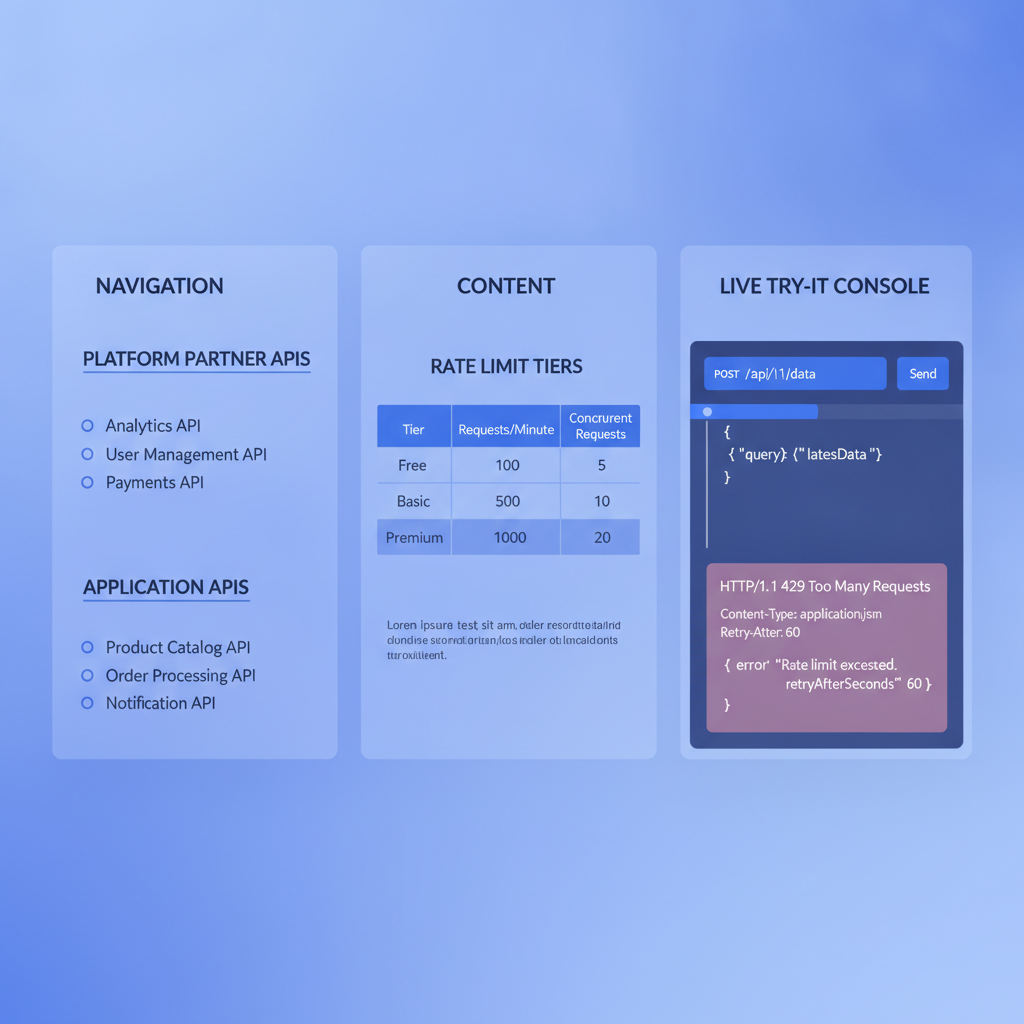
If your SaaS API serves both end-user applications and platform partners who resell your product, mixing their documentation in a single linear reference creates confusion. Platform partners need to understand impersonation flows, sub-tenant provisioning endpoints, and usage reporting APIs that regular application developers never touch. Consider a clear section separation in your Blueprint groups:
# Group Platform Partner APIs

These endpoints are available only to accounts with the Partner program
enabled. Contact your account manager for access.

# Group Application APIs

These endpoints are available to all accounts.
Using Apidoke to publish SaaS API docs
Apidoke is built around the API Blueprint format and publishes a 3-column reference: navigation on the left, content in the center, and a live try-it console on the right that fires real HTTP requests from the browser. For SaaS teams, a few things matter specifically:
- Try-it console with real credentials: When a developer tests your
GET /v2/subscriptionsendpoint from the docs, their bearer token and tenant ID stay in the browser. They never pass through Apidoke's servers. This is important for SaaS products where customer tokens carry real entitlement data. - Per-project version history: Each project in Apidoke keeps its own snapshot history. You can maintain a v1 project and a v2 project simultaneously, each with independent version timelines.
- Self-hosted deployment: If your SaaS API docs contain internal pricing details, partner-only endpoint specs, or pre-release capabilities, self-hosting Apidoke means you control who can reach the docs server entirely, without relying on a third-party access control layer.
- One-click public publishing: For the endpoints that are public, you can publish a project publicly with one click and share the URL with developers before they sign up for an account.
The split-pane CodeMirror editor in Apidoke provides live preview as you write Blueprint, which shortens the feedback loop considerably when you are working through complex multi-response endpoint definitions like the tier-gated examples above.
A practical API Blueprint structure for a SaaS product
Starting from scratch is easier with a concrete skeleton. The structure below covers the main areas a SaaS API reference needs:
FORMAT: 1A
HOST: https://api.example.com

# Example SaaS API v2

## Base URLs

| Environment | Base URL |
|---|---|
| Production | `https://api.example.com` |
| Sandbox | `https://sandbox.api.example.com` |

## Authentication

See [Authentication](#authentication) for bearer token and tenant ID requirements.

## Rate limits

See [Rate Limits](#rate-limits) for per-plan limits and retry header documentation.

# Group Authentication

## Token Exchange [/auth/token]

### Exchange client credentials for an access token [POST]

...

# Group Rate Limits

## Rate limit overview [/rate-limits]

### Get current rate limit status [GET]

...

# Group Subscriptions

## Subscription [/v2/subscriptions/{subscriptionId}]

...

# Group Reports (Growth+)

## Report Export [/v2/reports/export]

...

# Group Webhooks

## Webhook Events [/webhooks]

...

# Group Platform Partner APIs

## Tenant Provisioning [/platform/tenants]

...
The group headers carry the plan restriction in the title where it applies. Navigation in Apidoke's 3-column viewer renders these group names directly, so a developer scanning the left column sees "Reports (Growth+)" immediately and knows to check their plan before diving into that section.
For a deeper look at how to structure sections like this across a large API surface, see How to Structure a Large API Documentation Site.
Frequently asked questions
How do I document different rate limits for different subscription plans?
Use a table in a dedicated "Rate Limits" group that lists each plan alongside its per-minute, per-day, and burst limits. Then document the 429 response body on every high-frequency endpoint with fields for the current plan, the limit hit, and an optional upgrade URL. This gives developers both the upfront overview and the in-context detail they need.
What HTTP status code should a SaaS API return when a user calls a plan-restricted endpoint?
Return 403 Forbidden, not 401 Unauthorized. A 401 signals missing or invalid credentials; a 403 signals that the credentials are valid but the account lacks the entitlement. Include a structured JSON error body with a machine-readable error code like "plan_restriction" and an upgrade URL so developers can act on the response programmatically.
Should I use a separate API Blueprint project for each API version?
Yes, for major versions that need to coexist. A separate Apidoke project per major version gives you independent version history, independent publishing, and no risk of cross-contaminating v1 and v2 content. For minor or patch changes within a version, use Apidoke's snapshot history within the same project.
How do I document webhooks that differ by subscription plan?
Create a table in the webhook events group listing each event name, a short description, and which plans receive it. Then write a full Blueprint action for each event showing the payload schema, the signature header, and the acknowledgment response your endpoint must return. Put plan restrictions in both the table and the individual event description.
How can developers safely test my SaaS API from the documentation?
If you publish your docs with Apidoke, the built-in try-it console fires real HTTP requests directly from the developer's browser. Their credentials never pass through Apidoke's servers, which is important when tokens carry tenant entitlement data. Pair this with a documented sandbox environment so developers can test without touching production data.
Ready to publish a SaaS API reference that handles authentication tiers, rate limit tables, and webhook event catalogs without a custom toolchain? Create your free Apidoke account and publish your first Blueprint in minutes.
Related reading: How to Write API Docs for a Command-Line Interface (CLI)