
API Documentation for Startups: Ship Docs Fast Without a Toolchain

API documentation for startups means getting a credible, interactive reference in front of developers as fast as possible, with no toolchain, no DevOps overhead, and ideally no cost. Apidoke is built for exactly this: you write your API in API Blueprint format, preview it live in a split-pane editor, and publish a three-column interactive doc site, try-it console included, in one click. No npm, no CI pipeline, no credit card required.
- API Blueprint is a plain-text, Markdown-based format designed for human readability; a minimal endpoint can be documented in under ten lines.
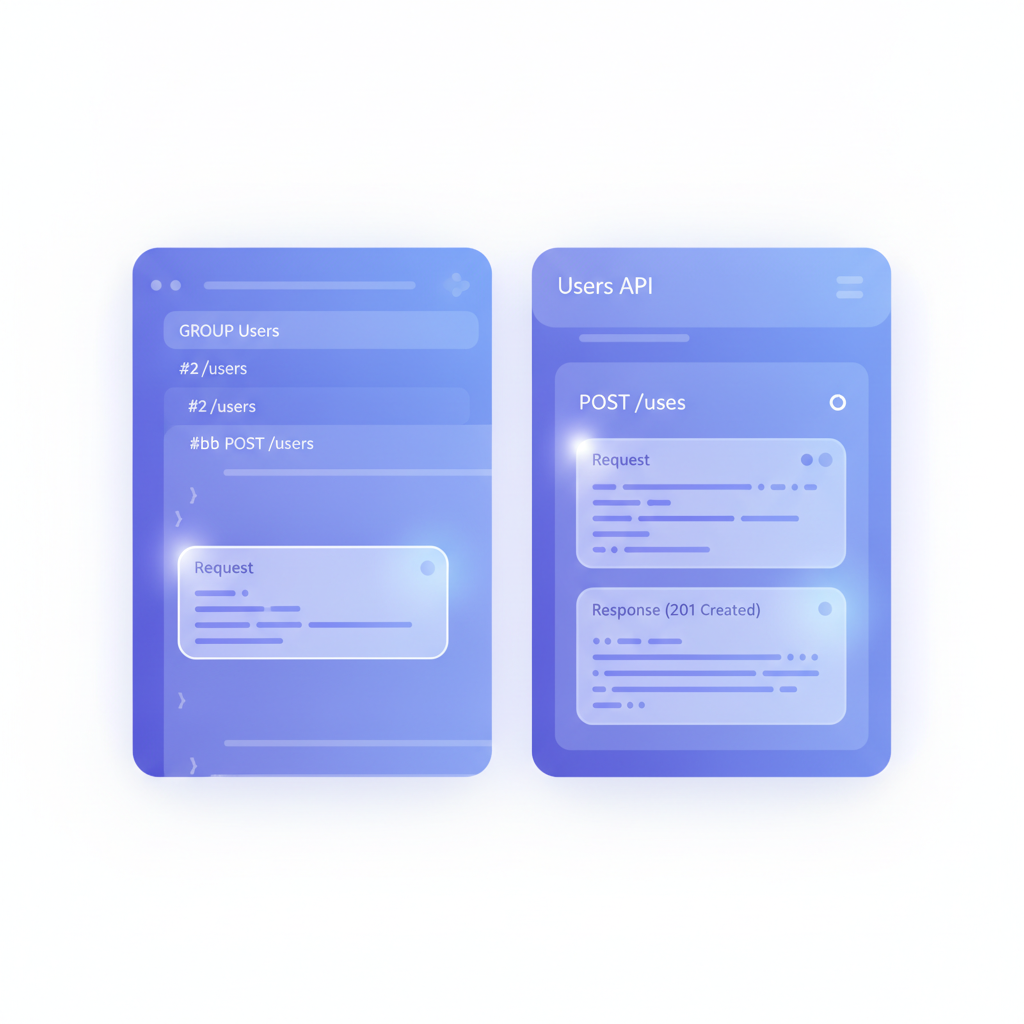
- Apidoke renders your blueprint into a live three-column reference (navigation, content, and a try-it console) with zero local tooling.
- Auth tokens entered into the try-it console stay in the browser and never reach Apidoke's servers, so you can safely demo authenticated endpoints to prospects.
- Per-project version history is built in, so you can snapshot v1 before shipping v2 without managing a Git branch strategy from day one.
Why API docs matter earlier than most startups think
The common pattern is to treat docs as a post-launch cleanup task. In practice, the moment a potential integration partner, investor doing technical due diligence, or early-access developer asks for your API reference, the absence of one costs you the relationship. A half-finished Notion page or a raw Postman collection export does not communicate the same professionalism as a published, interactive reference. You do not need a mature product to have mature docs.
Speed is the real constraint. Early engineering teams have one or two people, and spending a week configuring a documentation pipeline is not an option. The toolchain question, specifically whether to use a static site generator, a self-hosted wiki, a hosted SaaS, or a custom React app, is where most startups stall. The answer for most is: skip the toolchain entirely and use a purpose-built API doc tool that ships the whole stack for you.
What a startup actually needs from an API doc tool
Before comparing options, it helps to define the real requirements. Startup API doc tools are often evaluated on feature lists, but the honest requirements are narrower:
| Requirement | Why it matters for startups |
|---|---|
| Write-to-publish in minutes | Engineering time is scarce; onboarding to a new tool cannot take days |
| Live interactive try-it console | Developers evaluate APIs by testing them, not by reading prose |
| No build pipeline or hosting setup | No DevOps capacity to maintain a docs server separately from the product |
| Public one-click publishing | Sharing a URL in a Slack thread or a sales email needs to work instantly |
| Version history | API shape changes weekly at early stage; old snapshots matter for existing integrators |
| Free or very low cost | Budget is allocated to product, not docs infrastructure |
| Open format, no lock-in | If you switch tools later, your content should be portable |
Apidoke covers all seven of these. The API Blueprint format your docs are written in is an open specification, so the source files are plain Markdown that you can take anywhere. For the broader landscape of available tools, the best API documentation tools roundup for 2026 covers the full comparison including paid and enterprise options.
A crash course in API Blueprint for startup teams
API Blueprint (the format Apidoke uses) is worth understanding before you write your first line, because the mental model is slightly different from OpenAPI's YAML-heavy schema approach. API Blueprint reads like a structured document, not a config file. The Apidoke guide to API documentation tools covers the broader context, but here is the practical minimum for a startup.
The structure of a blueprint file
A blueprint is a single Markdown file. The top-level metadata block sets the API name and the host. Groups organise related resources. Each resource is a URL pattern. Each action under a resource is an HTTP method. Requests and responses are documented with headers, body, and status codes.
A minimal but complete example for a startup's user registration endpoint looks like this:
FORMAT: 1A
HOST: https://api.yourapp.com

# Your App API

## Authentication

This API uses Bearer tokens. Include `Authorization: Bearer <token>` on all protected requests.

# Group Users

## User Registration [/v1/users]

### Create a user [POST]

Registers a new user account. Returns a 201 with the created user object.

+ Request (application/json)

    + Body

            {
              "email": "ada@example.com",
              "password": "s3cur3P@ssw0rd"
            }

+ Response 201 (application/json)

    + Body

            {
              "id": "usr_01HXK4R2B9MNPQ",
              "email": "ada@example.com",
              "created_at": "2025-07-15T09:00:00Z"
            }

+ Response 409 (application/json)

    + Body

            {
              "error": "email_already_exists",
              "message": "An account with this email is already registered."
            }
This one snippet does a lot of work: it defines the HTTP method (POST), the path (/v1/users), the request body shape, a success response (HTTP 201 Created), and a conflict error (HTTP 409 Conflict). Anyone reading it, developer, QA engineer, or integration partner, immediately knows what to send and what to expect back. The IETF HTTP semantics specification (RFC 9110) defines the meaning of these status codes if you want to verify you're using them correctly.
The format conventions that trip people up early
API Blueprint uses indentation to nest content, which looks natural but must be consistent. Request and response bodies sit inside a four-space-indented block. Forgetting those four spaces before the JSON is the most common error. The live preview in Apidoke's editor catches this instantly: if your response body is not rendering in the right panel, indentation is almost always the reason.
Group headers use the # Group syntax. Resources are ## Resource Name [/path]. Actions are ### Action Name [METHOD]. Once that pattern clicks, the rest of the format is predictable. The full syntax reference lives on the API Blueprint syntax cheat sheet.
How to ship your first startup API docs in under an hour
The following is a step-by-step path from nothing to a public interactive API reference. This assumes you have at least one endpoint worth documenting.
- Create an Apidoke account. Go to /register. No credit card is required. The process takes about two minutes.
- Create a new project. Name it after your API, for example "Your App API v1". A new project opens directly in the split-pane editor with a starter blueprint template pre-loaded.
- Replace the template content with your FORMAT, HOST, and first Group. Use the example above as a starting point. The right-hand preview panel updates as you type.
- Document your first three to five endpoints. Prioritise the endpoints developers will hit first: authentication (POST /tokens or similar), your main resource collection (GET /items), and your main resource creation (POST /items). Three well-documented endpoints beat twenty half-finished stubs.
- Add realistic request and response bodies. Use real-looking data, not placeholder strings like "string" or "value". A response body with real-looking IDs and timestamps gives developers an accurate mental model of what your API returns.
- Document your error responses. At minimum, cover 400 Bad Request (malformed input), 401 Unauthorized (missing or invalid token), 404 Not Found (unknown resource), and any domain-specific errors your API returns. This is what saves a developer at 10pm when their integration breaks.
- Preview the try-it console. Click through to the rendered view. Enter a test token in the Authorization field and fire a real GET request at your staging or production API. Confirm the 200 response body matches your documentation.
- Publish. Click the publish button. Apidoke generates a public URL for your docs site. Copy it and share it wherever you need: your README, your onboarding email, your developer Slack channel.
- Save a version snapshot. Before you start editing again, save a named version in Apidoke's version history. Label it "v1.0 initial release". Every subsequent breaking change should get its own snapshot.

What to document first (and what to skip for now)
Early-stage API docs do not need to be exhaustive. The goal is to unblock integrators, not to achieve perfect coverage. A practical triage for a startup's first release:
Document immediately
- Authentication: how to get a token, what header to send, what a 401 response looks like.
- The five to ten endpoints that cover the primary use case your API solves.
- Pagination behaviour for any list endpoints (page/limit or cursor-based, document which).
- Rate limits, even if rough. "100 requests per minute per API key" in a paragraph is better than silence. A 429 Too Many Requests with no documentation is a support ticket every time.
- Your error response envelope, meaning the consistent JSON structure you return for all errors.
Defer until you have the time
- Full MSON data structure definitions for every schema field.
- A complete changelog from the very beginning.
- Localisation or multi-language code samples.
- Detailed deprecation notices for endpoints that have not been deprecated yet.
The security property that matters when you demo to enterprises
One detail that catches early-stage founders off guard: when a potential enterprise customer's developer uses your try-it console, they will enter real API keys or Bearer tokens to test the integration. With Apidoke, those credentials are used entirely client-side. The HTTP requests fire directly from the developer's browser to your API server. Apidoke's servers never see the token. This is not a minor implementation detail; it is the reason you can safely share a public docs URL without worrying that someone's credentials will be logged or stored by a third-party service.
Versioning your docs as your API evolves
Startups ship fast and break things. Your API will change. The most important habit to build early is saving a named version snapshot before any breaking change: a field renamed, a response structure altered, an endpoint deprecated. Apidoke's per-project version history lets you do this without a separate Git strategy for your docs. When an integrator reports a regression, you can pull up the exact snapshot they were building against and compare it to the current spec.
A practical naming convention: use the same version string you use in your URL path. If your API is at /v1/, label the snapshot "v1". When you ship /v2/, snapshot the current state and label it "v2 launch". Keep both snapshots accessible until you formally deprecate v1. This mirrors the approach described in detail in the practical versioning workflow guide.
Common startup API doc mistakes (and how to avoid them)
Documenting the happy path only
The single most expensive omission is leaving out error responses. When a POST /users call returns a 422 Unprocessable Entity because a field failed validation, and there is no documentation of what that response body looks like, every integration developer opens a support ticket. Document your error envelope once at the top of your blueprint, then show the specific error codes for each endpoint. This alone cuts integration support time significantly.
Using internal jargon in the endpoint descriptions
Your team knows what "ingesting a lead" or "hydrating a cart" means. External developers do not. The first time you use a domain term, define it in plain language. A sentence like "Creates a new order (an order is a confirmed intent to purchase one or more items)" is not condescending; it is useful.
Publishing docs that don't match the actual API
Stale documentation is worse than no documentation because it creates false confidence. The discipline is simple: whenever a developer on your team changes an API contract, the docs change in the same commit or sprint. The try-it console in Apidoke is your live accuracy test: if the console returns a response that does not match the documented response, the docs are out of date. Run it before every publish.
Skipping the authentication section
The authentication section is the first thing any integrator reads. If it is missing, they have to guess how to send their token, and the most common guess (adding it as a query parameter rather than an Authorization header) is wrong for most REST APIs. A two-paragraph authentication section with a copy-paste cURL example prevents an entire category of confusion:
curl -X GET https://api.yourapp.com/v1/users \
  -H "Authorization: Bearer eyJhbGciOiJIUzI1NiIsInR5cCI6IkpXVCJ9..."
How Apidoke compares to the common startup alternatives
| Option | Setup time | Try-it console | Cost | Version history | Lock-in risk |
|---|---|---|---|---|---|
| Apidoke | Under 10 minutes | Yes, browser-only | Free tier, self-hostable | Built in per project | Low (open API Blueprint format) |
| Notion or Confluence | Under 30 minutes | None | Free to paid | Page history only | Medium (proprietary format) |
| Static site generator (Docusaurus, Hugo) | Half a day to several days | Requires custom build | Free (hosting cost extra) | Via Git, manual | Low (Markdown source) |
| Postman collection shared as URL | Minutes | In Postman only | Free to paid | None native | High (proprietary format) |
| ReadMe or Mintlify (hosted SaaS) | Under one hour | Yes | Paid after trial | Varies by plan | Medium to high |
The static site generator path is worth mentioning specifically because it is where many engineering-led startups default. The appeal is control and zero ongoing cost, but the setup time and maintenance burden are real. You will configure a build system, a deployment pipeline, and hosting before writing a single line of documentation. For a team of two engineers shipping a product, that is a week of lost time. The comparison of static site generators for API docs covers this trade-off in detail if you want to evaluate it properly.
Frequently asked questions
How long does it actually take to publish API docs with Apidoke?
For a startup with three to five endpoints ready to document, the realistic time from account creation to a published public URL is 45 to 90 minutes. That includes writing the API Blueprint content, previewing it in the editor, running a test request in the try-it console, and clicking publish. The API Blueprint format is plain Markdown, so there is no schema language to learn before you start writing.
Do I need to know API Blueprint before I can use Apidoke?
No prior knowledge is required. Apidoke's editor loads a working starter template when you create a project, and the live preview shows you immediately how each section renders. Most developers can read and modify the starter template within 15 minutes. The complete guide to API Blueprint covers the format in depth if you want to go further.
Is Apidoke actually free, or is there a catch?
Apidoke requires no credit card to register and no paid plan to publish your first project. The self-hosting option means you can also run the full tool on your own infrastructure at no software cost. There is no trial period with a forced upgrade.
What if my API changes after I publish the docs?
Update the blueprint in the editor and republish. The published URL reflects the latest version automatically. Before publishing breaking changes, save a version snapshot so integrators on the previous version have a stable reference. Apidoke's per-project version history is built for exactly this workflow.
Can I use Apidoke to document a private or internal API, not just a public one?
Yes. You can keep a project unpublished and share the editor preview internally, or self-host Apidoke on your own network so the docs are never publicly accessible. The same three-column interactive interface works for internal teams as it does for external developers.
If you have been putting off your API docs because setting them up felt like a project in itself, the fastest next step is to open a blank project and paste in your first endpoint. Create your free Apidoke account and have a shareable API reference ready before the end of the day.