
How to Write API Release Notes That Developers Read

API release notes are short, structured entries that tell developers exactly what changed between API versions, whether they need to act, and what happens if they do not. Unlike a full changelog strategy, writing individual release note entries is a craft decision: choosing the right level of technical detail, signalling breaking changes clearly, and matching the tone to a developer audience. Apidoke lets you publish and version those notes right inside your live API docs.
- Lead every entry with a one-line summary: change type, affected resource, and practical impact.
- Separate breaking changes (require developer action) from non-breaking ones (safe to ignore) with a visible label, never just prose.
- Include the HTTP method, endpoint path, status code, and a before/after example for any change that touches a request or response shape.
- Keep the tone direct and technical; skip marketing language entirely.
Why most API release notes fail developers
The failure mode is almost always the same: the notes describe what the team did rather than what the developer needs to do. Entries like "Improved internal error handling" or "Various stability improvements" are technically true and completely useless. A developer scanning release notes is asking one question: does this version break my integration or give me something useful? Every sentence should answer one of those two things.
A second failure mode is burying severity. If a field is being removed, that is a breaking change (a change that requires consumers to update their code to avoid a failure). If a new optional query parameter is added, that is non-breaking. Treating both the same way forces developers to read every word to assess risk, so they stop reading at all.
The anatomy of a good release note entry
Each entry should contain five elements, in this order:
- Change type label. One of:
BREAKING,DEPRECATED,NEW, orFIX. Put it first so developers can filter by scanning the left margin. - Affected resource and method. For example:
GET /orders/{id}. Be specific about the path. Vague references to "the Orders API" make developers check the reference docs just to understand the note. - What changed. One or two sentences describing the change in concrete terms: a field name, a status code, a default value, an error message string.
- What the developer must do (or can safely ignore). For breaking changes, spell out the migration step. For non-breaking additions, one sentence confirming no action is needed is enough.
- A code or schema example. Show the before and after. Do not make developers infer the diff from prose.
Breaking vs non-breaking: how to communicate the difference plainly
The distinction matters because a breaking change that ships without a clear warning can cause production outages. The IETF HTTP semantics specification (RFC 9110) defines what servers are required to return; when your API departs from what clients were previously receiving, that departure is a breaking change regardless of what your internal ticket calls it.
| Change type | Breaking? | Common examples | Action required? |
|---|---|---|---|
| Remove a response field | Yes | Removing user.legacy_id from a 200 OK body | Yes, update parsers |
| Change a field type | Yes | Changing amount from integer to string | Yes, update type handling |
| Change a status code | Yes | A 404 Not Found now returns 410 Gone | Yes, update error handling |
| Add a required request field | Yes | New required idempotency_key on POST /payments | Yes, update request construction |
| Add an optional response field | No | New optional meta.request_id in every response | No, use it if useful |
| Add an optional query parameter | No | New ?include_deleted=true on GET /users | No, ignore or adopt |
| Fix an undocumented bug | Sometimes | Correcting a field that was returning the wrong unit | Check if your code depended on the wrong value |
| Deprecate an endpoint | No (yet) | Adding a Deprecation response header | Plan migration before removal date |
Use the label system from your entry format (BREAKING, DEPRECATED, etc.) and reinforce it in the text. Developers who are diffing changelogs programmatically or feeding them to their own monitoring tools need machine-parseable signals, not implicit ones hidden in paragraph six.
Tone and voice for a developer audience
Developers reading release notes are in a task-oriented mode. They are not browsing; they are trying to decide quickly whether to act. The right tone is direct, neutral, and precise. Some specific rules that help:
- Use the active voice and name the thing that changed. "The
created_atfield now returns a Unix timestamp (integer) instead of an ISO 8601 string" beats "Date format updates have been made to the response." - Avoid adjectives that convey opinion rather than information. "Improved", "enhanced", "better" tell the developer nothing concrete.
- Do not soften breaking changes with hedging language. "You may need to update your integration" understates risk. "Update your parser before upgrading" is accurate.
- Spell out abbreviations and jargon the first time they appear in each entry. Release notes are read in isolation, not always in sequence.
- Match the naming exactly as it appears in the API. If the field is
order_reference_idin the response, call itorder_reference_idin the note, not "the order reference field."
Writing breaking change entries: a worked example
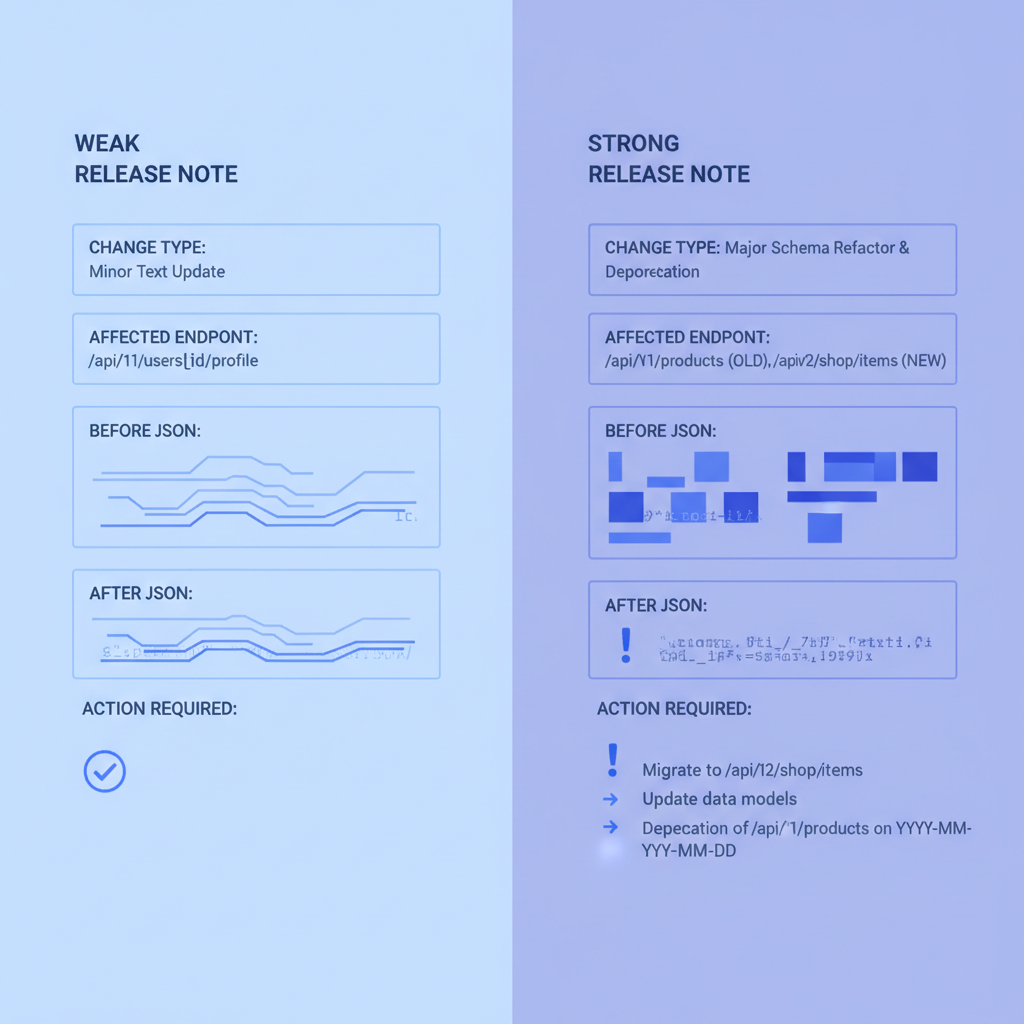
Here is a before-and-after comparison of the same breaking change communicated poorly and then well.
Weak version
v2.4.0 (2026-09-01)
- Updated authentication error responses for improved consistency.
Strong version
v2.4.0 (2026-09-01)

[BREAKING] POST /auth/token -- Error response body shape changed

The 401 Unauthorized response body previously returned:
  { "error": "invalid_credentials" }

It now returns:
  {
    "error": {
      "code": "invalid_credentials",
      "message": "The supplied client_id or client_secret is incorrect."
    }
  }

Action required: Update any code that reads error.error (string) to read
error.error.code (string) instead. Integrations that do not parse the
error body are unaffected.
The strong version names the method and path, shows the exact JSON diff, identifies which field changed type, and explicitly tells developers who do not need to act that they are safe. A developer can read it in twenty seconds and make a confident decision.
Writing non-breaking and deprecation entries
Non-breaking additions still deserve a clear entry because developers want to know what is available. Deprecation notices require extra care because they are time-sensitive.
Non-breaking addition example
[NEW] GET /invoices -- New optional response field: payment_method

All invoice responses now include a payment_method field:
  {
    "id": "inv_abc123",
    "payment_method": "card" | "bank_transfer" | null
  }

No action required. Existing integrations are unaffected.
Deprecation notice example
[DEPRECATED] GET /v1/users/{id}/profile

This endpoint is deprecated as of 2026-09-01 and will be removed on
2027-03-01 (six months). Use GET /v2/users/{id} instead, which returns
the same fields plus a unified address object.

Response header added to all requests to the deprecated endpoint:
  Deprecation: true
  Sunset: Sun, 01 Mar 2027 00:00:00 GMT

Migration guide: /docs/migrations/v1-v2-users
Notice the concrete removal date and the Sunset header reference. The MDN HTTP Headers reference describes how standard headers like Deprecation and Sunset work in practice. Documenting them in your release note signals that you follow the standard, which increases developer trust.
How much technical detail is enough?
The right level of detail depends on two variables: the blast radius of the change and the likely audience for that endpoint.
A change to a core authentication endpoint affects every integration, so a full before/after example, a migration step, and a link to updated reference docs are all justified. A change to an internal-facing admin endpoint that only a handful of partners call might need only the label, the path, and two sentences.
A useful heuristic: if a developer would need to open a second tab to understand your release note, add more detail to the note itself. Reference docs are for looking things up; release notes are for making decisions quickly. When the two complement each other (the note describes the change, the reference shows the full schema), you create a tight feedback loop that reduces support load.
For a deeper look at how reference documentation and release notes fit together as part of a broader developer experience strategy, see the practical guide to developer experience for API teams.
Structuring a full release in API Blueprint
If you use API Blueprint to author your API docs in Apidoke, you can co-locate release notes with your resource definitions using comment blocks or a dedicated changelog resource group. Here is a minimal pattern using API Blueprint's # Group syntax:
# Group Changelog

## Release Notes [/changelog]

### Get Latest Release Notes [GET]

+ Response 200 (application/json)

    + Body

            {
              "version": "2.4.0",
              "released": "2026-09-01",
              "changes": [
                {
                  "type": "BREAKING",
                  "resource": "POST /auth/token",
                  "summary": "Error response body shape changed from string to object"
                },
                {
                  "type": "NEW",
                  "resource": "GET /invoices",
                  "summary": "Added optional payment_method field"
                }
              ]
            }
Apidoke's live 3-column viewer renders this as a navigable reference panel, and the try-it console lets developers fire a real GET /changelog request immediately to confirm what they are reading matches the live API. The per-project version history in Apidoke also means every draft of your release notes is preserved, so you can compare how the wording evolved or roll back a note that went out prematurely.
For the broader structural question of how to organise your changelog across multiple versions, the companion post on writing a good API changelog covers that strategy in full.
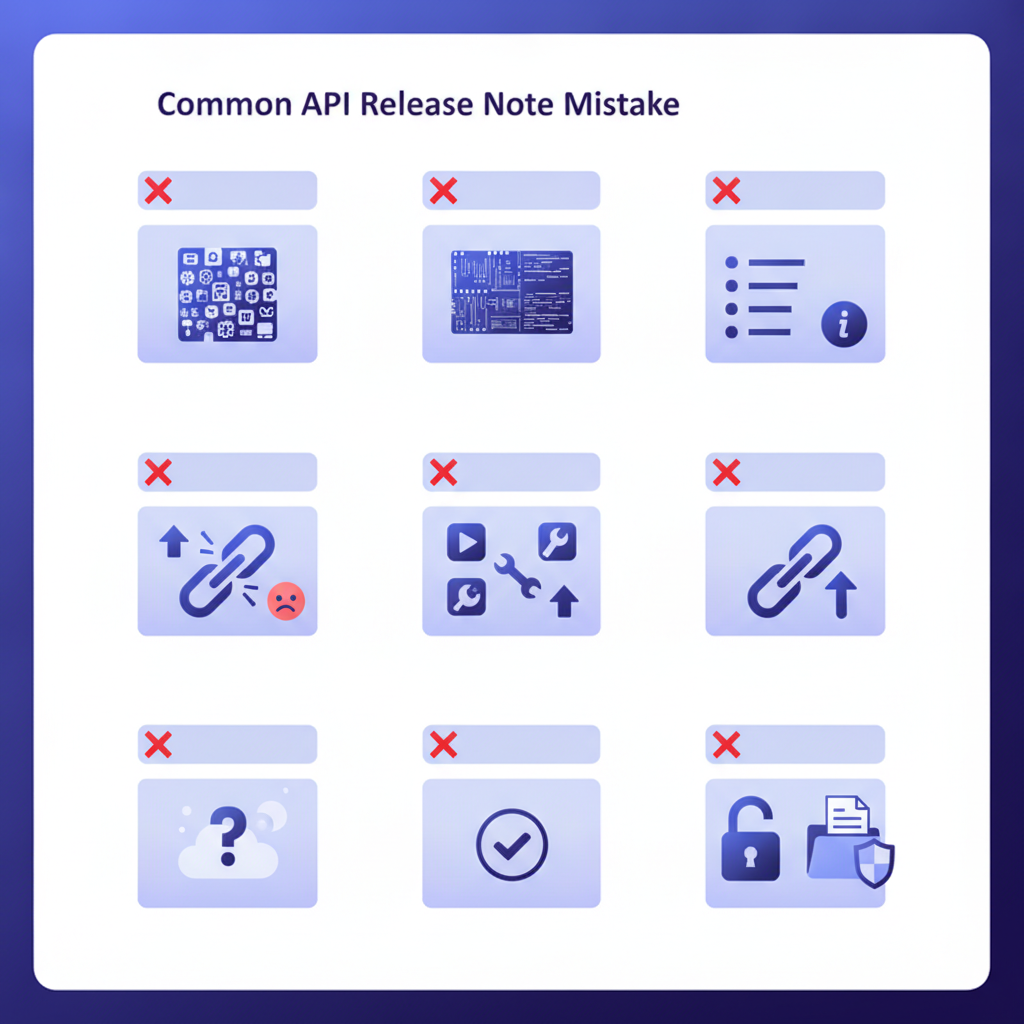
Common mistakes to avoid
- Grouping unrelated changes into a single bullet. "Various bug fixes and improvements" is the worst offender. Each change gets its own entry, even if the list is long.
- Publishing after the version ships. Release notes that appear days after deployment force developers to discover changes through errors rather than through documentation.
- Omitting the version number and date. Developers often read notes out of sequence or find them through search. Date and version on every entry, not just the heading, reduces confusion.
- Linking to internal tickets or private systems. A Jira link that 401s for external developers destroys trust quickly. Link only to public documentation.
- Using relative time references. "Released last week" ages badly. Use ISO 8601 dates:
2026-09-01.
Publishing release notes alongside your API docs with Apidoke
Release notes live and die by their accessibility. Notes buried in a GitHub releases tab, a separate Notion page, or an email newsletter create friction: developers have to leave the context where they are working to find them. The best place for release notes is directly inside your API documentation, ideally in the same navigation tree as the endpoints they describe.
Apidoke publishes API Blueprint docs as a live 3-column reference: the navigation panel on the left, the content in the centre, and a try-it console on the right. You can add a dedicated changelog section to your Blueprint, publish it with one click, and developers never leave the docs to understand what changed. Because Apidoke is self-hosted, your release notes stay on your own infrastructure, and the per-project version history means every published state of your notes is recoverable.
There is no credit card required to start, and authentication tokens used in the try-it console stay in the browser and never reach Apidoke's servers, which matters when developers are testing against staging environments with real credentials.
Frequently asked questions
What is the difference between API release notes and an API changelog?
A changelog is the document or page that collects all release notes over time, usually in reverse chronological order. Release notes are the individual entries within that document. The changelog is the structure; the release note is the content inside it. Strong release notes are what make a changelog worth reading.
How do I communicate a breaking change without alarming developers unnecessarily?
Be direct rather than alarming: label the entry clearly as BREAKING, describe the specific change in concrete terms, and immediately follow with the exact migration step. Give a migration deadline if possible. Clarity is reassuring; vagueness causes anxiety because developers have to infer their own risk.
Should API release notes include error code changes?
Yes, always. A change from 400 Bad Request to 422 Unprocessable Entity for validation errors is a breaking change for any client that branches on status codes. Include the previous code, the new code, and the condition that triggers each. Error handling is often the first thing that breaks silently in production.
How long should an individual API release note entry be?
Long enough to answer the two key questions (do I need to act, and what exactly changed) without making the developer open a second tab. In practice, breaking changes usually need 80 to 150 words plus a code example. Non-breaking additions can often be covered in 20 to 40 words.
How often should API release notes be published?
Publish a release note entry for every version that reaches any external consumer, including beta and release-candidate builds. Waiting for a big collection of changes and releasing them together makes the notes harder to scan and harder to act on. One entry per release, published before or at the moment the version ships, is the minimum bar.
Ready to publish your next release notes inside your live API docs? Create your free Apidoke account and have a versioned, publicly accessible API documentation site running in minutes, no credit card needed.
Related reading: API Changelog Best Practices: A Structured Guide for API Teams
Related reading: API Documentation Governance: Policies, Owners, and Audit Cycles