
The Best Apiary Alternatives in 2026

An Apiary alternative is any tool that lets you author, publish, and share API reference documentation, ideally with API Blueprint support, a live try-it console, and a clean hosted or self-hosted viewer. Apidoke is the closest like-for-like replacement: it accepts API Blueprint natively, renders a familiar three-column reference layout, and ships a browser-based try-it console, all with no credit card required and full self-hosting support.
- Apidoke supports API Blueprint authoring out of the box, so migrating your existing
.apibfiles requires no format conversion. - The live try-it console fires real HTTP requests from the browser; your auth tokens never pass through Apidoke servers.
- Apidoke is free to start and fully self-hostable, giving teams real control over their own infrastructure.
- Per-project version history is built in, so you can snapshot every iteration of your API contract without external tooling.
Why are developers looking for Apiary alternatives?
Apiary pioneered the idea of writing API docs as plain text using API Blueprint, then rendering them as a polished, interactive reference. For years it was the default choice for teams who did not want to hand-author HTML or wrestle with heavyweight toolchains. Over time, a few common complaints pushed developers toward alternatives:
- Uncertainty about the product's long-term availability and maintenance pace after Oracle's acquisition.
- Limited self-hosting options for teams that need to keep documentation behind a firewall or within their own infrastructure.
- No per-project versioning in the free tier, making it hard to document multiple API versions side by side.
- The try-it console sending requests through Apiary's own proxy, which raised concerns about token security for some teams.
Whatever your reason for leaving, the good news is that the API Blueprint format you already know is an open standard maintained independently of any single vendor. Your existing .apib files remain fully portable.
What should a good Apiary alternative actually do?
Before comparing tools, it helps to be explicit about the capabilities Apiary users actually relied on. A genuine replacement should cover all of these:
| Capability | Why it matters |
|---|---|
| API Blueprint authoring | Lets you reuse existing .apib files without a format migration |
| Three-column reference layout | Navigation, content, and code examples visible simultaneously |
| Live try-it console | Fires real GET, POST, PUT, DELETE requests and shows actual 200, 401, 404 responses |
| One-click publishing | Removes the need for a separate CI/CD pipeline just to publish docs |
| Self-hosting option | Keeps docs inside your own infrastructure when required by compliance or security policy |
| Version history | Snapshots each API contract so consumers can reference older versions |
| No proxy for try-it requests | Auth tokens and request payloads stay client-side, never routed through a third-party server |
The best Apiary alternatives compared
The tools below are evaluated against the criteria above. None of them are identical to Apiary, but each covers a meaningful subset of what Apiary users actually need.
Apidoke
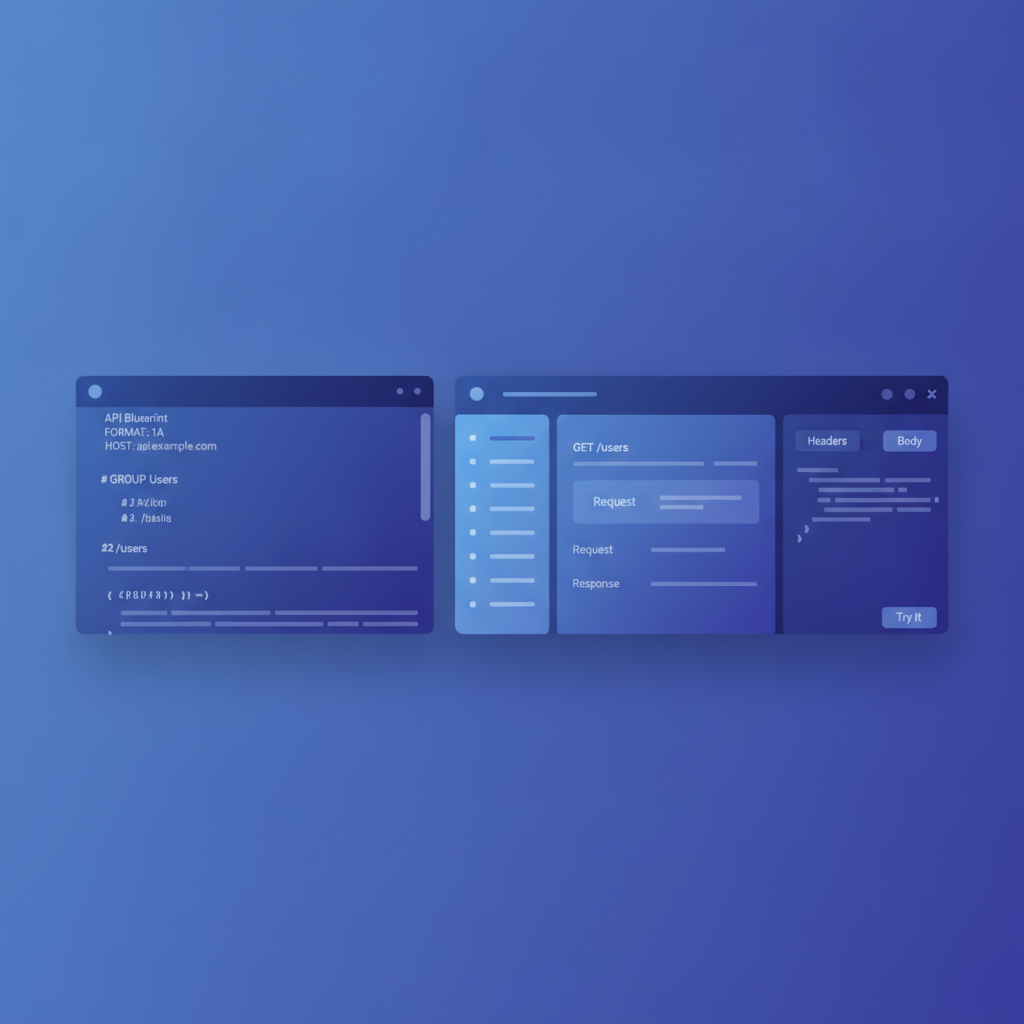
Apidoke is the most direct Apiary alternative for teams whose docs are already in API Blueprint format. You write in a split-pane CodeMirror editor with live preview on the right, so you see the rendered output as you type. Publishing is one click and generates a three-column viewer: navigation panel on the left, endpoint descriptions in the centre, and a try-it console on the right.
The try-it console is client-side only. When you click Send on a POST /orders request, the browser constructs and fires that request directly to your API server. No payload or Authorization header touches Apidoke's infrastructure. This is the architecture that Apiary's proxy-based console could not match.
Per-project version history means you can keep a snapshot of v1 documentation live while actively editing the v2 draft. Self-hosting is supported for teams that cannot publish externally. There is no credit card required to get started.
The one honest limitation: Apidoke is built around API Blueprint. If your team has already moved your spec to OpenAPI or Swagger format, Apidoke does not import those formats. For API Blueprint users, that is not a limitation at all.
For a broader look at how these tools fit into the documentation landscape, see the API documentation alternatives and comparisons hub.
Stoplight
Stoplight is a commercial API design and documentation platform built around OpenAPI. It offers a visual editor, mock servers, and a hosted documentation viewer. For Apiary users who have already migrated to OpenAPI, it covers a lot of ground. For teams staying on API Blueprint, it is not a natural home: Stoplight's editor and rendering pipeline are OpenAPI-first, and there is no native API Blueprint authoring workflow.
Redocly
Redocly produces high-quality two-column and three-column OpenAPI reference sites and offers a CLI-driven build pipeline. It is well-suited to engineering teams comfortable with Node.js toolchains and CI/CD integration. Like Stoplight, it does not natively support API Blueprint, and its self-hosting story requires you to operate the build pipeline yourself. Pricing scales with team size.
ReadMe
ReadMe is a hosted documentation platform with a polished UI, a Markdown-based editor, and an API explorer. It is a reasonable Apiary alternative for teams willing to move away from API Blueprint entirely, but it is a paid SaaS with no self-hosting path, and the try-it console is backed by ReadMe's own infrastructure. If data residency or token security matters to you, that architecture is worth examining carefully.
Mintlify
Mintlify targets developer-facing product docs as much as raw API references. It uses MDX (Markdown plus JSX components) rather than API Blueprint, so migrating an existing .apib project is a rewrite rather than a copy-paste. It is polished and fast, but it is a different paradigm from what Apiary provided.
Self-hosting with Aglio
Aglio is an open-source API Blueprint renderer that outputs static HTML. If you want maximum control and are comfortable running a small build script, Aglio plus a static host (GitHub Pages, Netlify, or S3) gets you a published reference. What you give up is the interactive try-it console, the built-in version history, and the live-preview editor. It is a valid option for simple projects with no interactivity requirement.
Side-by-side feature comparison
| Tool | API Blueprint support | Try-it console | Client-side requests only | Self-hostable | Version history | Free tier |
|---|---|---|---|---|---|---|
| Apidoke | Yes (native) | Yes | Yes | Yes | Yes (per-project) | Yes |
| Stoplight | No (OpenAPI only) | Yes | Varies | Paid plans | Via Git integration | Limited |
| Redocly | No (OpenAPI only) | Yes | Varies | Via CLI build | Via Git | CLI only |
| ReadMe | No (OpenAPI/Markdown) | Yes | No (proxied) | No | Yes | Limited |
| Mintlify | No (MDX) | Limited | Varies | No | Via Git | Limited |
| Aglio (OSS) | Yes | No | N/A | Yes | Manual | Yes |
How to migrate from Apiary to Apidoke in five steps
If your docs are already in API Blueprint format, the migration is straightforward. Here is exactly what to do:
- Export your API Blueprint file from Apiary. In Apiary, open your project and download the raw
.apibfile. It is plain text, so any text editor will open it. - Create a new project in Apidoke. Sign in at /register, click New Project, and give it a name matching your API.
- Paste your Blueprint into the editor. Apidoke's split-pane CodeMirror editor accepts raw API Blueprint. Paste the content from your
.apibfile into the left pane. The right pane renders a live preview immediately. - Check the rendered output. Verify that your resource groups, endpoints, request bodies, and response examples look correct. A typical API Blueprint file opens with a metadata block, then resource groups using the
# Groupheading, then individual resources and actions. For example:
FORMAT: 1A
HOST: https://api.example.com

# Orders API

## Group Orders

## Orders Collection [/orders]

### List All Orders [GET]

+ Response 200 (application/json)

    + Body

            [
              { "id": 1, "status": "pending" },
              { "id": 2, "status": "shipped" }
            ]

### Create an Order [POST]

+ Request (application/json)

    + Body

            { "item_id": 42, "quantity": 3 }

+ Response 201 (application/json)

    + Body

            { "id": 3, "status": "pending" }

+ Response 401 (application/json)

    + Body

            { "error": "Unauthorized" }
- Publish and share the link. Click Publish. Apidoke generates a public URL for your three-column viewer. Share it with your API consumers exactly as you would have shared an Apiary link. If you need the docs to stay private or behind your own infrastructure, follow the self-hosting your API documentation guide to deploy on your own servers.

What about teams already on OpenAPI or Swagger?
Apidoke is built around API Blueprint specifically. If your team has already migrated your specs to OpenAPI 3.x or Swagger 2.0, Apidoke is not the right tool for that format. In that case, Redocly or Stoplight are worth evaluating. If you are still on API Blueprint and wondering whether to switch formats, the API Blueprint vs OpenAPI vs Swagger comparison breaks down the trade-offs honestly so you can make that call with full information.
The API Blueprint specification is maintained as an open standard at apiblueprint.org, independent of any vendor, so choosing a tool that supports it does not lock you into a proprietary format.
Is API Blueprint still worth using in 2026?
API Blueprint's syntax is intentionally minimal. It builds on Markdown, which means any developer who can write a README can write API docs without learning a new schema language. For teams documenting REST APIs with predictable request/response patterns, it covers everything you need: resource groups, actions, typed parameters, multiple request and response examples with real status codes, and named data structures.
The IETF's HTTP Semantics specification (RFC 9110) defines the status codes and methods that API Blueprint documents. That foundation is not going anywhere. The format's simplicity is a genuine advantage when your goal is readable, maintainable docs rather than a machine-readable contract for code generation.
If code generation or contract testing is your primary use case, OpenAPI has a richer ecosystem of tooling for that specific workflow. If human-readable, easy-to-author API reference documentation is the goal, API Blueprint remains a sound choice.
Frequently asked questions
Is Apiary shutting down?
Apiary's status has been uncertain since Oracle's acquisition of Apiary's parent company. Before making any firm migration decision, check the official Apiary status page and current announcements directly from the product team, as the situation may have changed since this article was published.
Can I use my existing Apiary Blueprint files with Apidoke?
Yes. Apidoke's editor accepts API Blueprint natively. You can paste or upload your .apib file directly and see a live rendered preview without any format conversion. There is no need to rewrite your docs.
Does Apidoke send my API requests through its own servers?
No. The try-it console in Apidoke fires HTTP requests directly from your browser to your API server. Your authorization headers, tokens, and request payloads never reach Apidoke's infrastructure, which matters for teams working with sensitive or production APIs.
What is the difference between Apidoke and Aglio for API Blueprint rendering?
Aglio is a command-line renderer that produces static HTML from an API Blueprint file. It has no editor, no live preview, and no try-it console. Apidoke adds a browser-based editor with live preview, a built-in interactive try-it console, one-click publishing, and per-project version history, making it a complete authoring and publishing workflow rather than just a renderer.
Do I need to know API Blueprint syntax to use Apidoke?
A basic familiarity with Markdown is enough to get started, since API Blueprint extends Markdown with a small set of conventions for resources, requests, and responses. The complete guide to API Blueprint syntax covers it from scratch, and the live preview in Apidoke shows you the output as you type so you can learn by doing.
Ready to move your API docs to a tool that respects your existing API Blueprint investment? Create a free Apidoke account and publish your first interactive API reference in minutes, no credit card needed.
Related reading: How to Migrate from Apiary to Apidoke
Related reading: Apidoke vs Redocly: Self-Hosted API Docs Without the Complexity