
Apidoke vs Mintlify: An Honest Comparison for 2026

A Mintlify alternative is any API documentation tool that replaces Mintlify's cloud-based, MDX-driven workflow. Apidoke is a self-hostable option that uses the open API Blueprint format, renders a 3-column reference with a live try-it console, and stores per-project version history out of the box, with no credit card required to start.
- Apidoke is self-hostable; Mintlify is cloud-only.
- Apidoke uses the open API Blueprint Markdown format; Mintlify uses MDX component files.
- Apidoke's try-it console fires real HTTP requests from the browser; auth tokens never reach Apidoke servers.
- Apidoke includes per-project version history by default; Mintlify version control depends on your Git provider.
Who is this comparison for?
If you are actively shortlisting tools and have already looked at Mintlify's pricing page, this article is written for you. It does not rank every tool on the market. It answers one question: where does Apidoke beat Mintlify, where does Mintlify beat Apidoke, and which trade-offs actually matter for a small API team or solo developer?
What is Mintlify, and what does it do well?
Mintlify is a cloud-hosted documentation platform aimed at developer-facing products. Authors write content in MDX (Markdown with embedded React components), push to GitHub, and Mintlify builds and hosts the result. The output is visually refined, with customizable color schemes, built-in search, and an OpenAPI-driven API reference block. It is a strong choice if your team already lives in Git, needs pixel-perfect branding, and can absorb a monthly subscription.
What is Apidoke, and how does it differ?
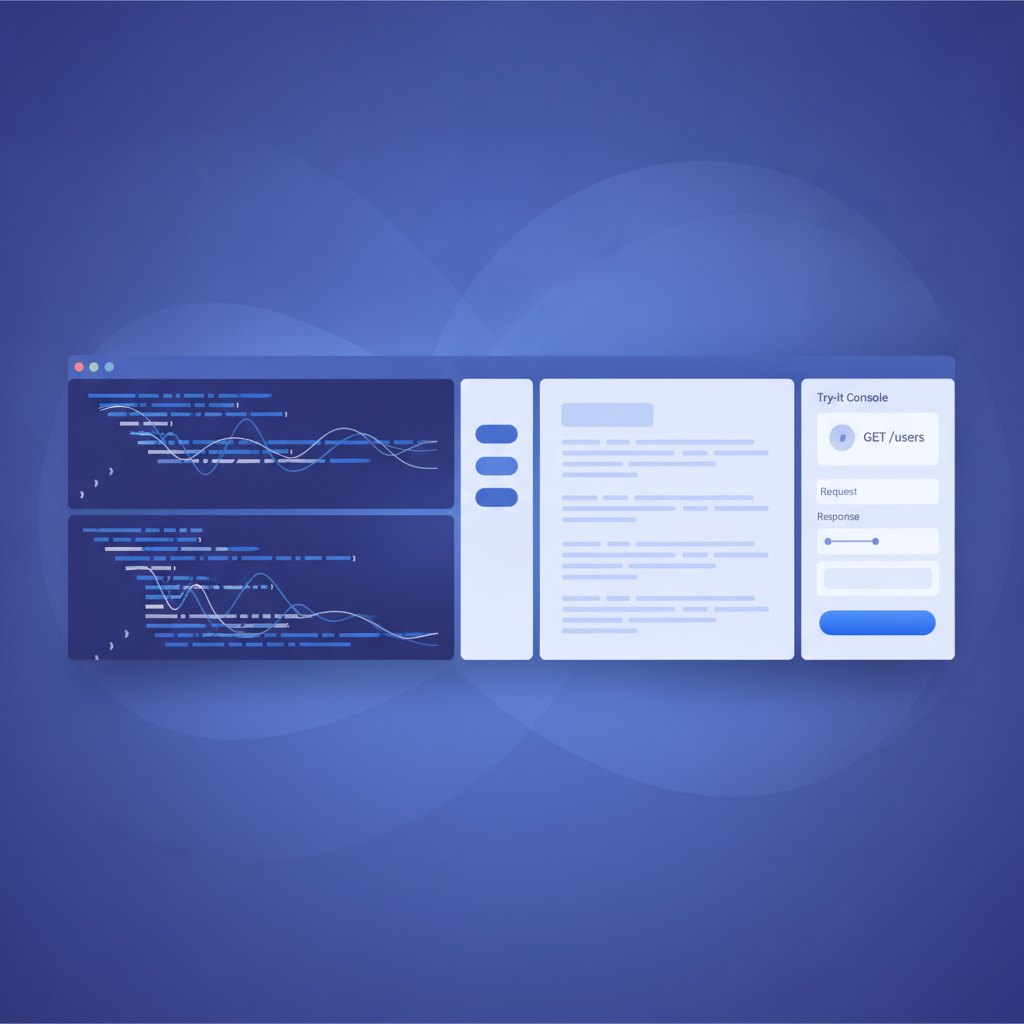
Apidoke is an API-first documentation tool designed around the API Blueprint specification, an open Markdown-based format for describing REST APIs. You write your spec in a split-pane CodeMirror editor with live preview on the right, publish with one click, and readers get a clean 3-column layout: navigation on the left, prose content in the center, and a live try-it console on the right. Because Apidoke is self-hostable, the entire installation runs on your own infrastructure. For a deeper look at Apidoke's place in the broader tool landscape, see the API documentation alternatives and comparisons hub.
Feature-by-feature comparison
| Feature | Apidoke | Mintlify |
|---|---|---|
| Hosting model | Self-hosted (your server) or Apidoke cloud | Cloud-only (Mintlify-managed) |
| Authoring format | API Blueprint (open Markdown standard) | MDX (Markdown plus React components) |
| Live try-it console | Yes, browser-side; auth tokens stay in browser | Yes, via hosted OpenAPI block |
| Live preview while editing | Yes, split-pane CodeMirror editor | Yes, via Git branch preview |
| Per-project version history | Built in to Apidoke | Delegated to Git provider |
| One-click public publishing | Yes | Yes (push to main branch) |
| OpenAPI / Swagger import | No | Yes |
| Custom domains | No | Yes (paid plans) |
| Teams and roles | No | Yes (paid plans) |
| API analytics | No | Yes (page views, search queries) |
| AI doc generation | No | Yes (Mintlify AI features) |
| Credit card to start | No | Free tier exists; paid features require card |
| Self-hostable | Yes | No |
| Auth tokens sent to vendor servers | No (client-side only) | Depends on implementation |
Where Mintlify clearly wins
Mintlify has a longer feature list for teams that need it. OpenAPI import means you can paste a Swagger file and get a formatted reference in seconds. Custom domains, role-based access, page-view analytics, and AI-assisted writing are all available on paid plans. If your organization is already on GitHub and has a budget for documentation tooling, Mintlify reduces setup friction considerably.
Mintlify's MDX approach also gives front-end developers a lot of flexibility. Embedding custom React components, interactive diagrams, or code playgrounds is straightforward if you are comfortable with JSX. That is a real advantage for product documentation that goes beyond a plain API reference.
Where Apidoke wins for API-specific docs
Self-hosting and data control
When your API handles sensitive credentials or internal infrastructure, you may not want your documentation platform to sit on a third-party cloud. Apidoke runs on your own server. Your API spec, your endpoint URLs, and your readers' session data never leave your environment. For a detailed walkthrough of what self-hosting looks like in practice, see the guide to self-hosting your API documentation.
Try-it console privacy
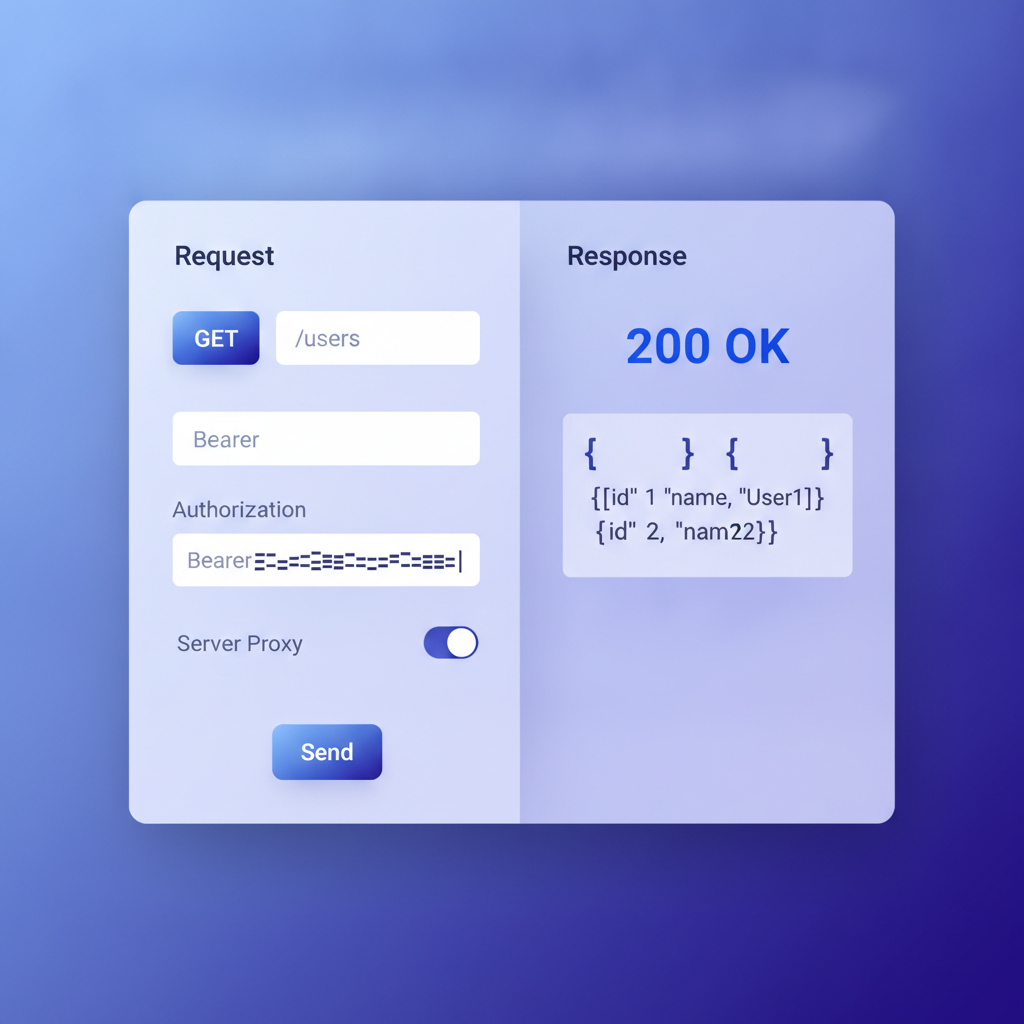
The try-it console is the feature that separates an API reference from a static page. When a reader enters a Bearer token and fires a GET /users/42 request, that token should not pass through a vendor's proxy. Apidoke's console constructs and dispatches the HTTP request entirely in the browser. The server never sees the Authorization header. According to MDN's HTTP overview, the browser itself is the HTTP client in this model, which means Apidoke acts purely as a static host, not a man-in-the-middle.
API Blueprint as a portable format
MDX ties you to a React-aware build pipeline. API Blueprint is plain Markdown with a defined grammar. A .apib file is readable in any text editor, diffable in any version control system, and not locked to one vendor's renderer. If you ever decide to switch tools, your spec travels with you. The core syntax looks like this:
FORMAT: 1A
HOST: https://api.example.com

# My API

## Group Users

### List Users [GET /users]

+ Response 200 (application/json)

        [
          { "id": 1, "name": "Ada Lovelace" },
          { "id": 2, "name": "Grace Hopper" }
        ]

### Create User [POST /users]

+ Request (application/json)

        { "name": "Alan Turing", "email": "alan@example.com" }

+ Response 201 (application/json)

        { "id": 3, "name": "Alan Turing" }

+ Response 400 (application/json)

        { "error": "name is required" }
That block defines two endpoints, four HTTP status codes (200, 201, 400), JSON request and response bodies, and a named group, all in readable Markdown. Apidoke renders it as a full 3-column reference with the try-it console wired to the HOST value.
Built-in version history
Mintlify relies on Git branches for versioning. That is a reasonable approach if every contributor is comfortable with Git, but it adds overhead for smaller teams or non-developer contributors. Apidoke stores version history per project inside the platform itself. You can snapshot a release, compare specs, and roll back without touching a terminal.
Hands-on: what the workflow looks like in Apidoke
- Register at /register. No credit card required.
- Create a new project and give it a name.
- Open the split-pane editor. Paste or type your API Blueprint spec on the left. The live preview on the right updates as you type.
- Define your first resource group with
# Group, add a resource with## Resource Name [METHOD /path], then add+ Requestand+ Responseblocks with real JSON bodies. - Click Publish. Apidoke generates a public URL with your 3-column reference.
- Open the published page, find an endpoint, enter a base URL or Bearer token in the try-it console, and fire a real request. The
200,401, or404response appears inline. - Tag the current spec as a version. Future edits create a new draft without overwriting the published snapshot.
When you should still choose Mintlify
This comparison is honest, so here is the direct answer: choose Mintlify if you need OpenAPI import, custom domains, team roles and permissions, page-view analytics, or AI-assisted writing. Those features exist in Mintlify and do not exist in Apidoke today. If your team is large enough that role-based access control is non-negotiable, Mintlify is the right tool.
Also consider Mintlify if your documentation is more product guide than API reference. MDX is well-suited to mixed content: tutorials, changelog pages, conceptual explainers, and embedded UI components all sit naturally in the same project. Apidoke is purpose-built for API reference documentation using the API Blueprint format.
When Apidoke is the stronger choice
Apidoke is the better fit when one or more of these conditions applies:
- You need to run documentation on your own server, inside a private network, or behind a firewall.
- You want a try-it console where credentials never leave the user's browser.
- You prefer the open API Blueprint format over MDX.
- You want built-in version snapshots without managing Git branches.
- You are a solo developer or small team that does not need paid-tier features to ship useful docs.
For a broader view of how Apidoke compares across the full category, the best API documentation tools roundup for 2026 covers nine tools with the same level of honesty.
Frequently asked questions
Is Apidoke really free to use?
Yes. You can register, create projects, author API Blueprint specs in the editor, publish a live reference, and use the try-it console without entering payment details. Check the pricing page for the current plan limits.
Can Apidoke import an existing OpenAPI or Swagger file?
No. Apidoke is built around the API Blueprint format. If you have an existing OpenAPI spec, you would need to rewrite it in API Blueprint syntax to use Apidoke. That is a real trade-off to consider before switching.
Does Apidoke's try-it console send my API keys to Apidoke servers?
No. The try-it console constructs and fires HTTP requests entirely in the user's browser. Apidoke's servers act as a static host for the documentation page and never see the Authorization header or any credentials entered in the console.
What happens to my API docs if I want to leave Apidoke?
Your content is stored as API Blueprint Markdown, a plain-text open standard. You can copy your spec out of the editor at any time. Because the format is not vendor-specific, you can render it with any compatible tool without reformatting.
Does Apidoke support multiple versions of the same API?
Yes. Apidoke stores per-project version history built into the platform. You can create a new version snapshot at each release and let readers browse between versions from the published reference page.
Ready to see how Apidoke handles your API spec? Create a free account and publish your first interactive reference in minutes, no credit card required.
Related reading: The Best Apiary Alternatives in 2026
Related reading: How to Migrate from Apiary to Apidoke