
Apidoke vs Redocly: Self-Hosted API Docs Without the Complexity

A Redocly alternative is any API documentation tool that renders reference docs, supports self-hosting, and ships a live try-it console without requiring Redocly's CLI-based build pipeline or its governance and linting layer. Apidoke fits that description: write in API Blueprint format, get a 3-column interactive reference instantly, and deploy on your own infrastructure with no paid tier required.
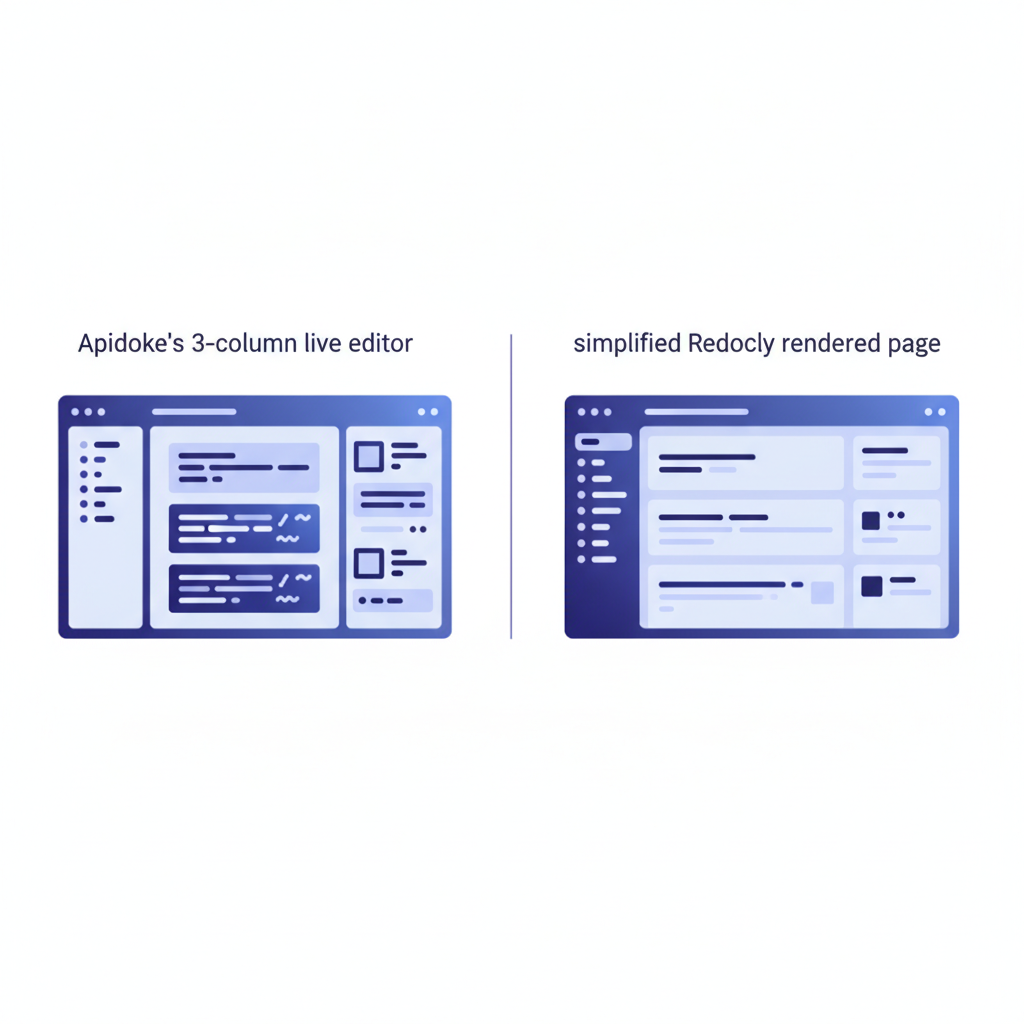
- Redocly centers on OpenAPI and a Node.js CLI build step; Apidoke centers on API Blueprint and a browser-native editor with live preview.
- Both tools support self-hosting, but Apidoke ships version history per project out of the box, with no external CI pipeline needed.
- Apidoke's try-it console runs entirely in the browser; auth tokens never reach Apidoke's servers.
- No credit card is required to start, and the self-hosted path is genuinely free to run.
What is Redocly and who is it for?
Redocly (formerly the open-source Redoc project, now a commercial product) is an API documentation platform built around the OpenAPI Specification. It renders OpenAPI 2.0 and 3.x files into a 3-column reference page and adds a CLI tool that lints, bundles, and previews spec files locally before you publish. The paid tiers layer on a developer portal builder, a hosted CDN, and an API governance ruleset that lets organizations enforce naming conventions and schema standards across multiple APIs.
That governance layer is genuinely useful at scale, say, a platform team owning 40 internal microservices that all need to conform to a company-wide API style guide. For smaller teams, a single-product startup, or a backend developer who just shipped a REST API and needs readable docs today, the overhead can feel disproportionate to the problem.
How does Apidoke differ from Redocly?
Authoring format and editor
Redocly works with OpenAPI (YAML or JSON). You write or generate a spec file, run redocly preview-docs in a terminal, and the local dev server reflects changes. The workflow assumes you are comfortable in a text editor and a shell.
Apidoke uses API Blueprint syntax, a Markdown-based format designed to be readable by non-specialists. A short API Blueprint document for a single endpoint looks like this:
FORMAT: 1A
HOST: https://api.example.com

# Example API

## Widgets [/widgets]

### List Widgets [GET]
Returns an array of widget objects.

+ Response 200 (application/json)

        [
          { "id": 1, "name": "Sprocket" },
          { "id": 2, "name": "Grommet" }
        ]

### Create Widget [POST]

+ Request (application/json)

        { "name": "Flange" }

+ Response 201 (application/json)

        { "id": 3, "name": "Flange" }

+ Response 422 (application/json)

        { "error": "name is required" }
Apidoke's split-pane CodeMirror editor renders a live preview of that document in the right pane as you type. There is no build step and no terminal command to run. Save, and the published page updates.
Try-it console behavior
Both tools surface a try-it console on the rendered reference page. The key practical difference is where authentication credentials travel.
In Apidoke, the try-it console is entirely client-side. When a reader enters an Authorization header (for example, Bearer eyJhbGciOiJIUzI1NiJ9...) and fires a GET or POST request, that request goes directly from the reader's browser to your API host. Apidoke's servers are not in the request path at all. For teams handling sensitive auth tokens or operating under data-residency requirements, that distinction matters.
Redocly's try-it experience varies by plan and hosting mode. The open-source Redoc renderer does not include a try-it console; that feature lives in the commercial portal product.
Self-hosting and deployment
Redocly supports self-hosted deployment, but the path involves their CLI, a Node.js build process, and ideally a CI/CD pipeline to rebuild on every spec change. The output is a set of static files that you serve from any web server or CDN.
Apidoke is also self-hostable, and the self-hosted API docs setup does not require a build pipeline. Because authoring happens in the browser and rendering is done at read time, there is no compile step between writing and publishing. You deploy Apidoke itself once, then your writers publish documentation from within the UI.
Version history
Apidoke stores per-project version history natively. Each save creates a snapshot, and you can roll back to any prior version from the UI. Redocly's versioning story relies on your underlying version control system (typically Git) and the branching strategy your CI/CD pipeline uses. That is a reasonable approach for teams already on Git-driven workflows, but it adds external dependencies that Apidoke simply does not require.
Feature comparison at a glance
| Feature | Apidoke | Redocly (open-source Redoc) | Redocly (commercial portal) |
|---|---|---|---|
| Primary format | API Blueprint (Markdown) | OpenAPI 2.0 / 3.x | OpenAPI 2.0 / 3.x |
| Browser-based authoring | Yes, with live preview | No (text editor + CLI) | Partial (portal editor) |
| Live try-it console | Yes, client-side only | No | Yes (server-assisted on some plans) |
| 3-column reference layout | Yes | Yes | Yes |
| Self-hostable | Yes | Yes (static output) | Yes (enterprise tier) |
| Built-in version history | Yes (per project) | No (relies on Git) | No (relies on Git / CI) |
| Governance / linting layer | No | Partial (basic CLI checks) | Yes (full ruleset engine) |
| No credit card to start | Yes | Yes (open-source) | No (paid plans) |
| Auth tokens reach vendor servers | Never | N/A (no try-it) | Depends on hosting mode |
When Redocly is the right call
This is an honest comparison, so the situations where Redocly wins deserve direct mention.
If you have an existing OpenAPI spec (a common output of tools like FastAPI's auto-docs or Swagger Codegen), Redocly consumes it directly. Apidoke does not import OpenAPI; it uses API Blueprint. A team with a large existing OpenAPI investment would need to maintain parallel descriptions or migrate format.
If API governance is a first-class concern, meaning you need automated enforcement of naming conventions, required fields, and style rules across a large surface area, Redocly's commercial governance engine is purpose-built for that. Apidoke does not have an equivalent linting layer.
If your organization's security policy requires every change to flow through a reviewed Git pull request before publication, Redocly's CLI-and-CI approach fits that process naturally.
When Apidoke is the better fit
Apidoke is the stronger choice in a specific set of circumstances:
- You are starting fresh and do not have an existing OpenAPI spec to import. API Blueprint's Markdown syntax is faster to write from scratch than YAML, especially for developers who are not already OpenAPI experts.
- You want an immediately shareable, interactive reference without configuring a Node.js build pipeline, a CI job, or a hosting CDN. Publish with one click from the Apidoke UI.
- Auth token privacy is non-negotiable. Because the try-it console is fully client-side, your readers' credentials never leave their browser. This matters for internal APIs where tokens carry real access.
- You need version history without a Git workflow. Non-engineering contributors (technical writers, product managers) can author and save documents without learning Git branching.
- Budget and simplicity take priority. The self-hosted path has no mandatory paid tier. There is no credit card prompt to get started.
A practical migration path from Redocly
If you are currently on Redocly and want to evaluate Apidoke, the most direct path is to write a representative API Blueprint document covering one resource group. This lets you see the rendered output and the try-it console without committing to a full migration.
- Register a free Apidoke account at /register. No credit card required.
- Create a new project and open the split-pane editor.
- Add a
FORMAT: 1Aheader and yourHOSTURL. - Write one
# Groupblock covering your most-used resource, for example# Group Orders. - Add a
## Resource [/orders/{id}]section and a### Get Order [GET]action with a+ Response 200and a sample JSON body. - Click publish. Share the URL with a colleague and have them use the try-it console against your staging environment.
- Evaluate rendering, navigation, and console behavior before deciding whether to migrate the remaining endpoints.
The API Blueprint specification is an open standard maintained on apiblueprint.org, so your documentation is not locked to Apidoke. If you later choose a different renderer, the .apib files you write remain valid and portable.
What about the OpenAPI vs API Blueprint format question?
Teams switching from Redocly often ask whether giving up OpenAPI is a real cost. The honest answer: it depends on what you use OpenAPI for. If you use it primarily to render documentation, API Blueprint covers the same use cases. The API Blueprint vs OpenAPI comparison covers the trade-offs in depth. If you use OpenAPI as the input to code generators, mock servers, or contract testing tools, those integrations would need separate consideration.
The HTTP semantics you document, GET, POST, PUT, DELETE, status codes 200, 201, 401, 403, 404, 422, and 500, are defined in RFC 9110 regardless of which description format you use. Neither Redocly nor Apidoke changes what those codes mean; they change how you write the descriptions and how the output is rendered.

How this fits the wider landscape
Redocly is one of several tools in the API documentation alternatives and comparisons space. Others, including Mintlify and ReadMe, add their own trade-offs around hosted infrastructure, pricing tiers, and format requirements. Apidoke's consistent differentiator across all of those comparisons is the same: browser-native authoring in API Blueprint, a client-side try-it console, self-hosting that requires no external build pipeline, and built-in version history without a Git dependency.
Frequently asked questions
Can Apidoke render my existing OpenAPI spec from Redocly?
No, Apidoke's renderer uses API Blueprint, not OpenAPI. If you have an existing OpenAPI spec, you would author a new API Blueprint document in Apidoke rather than importing the spec directly. For most teams, writing a fresh Blueprint document is faster than it sounds, especially for a focused set of endpoints.
Is Apidoke actually free to self-host, or are there hidden costs?
Self-hosting Apidoke does not require a paid subscription or a credit card. You provide the infrastructure (a server or container host), and Apidoke runs on it. There are no per-seat fees or usage-based charges from Apidoke, and no mandatory paid tier to access core features like the try-it console or version history.
Does the Apidoke try-it console support Authorization headers?
Yes. Readers can set any HTTP header in the console, including Authorization: Bearer <token>. Because the console is entirely client-side, the request goes directly from the reader's browser to your API host. Apidoke's servers are not in the request path, so tokens are never transmitted to or logged by Apidoke.
What HTTP methods and status codes does API Blueprint support?
API Blueprint supports any HTTP method you declare: GET, POST, PUT, PATCH, DELETE, OPTIONS, and HEAD. You specify status codes explicitly in each + Response block, so you can document 200, 201, 400, 401, 403, 404, 422, 500, or any other valid code. The format does not restrict you to a predefined set.
How does Apidoke's version history compare to Redocly's Git-based approach?
Each time you save a document in Apidoke, a snapshot is stored per project. You can browse past versions and restore any of them from the UI, with no Git commands or branch merges involved. Redocly delegates versioning entirely to your Git repository and CI pipeline, which works well for engineering teams already running that infrastructure but adds friction for writers who are not comfortable with Git workflows.
Ready to see how Apidoke compares in practice? Create your free Apidoke account and publish your first interactive API reference in minutes, no CLI, no credit card, and no build pipeline required.
Related reading: Is There a Free API Documentation Tool? (2026 Answer)
Related reading: OpenAPI vs Swagger: What Is the Difference?