
Apidoke vs Scalar: Open-Source API Docs Compared
If you are looking for a scalar alternative for self-hosted API documentation, Apidoke is worth a direct look. Scalar renders OpenAPI specs into a polished reference UI; Apidoke takes a different path, letting you author docs in API Blueprint inside a built-in split-pane editor, then publish a live 3-column reference with a browser-side try-it console, all without touching a build pipeline or a CI job.
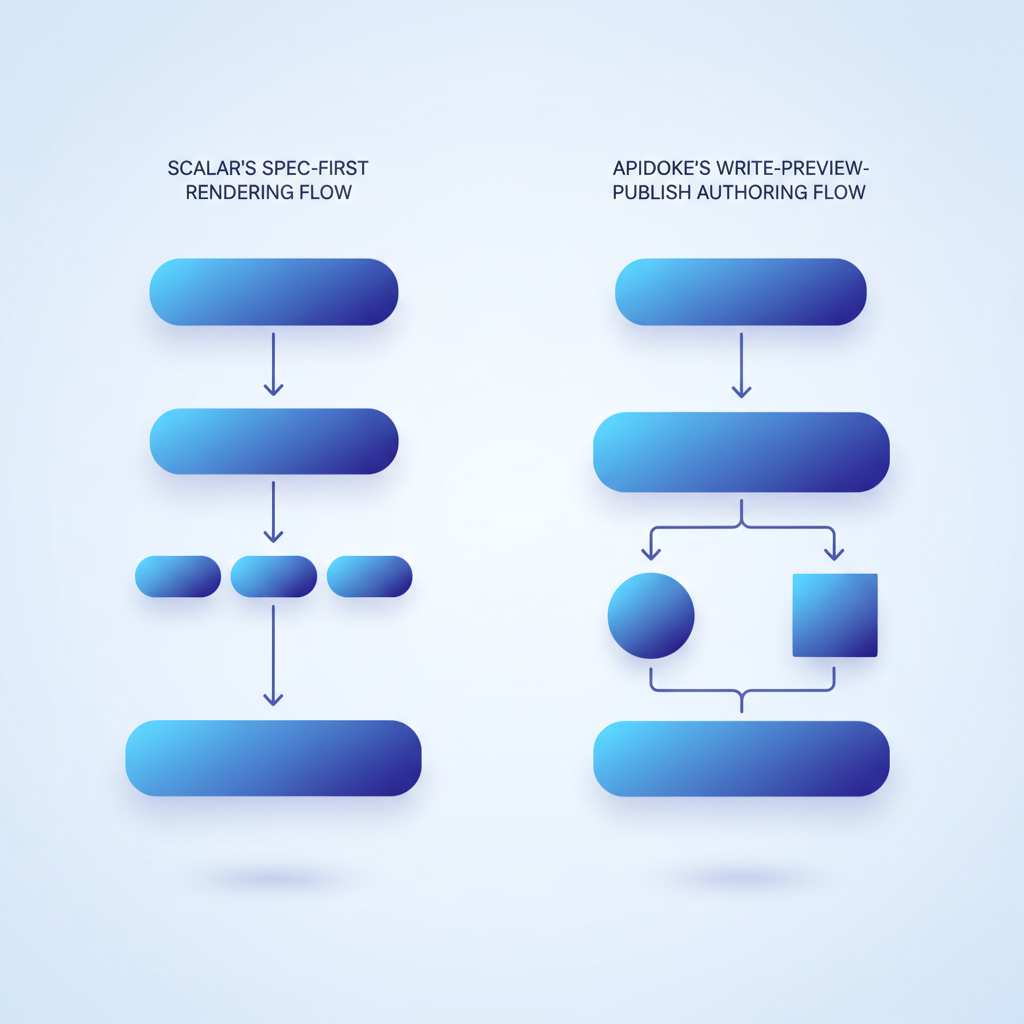
- Scalar is primarily a renderer: you bring an existing OpenAPI spec and it displays it beautifully. Apidoke is an authoring and publishing platform: you write, preview, version, and publish from one interface.
- Both tools can be self-hosted and are free to run, but the workflow gap is significant for teams without an existing OpenAPI spec or a Node.js toolchain.
- Apidoke's try-it console fires real HTTP requests from the browser; auth tokens never leave your browser and never reach Apidoke's servers, which matters for security-conscious teams.
- Per-project version history is built into Apidoke so every save is recoverable, with no external Git setup required.
What is Scalar, exactly?
Scalar is an open-source project (MIT licensed) that takes an OpenAPI 3.x or Swagger 2 JSON/YAML file and renders a modern, three-panel API reference page. It ships as a set of framework integrations (Vue component, React component, Express middleware, and others) and a standalone CDN build. The output is clean: a sidebar navigation, a content pane, and an API client panel that lets readers fire requests.
The key word there is takes. Scalar assumes you already have a machine-readable spec file. If your API is described in code annotations, a gateway export, or a hand-written YAML file, Scalar displays it. It does not help you write the spec, manage versions, or publish a URL someone can visit without a web server and a build step.
What is Apidoke?
Apidoke is a self-hosted API documentation platform built around the API Blueprint specification, an open Markdown-based format for describing REST APIs. Instead of a renderer you wire into your existing stack, Apidoke is a standalone application that includes:
- A split-pane CodeMirror editor with live preview so you see the rendered output as you type.
- One-click public publishing that generates a shareable URL hosting your 3-column reference (navigation, content, try-it console) without a separate deployment step.
- A browser-side try-it console that fires real HTTP requests (GET, POST, PUT, PATCH, DELETE) directly from the reader's browser, so credentials never travel through Apidoke's servers.
- Per-project version history so every saved revision is recoverable from the UI.
Apidoke targets the team that wants to go from zero to a live, interactive API reference in under an hour, without installing Node, configuring a CI pipeline, or maintaining a separate hosting environment.
Side-by-side feature comparison
| Capability | Scalar | Apidoke |
|---|---|---|
| Primary input format | OpenAPI 3.x / Swagger 2 (JSON or YAML) | API Blueprint (Markdown) |
| Built-in authoring editor | No (you edit the spec in your own tooling) | Yes, split-pane CodeMirror with live preview |
| Self-hostable | Yes (Docker or framework integration) | Yes (single self-hosted install) |
| One-click public publish | No (requires a hosting environment and build step) | Yes |
| 3-column reference layout | Yes | Yes |
| Browser-side try-it console | Yes (API client panel) | Yes (tokens stay in-browser, never reach Apidoke servers) |
| Per-project version history | No native versioning UI | Yes, built in |
| Requires existing spec file | Yes | No (write from scratch in the editor) |
| Toolchain dependency | Node.js, a framework or CDN wiring | None for authoring; self-host install for publishing |
| License / pricing | MIT open source, self-hosted free | Self-hosted, no credit card required to start |
Where Scalar wins
If your team already maintains an OpenAPI spec, Scalar slots in neatly. Drop a spec URL into a Scalar CDN integration and you have a rendered reference in minutes. The Vue and React components are particularly useful if you are building a developer portal inside an existing web application, because you can mount the component alongside your own UI code and style it to match.
Scalar's community is active and the project ships updates frequently. For teams with a strong frontend engineering culture who already live in an OpenAPI world, Scalar is genuinely excellent.
Where Apidoke wins
You do not have an existing spec file
Most small teams building their first public API do not have a polished OpenAPI YAML sitting on disk. They have a running API and a rough idea of what each endpoint does. Apidoke's editor lets you describe endpoints in API Blueprint's readable Markdown syntax and see a rendered preview immediately. No spec-generation tooling, no annotation libraries, no build step.
A minimal API Blueprint document for a single endpoint looks like this:
FORMAT: 1A
HOST: https://api.example.com

# My API

## Users [/users]

### List users [GET]

+ Response 200 (application/json)

        [
          { "id": 1, "name": "Ada Lovelace" },
          { "id": 2, "name": "Grace Hopper" }
        ]
Paste that into Apidoke's editor and the live preview renders a navigable, styled reference on the right pane immediately. Add a + Request block and the try-it console becomes interactive for that endpoint.
No toolchain to maintain
Scalar's framework integrations mean someone on your team owns the wiring: keeping the Node dependency up to date, making sure the spec file path is correct in the CDN script tag, and re-deploying whenever the spec changes. For a small team or a solo developer, that overhead is real. Apidoke absorbs it: save in the editor, click publish, share the URL.
Version history without Git
Scalar has no native versioning UI. If you want to keep a history of spec changes you need Git, or a file naming convention, or a CMS. Apidoke stores per-project version history inside the platform so you can recover any previous state from the UI without touching a terminal. This is especially practical for teams where the person writing documentation is not necessarily a developer comfortable with Git workflows.
Security-conscious try-it behavior
Both tools have a try-it panel. The meaningful difference is that Apidoke's console sends requests directly from the reader's browser to the target API. Apidoke's servers are not a proxy. That means a bearer token a user types into the console for a POST /orders request, for example, is transmitted only between the browser and api.example.com, never to Apidoke. For internal APIs handling sensitive data, that architecture removes an entire class of credential-exposure risk.
A practical authoring example in Apidoke
Say you need to document a POST /invoices endpoint that accepts a JSON body and can return a 201 Created, a 400 Bad Request (validation error), or a 401 Unauthorized (missing or invalid token). In Apidoke's editor you write:
## Invoices [/invoices]

### Create an invoice [POST]

+ Request (application/json)

        {
          "customer_id": 42,
          "amount": 199.00,
          "currency": "USD"
        }

+ Response 201 (application/json)

        {
          "id": 1001,
          "status": "pending",
          "customer_id": 42,
          "amount": 199.00
        }

+ Response 400 (application/json)

        {
          "error": "validation_failed",
          "fields": ["amount"]
        }

+ Response 401 (application/json)

        {
          "error": "unauthorized"
        }
The live preview updates as you type. The published page shows all three response codes in the content pane, and readers can click into the try-it console to send a real POST with their own auth header and body. No build step, no deployment, no CDN configuration. The HTTP 201 status code and its siblings are rendered with proper labels in the output.
Which teams should choose which tool?
| Situation | Better fit |
|---|---|
| You have a maintained OpenAPI spec and a frontend team to wire things up | Scalar |
| You are writing API docs from scratch and want a live preview while you type | Apidoke |
| You want a mountable React or Vue component inside your own app | Scalar |
| You want one-click publish with no hosting work | Apidoke |
| Your doc author is not a developer and should not need a terminal | Apidoke |
| You need per-project version history without Git | Apidoke |
| You need to embed docs inside an existing Next.js or Nuxt site | Scalar |
| Credential security is a concern and you want tokens to never leave the browser | Apidoke |
How to switch from Scalar to Apidoke
- Export your current API description. If you are already in Scalar, you have an OpenAPI YAML or JSON. Keep it as your authoritative spec reference while you author in API Blueprint format.
- Create a new project in Apidoke. Register, create a project, and open the split-pane editor. No configuration files, no environment variables at this stage.
- Translate endpoints one group at a time. Use the
# Groupkeyword to mirror your tag groups, then write each endpoint as a named action under its resource. The API Blueprint syntax cheat-sheet covers every construct you will need. - Add request and response bodies. Copy the request schema examples from your OpenAPI spec into the
+ Requestblocks and the response examples into+ Response NNNblocks, including error codes like 400, 401, 404, and 422. - Check the live preview. The right pane of the editor shows the rendered output in real time. Fix any indentation issues (API Blueprint is whitespace-sensitive) before publishing.
- Publish and share. Click the publish button to generate a live URL. Share it with your consumers. From this point on, every save creates a new version entry in the project's history so you can roll back if needed.
For a deeper walkthrough of the publishing step, see getting started: publish your first interactive API doc.
The broader alternatives landscape
Scalar sits in a crowded segment alongside Redocly, Stoplight Elements, and RapiDoc, all of which share the same dependency: an OpenAPI spec you maintain separately. Apidoke is positioned alongside tools like the now-defunct Apiary (which also used API Blueprint) and occupies a different slot, closer to a no-toolchain authoring environment than a spec renderer. The alternatives and comparisons hub maps out the full competitive landscape if you are still shortlisting tools.
One honest caveat: if your team has already invested heavily in OpenAPI tooling, code-gen from the spec, contract testing, and mock servers, you are probably better served by staying in the OpenAPI ecosystem and using Scalar or a similar renderer. Apidoke is the right call when the priority is getting clear, interactive docs published quickly, without managing a spec pipeline.
Frequently asked questions
Is Apidoke a direct replacement for Scalar?
It depends on your workflow. Scalar renders existing OpenAPI specs inside your own hosting environment. Apidoke provides a full authoring, preview, and publishing environment using API Blueprint. If you are replacing Scalar because you want fewer toolchain dependencies and built-in versioning, Apidoke fits that need well. If you need to embed a spec renderer inside a React app, Scalar is still the better choice.
Does Apidoke support OpenAPI or Swagger files?
Apidoke's native format is API Blueprint. It does not import OpenAPI or Swagger files. If you are moving from an OpenAPI workflow, you would re-author your endpoints in API Blueprint's Markdown syntax using Apidoke's editor.
Can I self-host Apidoke the same way I self-host Scalar?
Yes. Apidoke is designed to be self-hosted and you can run your own instance. The difference is operational scope: Scalar is a renderer component you add to an existing server or CDN setup, while Apidoke is a standalone platform that handles authoring, versioning, and publishing in one install.
Is the try-it console in Apidoke safe to use with production credentials?
Yes. Apidoke's try-it console fires HTTP requests directly from the reader's browser to the target API. Auth tokens, API keys, and request bodies travel only between the browser and your API server. They are never routed through or stored on Apidoke's servers.
Do I need a credit card to try Apidoke?
No. You can register and start authoring without providing payment information.
Ready to try a Scalar alternative that includes authoring, live preview, and one-click publishing? Create your free Apidoke account and publish your first interactive API reference today.
Related reading: Free and Open-Source API Documentation Tools in 2026