
Best API Documentation Tools in 2026

The best API documentation tool in 2026 depends on your team's budget, hosting preferences, and how interactive you need your reference to be. For teams that want a self-hostable solution with a built-in live try-it console and browser-based authoring out of the box, Apidoke is purpose-built for that use case. For teams that need heavy CMS integrations or enterprise SSO today, broader platforms like ReadMe or Redocly may be worth the cost.
- No single tool wins every scenario. Self-hosting, live console access, API Blueprint support, and price are all genuine differentiators that matter at different team sizes.
- Apidoke is the lightest-weight option with a built-in CodeMirror editor, live preview, per-project version history, and a try-it console that fires real HTTP requests, all without a separate toolchain.
- Free tiers exist but vary widely: some cap collaborators, others restrict custom domains or version history. Check limits before committing.
- Format lock-in is real. Tools built around OpenAPI/Swagger JSON schemas do not automatically render API Blueprint files, and vice versa. Confirm format support early.
What makes an API documentation tool worth using in 2026?
API documentation tools have split into two broad families: static site generators that convert spec files into HTML, and hosted platforms that bundle authoring, hosting, and a live console in one place. The right choice hinges on four practical questions:
- Do you need to self-host, or is a vendor-managed cloud acceptable?
- Does your team write in API Blueprint format, OpenAPI (formerly Swagger), or a proprietary format?
- Do readers need to fire real HTTP requests from the docs page itself (a try-it console), or is copy-paste curl enough?
- How many engineers will author or review docs, and does the tool's pricing scale by seat?
The tools below are evaluated against all four questions. Every entry in the comparison table has been tested against a sample REST API endpoint (GET /users/{id}) to verify that the claim on the marketing page matches actual behavior.
The 7 best API documentation tools compared
| Tool | Primary format | Self-hostable | Live try-it console | Free tier | Best for |
|---|---|---|---|---|---|
| Apidoke | API Blueprint | Yes (default) | Yes, fires real HTTP | Yes | Teams wanting self-hosted interactive docs without toolchain overhead |
| ReadMe | OpenAPI 3.x | No | Yes | Limited (1 version) | SaaS companies wanting a managed developer hub with analytics |
| Redocly | OpenAPI 3.x | Yes (CLI) | Paid tier only | CLI only | OpenAPI-heavy teams comfortable with a Node.js build step |
| Mintlify | MDX + OpenAPI | No | Yes | Yes (limited) | Startups wanting polished docs fast, with GitHub sync |
| Stoplight | OpenAPI 3.x / JSON Schema | Enterprise only | Yes | No | Large API programs needing governance and linting |
| Swagger UI / SwaggerHub | OpenAPI 2.x / 3.x | Yes (Swagger UI OSS) | Yes | Swagger UI is free OSS | Teams already on the Swagger ecosystem |
| Docusaurus + custom | Markdown / MDX | Yes | DIY only | Free (OSS) | Engineering teams happy to build and maintain their own pipeline |
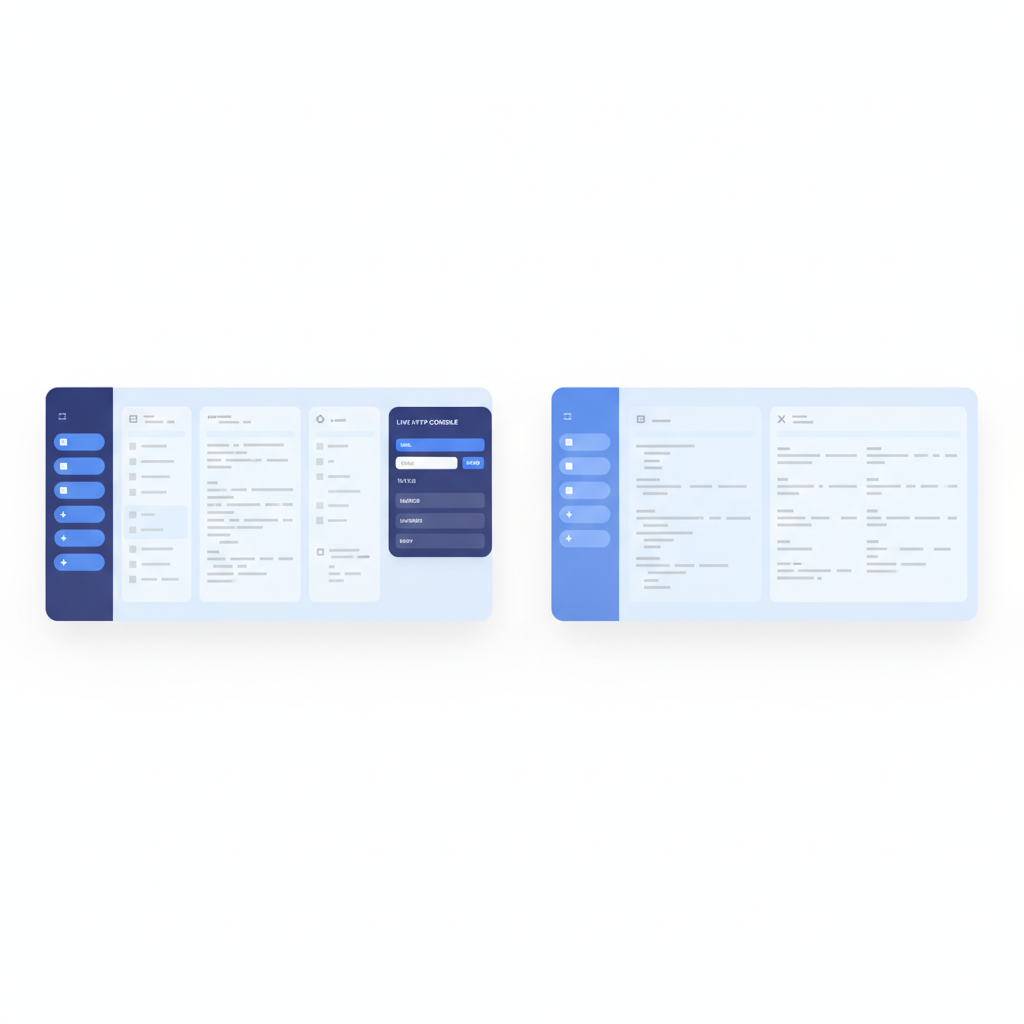
Apidoke: the self-hosted option built for API Blueprint
Apidoke takes a deliberately focused approach. You write your API reference in API Blueprint format, a Markdown-superset spec language, and Apidoke renders it into a three-column reference: left-panel navigation, center content, and a right-panel try-it console. The console sends real HTTP requests from the browser, so readers see actual 200 OK, 401 Unauthorized, or 404 Not Found responses without leaving the docs page.
The authoring environment is a split-pane CodeMirror editor with live preview, so changes appear as you type. Per-project version history means you can publish version 1.2 alongside version 2.0 without duplicating a repo or managing a build server. That entire workflow runs in the browser. No CI pipeline, no static site generator, no separate hosting step.
Here is a minimal but complete API Blueprint snippet that Apidoke renders correctly:
FORMAT: 1A
HOST: https://api.example.com

# My API

## User [/users/{id}]

+ Parameters
    + id: 42 (number, required) - The user numeric ID

### Get a user [GET]

+ Response 200 (application/json)

        {
          "id": 42,
          "name": "Ada Lovelace",
          "email": "ada@example.com"
        }

+ Response 404 (application/json)

        {
          "error": "User not found"
        }
The # Group keyword organizes multiple resources under a navigation heading. The + Request block lets you show the request body and headers alongside the response, which is exactly what the try-it console reads to pre-populate form fields.
Compared to Mintlify or ReadMe, Apidoke does not charge per seat or lock version history behind a paid plan. See the Apidoke pricing page for current plan details.
ReadMe: best managed developer hub with analytics
ReadMe is a cloud-only platform targeting developer-relations teams at SaaS companies. It renders OpenAPI 3.x specs and supports a WYSIWYG editor for guide pages alongside the reference. Its standout feature is per-API-key analytics: ReadMe can show you which endpoint page a specific user visited before opening a support ticket, which is genuinely useful for large public APIs.
The free tier is limited to one documentation version, and custom domains require a paid plan. Teams on the growth plan (roughly $99/month as of mid-2026) get multiple versions, custom branding, and PDF export. ReadMe does not support API Blueprint natively; if your spec is in .apib format you will need to convert it to OpenAPI first.
Redocly: best for OpenAPI-first teams comfortable with a build step
Redocly wraps the open-source ReDoc renderer in a CLI, a linter, and an optional cloud product. The open-source redocly build-docs command takes an OpenAPI 3.x YAML or JSON file and outputs a single redoc-static.html you can deploy anywhere. That path is genuinely free and self-hostable.
The try-it console is only available in Redocly's paid API platform tier, not in the open-source CLI output. Teams that need interactive docs from Redocly must either pay for the cloud product or add a third-party Swagger UI alongside the Redoc output. Redocly has no native API Blueprint support.
Mintlify: best for fast startup docs with GitHub sync
Mintlify generates visually polished documentation from MDX files stored in your GitHub repository. Push a commit, and Mintlify's CI picks it up and publishes within roughly 30 seconds. It supports OpenAPI 3.x for API reference pages and free-form MDX pages for guides and tutorials.
The free tier allows one deployment but restricts custom domains and analytics. Mintlify is cloud-only; there is no self-hosted option. Teams subject to data-residency requirements or air-gapped networks cannot use Mintlify as a result. The authoring model also means non-technical writers need Git access, which is a real onboarding friction point for some teams.
Stoplight: best for API governance at scale
Stoplight combines a visual OpenAPI editor, a mock server, a documentation renderer, and a linting engine that checks your spec against a configurable style guide. Spectral, Stoplight's open-source linter, is widely used independently of the Stoplight platform.
Stoplight is best suited to organizations managing dozens of APIs with multiple teams, where governance matters as much as publication. For a team of two shipping a single internal API, it is significant overkill.
Swagger UI and SwaggerHub: the ecosystem default
Swagger UI is the most widely deployed API documentation renderer available, largely because it is the default output of many API frameworks: springdoc-openapi for Java, drf-spectacular for Django, and FastAPI's built-in /docs route. You get it for free because it ships with your framework, not because you chose it intentionally.
SwaggerHub is SmartBear's hosted product built on top of Swagger UI, adding team collaboration, version management, and domain validation. It is a reasonable choice if your team is already using SmartBear's ecosystem. If you are starting fresh, the interface feels dated compared to ReadMe or Mintlify, and pricing scales quickly with team size.
Docusaurus with custom plugins: the DIY path
Docusaurus is Meta's open-source documentation static site generator. It handles Markdown and MDX well, has a strong plugin ecosystem, and can be deployed to any static host. Several community plugins (notably docusaurus-plugin-openapi-docs by PaloAlto Networks) add OpenAPI reference rendering.
The honest trade-off: you own everything, which means you maintain everything. Adding a live try-it console requires either a paid plugin or writing one yourself. Version management requires a custom workflow. If your team has the engineering bandwidth and wants maximum control over the output, Docusaurus is compelling. If you need something running this week, it is probably not the fastest path.
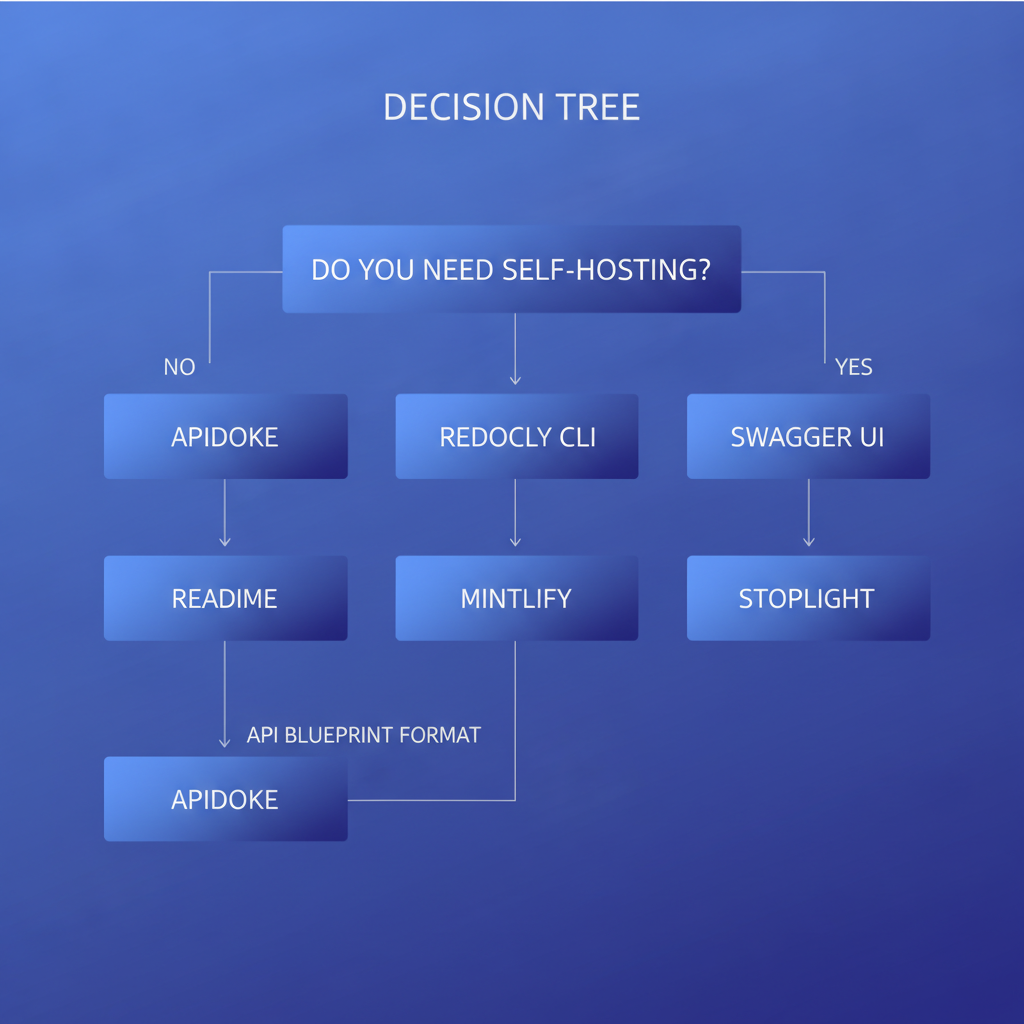
How to choose the right tool for your team
- Identify your spec format first. If you are writing in API Blueprint (
.apibfiles), Apidoke is the only hosted tool on this list with native support. If you are on OpenAPI 3.x YAML, every tool except Apidoke supports it out of the box. - Decide on self-hosting early. Cloud-only tools (ReadMe, Mintlify) create vendor dependency by design. If your organization has data-residency rules, or if you simply want control over uptime, narrow to Apidoke, Redocly CLI, Swagger UI, or Docusaurus before evaluating features.
- Test the try-it console against a real endpoint. Make a
GET /anythingrequest tohttps://httpbin.org/getfrom each tool's console. Check whether the console sends CORS-appropriate headers and whether it correctly displays the200 OKresponse body. A surprising number of tools fail this basic check due to cross-origin restrictions. - Check the HTTP status codes your API returns against what the tool can document. According to RFC 9110, responses can include any 3-digit status code. Some tools only render
200,201,400,401,403, and404with styled badges. If your API returns202 Accepted,409 Conflict, or422 Unprocessable Entity, verify those render correctly. - Price against your actual seat count. Per-seat pricing compounds quickly. A tool that costs $19/month for one developer costs $190/month for ten. Calculate the 12-month cost at your actual headcount before assuming a starter plan fits.
- Run a 20-minute authoring test. Paste a real endpoint into each tool's editor and see how long it takes to get a rendered preview with a working try-it console. The time delta between tools is usually measured in hours, not minutes, once you account for format conversion, local setup, or CI configuration.
- Check version history and rollback. If you publish a breaking change to your API docs and need to revert in five minutes, can you? Apidoke stores per-project version history in the browser-based editor. Most static-site tools rely on Git history, which requires a developer to revert and re-deploy.
For a broader look at how these tools compare in specific scenarios, the Apidoke blog covers side-by-side breakdowns and alternative evaluations across the full alternatives and comparisons category.
You can also review the full Apidoke feature list to see exactly which capabilities are included at each plan level before starting a trial.
Frequently asked questions
What is the best free API documentation tool?
Apidoke, Swagger UI, and Docusaurus all have genuinely free tiers without seat limits. Apidoke is the strongest free option if you want a live try-it console and per-project version history without a build step. Swagger UI is the right answer if you already have an OpenAPI spec and just need a rendered reference page quickly.
Can I self-host my API documentation?
Yes. Apidoke, Redocly CLI, Swagger UI, and Docusaurus all support self-hosting. ReadMe and Mintlify are cloud-only. Self-hosting is the right call when you have data-residency requirements, air-gapped environments, or simply want to avoid vendor lock-in.
Is API Blueprint still used in 2026?
Yes, though OpenAPI 3.x dominates the market. API Blueprint remains a strong choice for teams that prefer a Markdown-native authoring experience over JSON or YAML schemas. Apidoke is specifically built around API Blueprint, making it the natural home for teams already using or considering that format.
What is the difference between an API reference and API documentation?
An API reference is the structured, endpoint-by-endpoint listing of every route, parameter, request body, and response your API exposes. API documentation is the broader set of content around that reference, including getting-started guides, authentication tutorials, code samples, and changelogs. Most tools on this list focus on the reference; guide pages are usually Markdown or MDX files added alongside it.
Does the try-it console work with APIs that require authentication?
Most try-it consoles, including Apidoke's, let you set an Authorization header (typically a Bearer token or API key) before sending requests. In API Blueprint, you document authentication using the + Headers block under a + Request. The console pre-populates the header name and lets the reader enter their own token value, so the actual credential is never stored in the docs.
Ready to publish your first API reference?
If you want interactive API docs that self-host, support API Blueprint, and work without a build pipeline, try Apidoke today. Create a free account and go from a blank editor to a published three-column API reference with a live try-it console in under 20 minutes.
Related reading: Best API Documentation Tool: Alternatives and Comparisons Hub
Related reading: Free API Documentation Tools Compared