
Developer Portal vs API Reference: What Your Docs Site Actually Needs

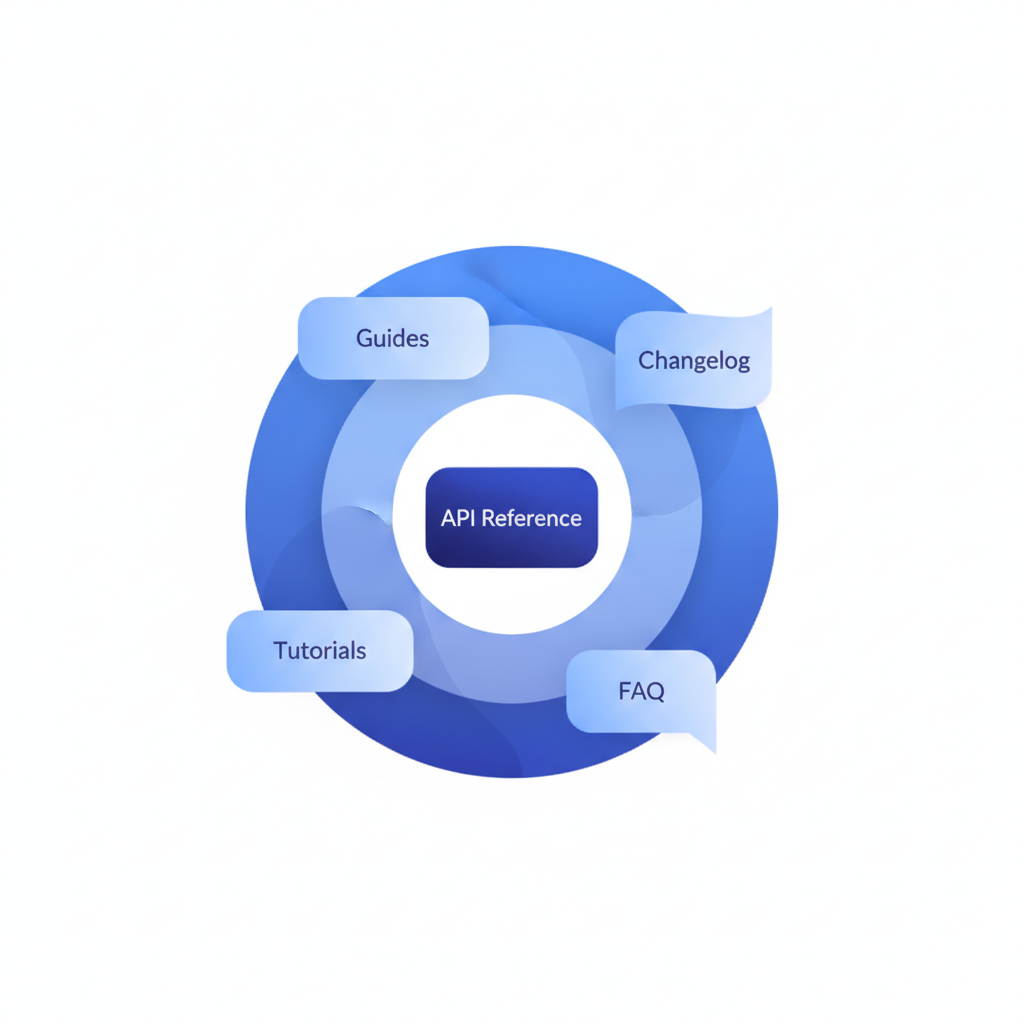
A developer portal is a full documentation website that combines an API reference, guides, tutorials, authentication walkthroughs, and onboarding content in one place. An API reference is the precise, endpoint-by-endpoint technical specification that describes every resource, method, parameter, and response code your API exposes. Most teams need the reference first; the portal grows around it. Apidoke lets you publish either from a single API Blueprint file, starting with a clean three-column reference and expanding from there.
- An API reference is a subset of a developer portal, not a synonym for it.
- Most early-stage API teams need a complete, accurate reference long before they need a full portal.
- A portal without a solid reference is marketing; a reference without supporting guides is often confusing.
- Apidoke's three-column viewer, built-in try-it console, and version history give you a production-ready reference that can grow into a portal as your docs mature.
What is an API reference, exactly?
An API reference (sometimes called a REST API reference or endpoint reference) is the definitive, machine-readable-style listing of everything a developer needs to call your API correctly. It covers:
- Every endpoint, for example
GET /users/{id}orPOST /orders. - Required and optional parameters, their types, and their constraints.
- Request headers, including
Authorization: Bearer <token>andContent-Type: application/json. - All possible HTTP status codes:
200 OK,201 Created,400 Bad Request,401 Unauthorized,404 Not Found,422 Unprocessable Entity,500 Internal Server Error. - Concrete request and response bodies with real field names and example values.
In API Blueprint format, a single resource looks like this:
## User [/users/{id}]

### Get a user [GET]

+ Parameters
    + id: `42` (number, required) - The user ID

+ Request (application/json)
    + Headers

            Authorization: Bearer eyJhbGci...

+ Response 200 (application/json)
    + Body

            {
              "id": 42,
              "name": "Alice Nguyen",
              "email": "alice@example.com",
              "createdAt": "2025-01-15T09:22:00Z"
            }

+ Response 404 (application/json)
    + Body

            {
              "error": "user_not_found",
              "message": "No user exists with id 42"
            }
That block, multiplied across every endpoint in your API, is your reference. It answers the question: exactly what do I send, and exactly what will I get back? For a deeper look at what makes a reference valuable, see what an API reference is and how to write one.
What is a developer portal?
A developer portal is the broader website that wraps your API reference with everything else a new developer needs to succeed: an overview of what the API does, a quickstart guide, authentication setup instructions, code samples in multiple languages, rate-limit explanations, a changelog, an FAQ, and sometimes a sandbox environment. The reference is still inside, but it sits alongside conceptual and task-oriented content.
The term comes from large API platform programs where external developers are treated almost as customers. The portal is their front door. Internally, however, many teams use the word loosely to mean any documentation website with more than a raw spec file, which is where the confusion with "API reference" begins.
How are they different? A direct comparison
| Dimension | API Reference | Developer Portal |
|---|---|---|
| Primary audience | Developers already integrating your API | Developers at every stage, from evaluating to integrating to maintaining |
| Content type | Endpoint specs, parameters, status codes, example bodies | Guides, tutorials, concepts, reference, changelog, FAQ |
| Scope | Narrow: one source of truth for the API contract | Wide: everything about the developer experience |
| Maintenance burden | Must match the API exactly; breaks trust if stale | Higher; more pages, more things to go out of date |
| Time to ship v1 | Hours to days with the right tooling | Weeks to months for a complete portal |
| When it becomes essential | Before you share the API with anyone outside your team | When onboarding friction or support volume becomes a cost |
| Apidoke support | Native: three-column viewer, live try-it, version history | Partial: reference plus freeform Blueprint sections for guides and overviews |
Why teams confuse the two
The confusion is understandable. Tools like ReadMe and Mintlify market themselves as "developer portals" but the core feature everyone uses is the API reference viewer. Meanwhile, teams that publish a raw spec file and call it a "portal" wonder why developers struggle to onboard. The label matters less than the question: does my documentation actually help a developer go from zero to a successful API call?
There is also a spectrum. A well-structured API reference with a good introduction section, clear authentication instructions, and a working try-it console does much of the work a portal does, without the overhead. This is precisely the space Apidoke is designed for.
Which one do you actually need right now?
Answer these four questions honestly:
- Do you have external developers integrating your API today? If yes, ship a complete reference first. Nothing else matters if developers cannot figure out what to send to
POST /payments. - Is your biggest support ticket category "how do I authenticate?" or "what does error 422 mean?" Those are reference gaps, not portal gaps. Fix the reference.
- Are developers abandoning onboarding before their first successful request? That is a quickstart and tutorial problem, and it signals you need to add portal-style guide content around your reference.
- Do you have a dedicated developer relations or documentation team? If not, a full portal will stay perpetually half-finished. A tight, accurate reference maintained by one person beats a sprawling portal maintained by nobody.
For most API teams at the early and mid stages, the right answer is: build a great reference now, and grow it toward a portal as your developer audience and support volume demand it.
How Apidoke fits into this picture
Apidoke is built around the API Blueprint format, an open specification documented at apiblueprint.org. You write your documentation in a structured Markdown dialect, and Apidoke renders it as a three-column reference: navigation on the left, endpoint details in the center, and a live try-it console on the right.
That try-it console fires real HTTP requests from the browser. Authentication tokens you enter stay in the browser; they never pass through Apidoke's servers. This matters for teams handling credentials, internal APIs, or customer data: the architecture is private by design.
Where does the portal question come in? API Blueprint supports # Group sections, which let you organize content beyond raw endpoints. You can add an introduction group, an authentication guide group, an error code reference group, and conceptual overview sections, all in the same .apib file. This means your Apidoke-published reference can absorb much of the content a lightweight portal needs, without requiring a separate CMS, a separate hosting contract, or a build pipeline.
Here is a simple structure that gets you 80% of the way to a portal in a single Blueprint file:
FORMAT: 1A
HOST: https://api.example.com

# Example API

Welcome to the Example API. All requests require a Bearer token
passed in the `Authorization` header.

# Group Authentication

## Token Exchange [/auth/token]

### Request a token [POST]

+ Request (application/json)
    + Body

            {
              "client_id": "abc123",
              "client_secret": "s3cr3t"
            }

+ Response 200 (application/json)
    + Body

            {
              "access_token": "eyJhbGci...",
              "expires_in": 3600
            }

+ Response 401 (application/json)
    + Body

            {
              "error": "invalid_credentials"
            }

# Group Users

## Users Collection [/users]

### List all users [GET]

...
Apidoke's built-in version history means every time you update that file, the previous state is preserved. Developers can link to a specific version of your docs while they are mid-integration, which reduces the friction that causes support tickets when you release a breaking change. The API versioning strategies guide covers this in much more detail if your team is planning a v2.
For a broader view of what separates good API documentation from a frustrating one, the practical developer experience guide for API teams covers the full spectrum from first impression to long-term trust.
When should you invest in a true portal?
There is a set of signals that indicate your reference has matured to the point where a portal investment makes sense:
- Your API has more than two or three distinct use cases requiring different integration paths.
- You have multiple developer personas: mobile developers, server-side integrators, and no-code builders all need different entry points.
- You publish official client SDKs and need to document them alongside the HTTP reference.
- Onboarding time from signup to first successful API call is measured in days rather than minutes, and you have traced the bottleneck to conceptual understanding rather than reference accuracy.
- Your changelog, migration guides, or deprecation notices are currently buried in a Notion page or a Slack channel.
At that point, the reference remains the authoritative technical core (the HTTP semantics defined in RFC 9110 do not change, but your API contract will), and the portal layers guidance and narrative around it.
A practical build order for small teams
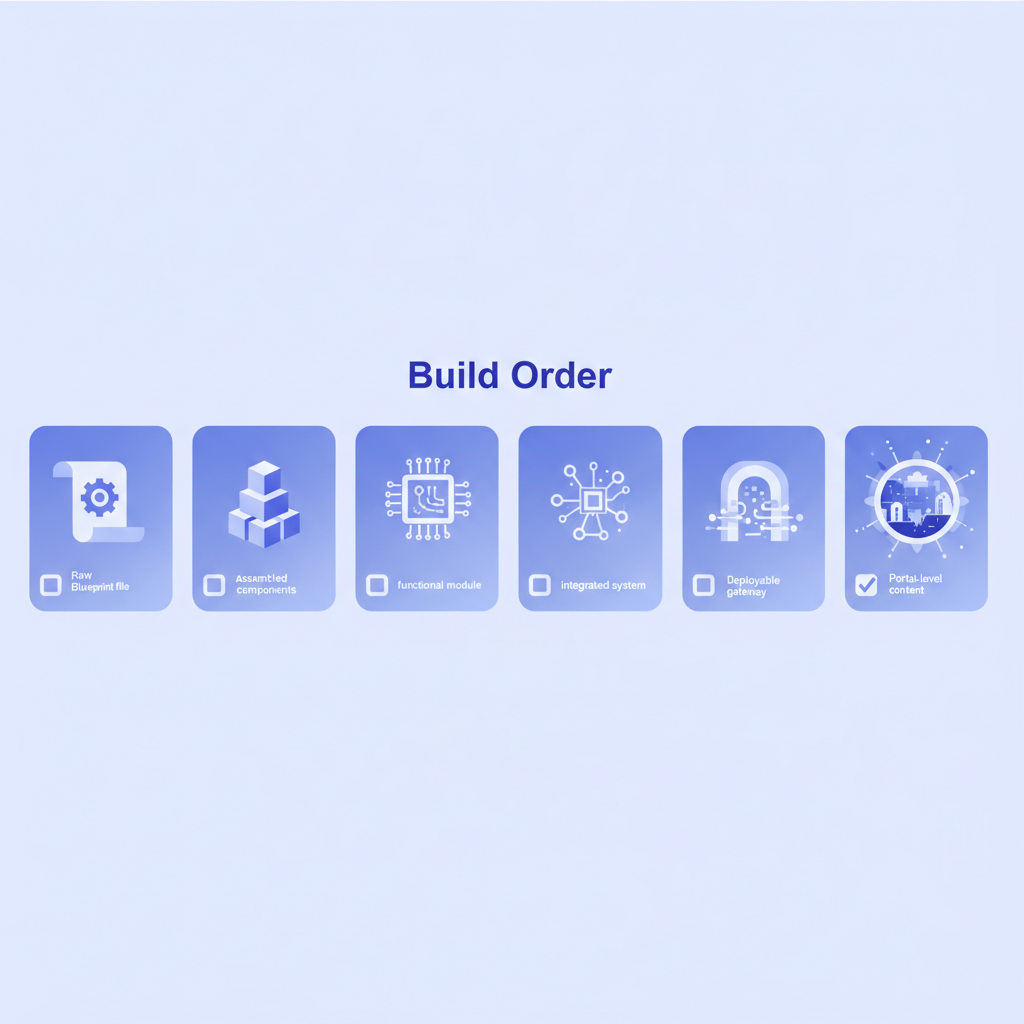
- Write your API Blueprint file. Cover every endpoint, every parameter, every possible status code. Include real example bodies, not placeholder strings like
"string". - Publish and share the reference. Use Apidoke's one-click public publishing to get a shareable URL. Send it to your first external developer and watch where they get stuck.
- Add an introduction and authentication section to the same Blueprint file. This alone resolves the majority of onboarding confusion.
- Add an error reference section listing every error code your API returns with an explanation of what caused it and how to fix it. A
422 Unprocessable Entitywith no explanation is a support ticket waiting to happen. - Track changes with version history. Before any breaking change goes to production, update the docs and save a new version. Keep the old version accessible.
- Evaluate portal needs at six months. Review support volume, time-to-first-call metrics, and developer feedback. If you are still answering the same five questions over and over, those are your next documentation pages.
Frequently asked questions
Is a developer portal the same as API documentation?
Not exactly. API documentation is the broad category that includes everything written about an API. A developer portal is a specific type of API documentation site that combines a reference with guides, tutorials, and onboarding content. An API reference is a more focused subset that covers only the technical specification of endpoints, parameters, and responses.
Can a small team build a developer portal without dedicated engineering resources?
Yes, if you keep scope tight. A single well-structured API Blueprint file published with Apidoke gives you a navigable reference with a live try-it console, which handles the most critical portal function. Adding introduction and guide sections to the same file extends it further without any build tooling or hosting configuration beyond the initial self-hosted setup.
What is the minimum viable API reference?
At minimum, an API reference needs every endpoint with its HTTP method and path, all required and optional parameters with types, at least one example request body for write operations, and all possible response codes with example bodies including error responses. Anything less and developers will rely on trial and error or support tickets to fill the gaps.
Does Apidoke support the full portal use case or only the reference?
Apidoke's strength is the API reference: the three-column viewer, the live try-it console, and per-project version history. You can add guide and overview content using API Blueprint's freeform sections, which covers lightweight portal needs. For very large portals with multiple product lines, SDK docs, and a full CMS, a dedicated portal platform would be a better fit.
When should I prioritize the reference over writing more guides?
Always make the reference accurate and complete first. A developer can struggle through incomplete guides if the reference is precise. A developer cannot work around a reference that is wrong, missing endpoints, or shows outdated field names. Guides are multipliers on a good reference; they are not substitutes for one.
Ready to publish a production-quality API reference in minutes? Create your free Apidoke account and go from a blank API Blueprint file to a live, shareable three-column reference with a working try-it console, no credit card required.
Related reading: How to Write an API Style Guide for Your Team
Related reading: Writing Effective Code Samples for API Documentation