
Free API Documentation Tools Compared

A free API documentation tool is any software that lets you write, publish, and share API reference documentation at no cost. Several capable options exist in 2026, but most impose paywalls on version history, a live try-it console, or private publishing. Apidoke is different: it is fully self-hostable, ships a built-in live try-it console and per-project version history, and requires no credit card to get started.
- Most "free" tiers lock version history, private projects, or the interactive console behind a paid plan.
- Apidoke gives you a 3-column live viewer, a CodeMirror-powered editor with live preview, a try-it console, and per-project version history with no paywall.
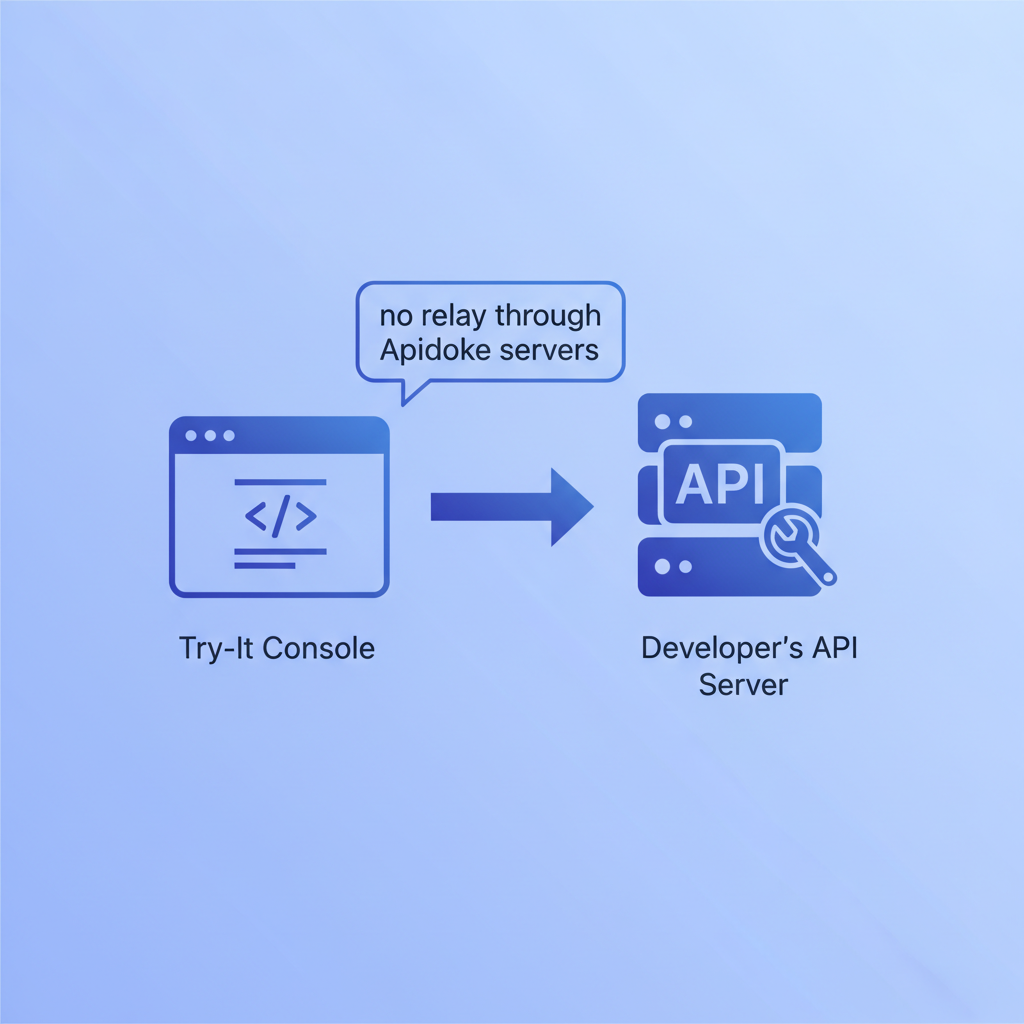
- Self-hosting means your auth tokens and API secrets never leave the browser and never reach Apidoke servers.
- API Blueprint is the open, human-readable format Apidoke uses, so your documentation is never locked to a proprietary schema.
What does "free" actually mean for API docs tools?
Free can mean a few different things. Some tools are open-source but require you to build and maintain your own hosting pipeline. Others offer a free hosted tier but cap it at one project, one version, or a limited number of API calls through their servers. A few tools are genuinely free for the core workflow but upsell on collaboration, custom domains, or analytics. Before comparing, it helps to define the features that actually matter for a day-to-day API documentation workflow.
The table below scores each tool against the features teams most commonly ask about. "Full" means the feature works without any upgrade; "Limited" means it exists but is capped or gated; "No" means it is absent entirely from that tool.
Side-by-side comparison of free API documentation tools
| Tool | Format | Live try-it console | Self-hostable | Version history | Editor with live preview | No paywall on core features |
|---|---|---|---|---|---|---|
| Apidoke | API Blueprint | Full (browser-only, tokens stay local) | Full | Full (per project) | Full (split-pane CodeMirror) | Yes |
| Swagger UI | OpenAPI / Swagger | Full (self-hosted) | Full (open-source) | No (manual file management) | No (external editor required) | Yes, but minimal UX |
| Redoc | OpenAPI | No (read-only by default) | Full (open-source) | No | No (external editor required) | Yes, but read-only viewer only |
| ReadMe (free tier) | OpenAPI, custom | Full | No (cloud only) | Limited (1 version on free) | Limited | No, core features are paid |
| Mintlify (free tier) | MDX, OpenAPI | Limited | No (cloud only) | Limited | Limited | No, scales to paid quickly |
| Stoplight (free tier) | OpenAPI | Full | No (cloud only) | Limited | Full | No, project limits apply |
The pattern is clear. Open-source renderers like Swagger UI and Redoc are free to self-host but hand you a static HTML file and a YAML or JSON spec; they do not include an integrated editor, version tracking, or a try-it console that works out of the box without additional configuration. Hosted platforms include more features but almost always gate the ones that matter (versioning, multiple projects, interactive testing) behind a subscription.
What makes a good free API documentation tool for a REST API?
A REST API is a web service that communicates over HTTP using standard methods: GET to retrieve data, POST to create resources, PUT or PATCH to update them, and DELETE to remove them. Good documentation for a REST API needs to show the consumer not just the route, but the expected request shape, the response body, and the status codes they should handle. RFC 9110, the HTTP Semantics specification, defines what those status codes mean; your docs should align with them.
Concretely, a useful free tool should cover:
- A way to write and preview documentation without switching between multiple apps.
- A live try-it console so developers can fire real HTTP requests against an endpoint and inspect the actual response, not a mocked one.
- Version history, because APIs change and consumers need to know which version of the contract applies to their integration.
- A publishable output that non-technical stakeholders can read without installing anything.
How Apidoke works as a free API documentation tool
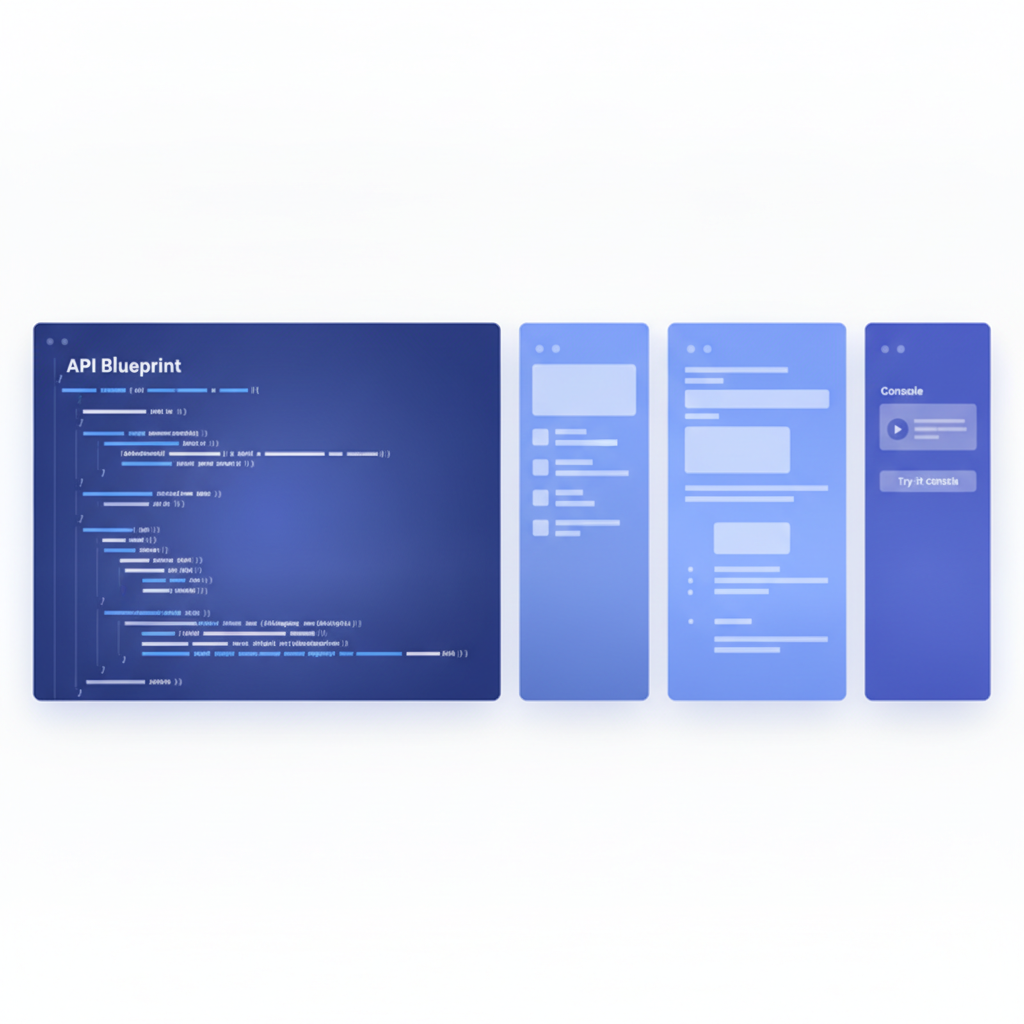
Apidoke is built around the API Blueprint specification, an open, Markdown-flavored format for describing HTTP APIs. You write your spec in a split-pane CodeMirror editor; the right pane renders a live preview of the final 3-column documentation view as you type. When you publish, Apidoke produces a clean reference with navigation on the left, content in the center, and a try-it console on the right.
The try-it console fires real HTTP requests directly from the browser. Auth tokens, API keys, and bearer credentials you type into the console are stored only in browser memory for that session. They are never sent to Apidoke servers, which matters when you are documenting internal or sensitive APIs.
Per-project version history is built in. Every saved revision is accessible from the project dashboard, so you can compare what changed between version 1.2 and 2.0 without setting up a separate Git workflow, though you can still use Git for source control if you prefer.
Self-hosting means you run Apidoke on your own infrastructure. Your documentation, your specs, and your team's request history stay on servers you control. There is no vendor lock-in at the format level either: API Blueprint files are plain text and the format is an open standard.
Writing your first API Blueprint document
API Blueprint uses a Markdown-like syntax organized into groups, resources, and actions. Here is a minimal example documenting a GET /users/{id} endpoint:
FORMAT: 1A
HOST: https://api.example.com

# My API

## Group Users

### Get a User [GET /users/{id}]

Returns a single user object by ID.

+ Parameters
    + id (number, required) - The numeric user ID

+ Request (application/json)
    + Headers

            Authorization: Bearer eyJhbGci...

+ Response 200 (application/json)
    + Body

            {
              "id": 42,
              "name": "Ada Lovelace",
              "email": "ada@example.com"
            }

+ Response 401 (application/json)
    + Body

            {
              "error": "Unauthorized",
              "message": "A valid Bearer token is required."
            }

+ Response 404 (application/json)
    + Body

            {
              "error": "Not Found",
              "message": "No user exists with id 42."
            }
Paste that into the Apidoke editor and the live preview immediately renders a 3-column view. The try-it console populates the path parameter field with id, and you can type a real token into the Authorization header field and fire the request without leaving the documentation page.
For a deeper look at the format, the complete guide to API Blueprint syntax and structure covers groups, parameters, request bodies, and response schemas in full.
Step-by-step: publishing free API docs with Apidoke
- Register for a free account at /register. No credit card is required.
- Create a new project from the dashboard. Give it a name and an optional base URL for your API host.
- Open the editor. The left pane is the CodeMirror editor where you write your API Blueprint spec. The right pane shows the live rendered preview, updating as you type.
- Write your first resource. Start with
FORMAT: 1AandHOST:, then add a# Group, a resource heading, and at least one+ Response 200block with a JSON body. - Save a version. Click Save to commit the current state to version history. Add a label like "v1.0 initial release" so you can distinguish it from later revisions.
- Publish. Click the Publish button to generate the public documentation URL. Anyone with the link can view the 3-column reference and use the try-it console immediately.
- Iterate. Edit the spec, save a new version, and republish. Previous versions remain accessible in the project history.
When should you choose a self-hosted tool over a hosted free tier?
For internal APIs, APIs that carry credentials, or documentation that should not be indexed by search engines, self-hosting is the safer default. You control who can reach the server, you choose the network boundary, and you are not subject to a third-party platform's terms of service changing in ways that affect your data.
Hosted free tiers make sense when you need zero infrastructure overhead and your API is already public. The trade-off is that the "free" label usually expires the moment you need a second version, a second project, or a private URL.
For a broader look at how Apidoke compares to other tools in the category, the best API documentation tools in 2026 article covers the full landscape including commercial options.
Common misconceptions about free API documentation tools
"Free tools can't handle versioning"
Swagger UI and Redoc do not include versioning as a feature, so this criticism applies to those tools specifically. Apidoke includes per-project version history at no cost, so you can snapshot your spec at every meaningful release and restore or compare any prior version from the dashboard.
"The try-it console is a security risk"
The risk with some hosted consoles is that requests are proxied through the vendor's servers, which means your auth tokens pass through infrastructure you do not control. Apidoke's console runs entirely in the browser and fires requests directly to your API's host. Apidoke never sees the token. This is the same client-side model used by browser-native tools like the Fetch API in DevTools.
"You need OpenAPI to get a good developer experience"
OpenAPI is a widely adopted format, but it is not the only one. API Blueprint predates many of the usability improvements in OpenAPI 3.1 and remains the more human-readable choice for teams who write documentation alongside their code rather than generating it from annotations. If your team already works in OpenAPI, that is a valid choice; Apidoke's format approach is API Blueprint, and the API Blueprint guide explains the syntax in detail.
Frequently asked questions
Is there a truly free API documentation tool with no hidden paywalls?
Yes. Apidoke offers a free tier with no credit card required that includes the live editor, 3-column viewer, try-it console, and per-project version history. Open-source tools like Swagger UI and Redoc are also free but require you to manage hosting and do not include an integrated editor or version history.
What is the difference between a free hosted tool and a self-hosted tool for API docs?
A free hosted tool stores your documentation on the vendor's servers and may impose project or feature limits; a self-hosted tool runs on your own infrastructure, giving you full control over access, data retention, and networking. Apidoke supports self-hosting, which is the preferred choice for internal or sensitive APIs.
Can I use a free API documentation tool for a private internal API?
Yes, if the tool supports self-hosting or private publishing. Apidoke can be self-hosted on a private network, keeping your documentation and any try-it console activity entirely internal. Hosted free tiers on third-party platforms are generally not suitable for APIs that should not be publicly reachable.
Does the Apidoke try-it console send my API keys to Apidoke servers?
No. The try-it console in Apidoke runs client-side in the browser and sends HTTP requests directly to your API's host URL. Auth tokens and API keys are held in browser memory for the session only and never relayed through Apidoke infrastructure.
Do I need to know OpenAPI or Swagger to use Apidoke?
No. Apidoke uses API Blueprint, a Markdown-based format that is straightforward to write without prior experience with OpenAPI or Swagger. The split-pane editor with live preview means you see the rendered output immediately, which shortens the learning curve significantly.
Ready to publish your first free API documentation site? Create your free Apidoke account and go from a blank spec to a published, interactive reference in minutes, no credit card and no infrastructure setup required.
Related reading: API Blueprint vs OpenAPI vs Swagger: Which Format Should You Use?
Related reading: Apidoke vs Mintlify: An Honest Comparison for 2026