
Hosted API Documentation: Pros, Cons, and How to Choose

Hosted API documentation is any service that stores, renders, and serves your API reference on infrastructure you do not manage yourself. A fully hosted SaaS tool handles the servers, CDN, and SSL; you write the content and hit publish. Apidoke takes a different path: it ships as a self-hostable application, so you can run it on your own server and keep full control, while still giving readers the polished, three-column interactive experience typical of hosted tools.
- Fully hosted SaaS tools are fast to start but can lock you into pricing tiers and vendor infrastructure.
- Self-hostable tools like Apidoke give you the same interactive output (live try-it console, version history, one-click publishing) without surrendering data sovereignty.
- The right choice depends on your team size, compliance requirements, budget, and how much you value format portability.
- API Blueprint, the open plain-text format Apidoke uses, is portable by design, so your docs travel with you if you ever switch tools.
What does "hosted API documentation" actually mean?
The phrase gets used loosely, so it helps to separate two distinct meanings before comparing tools.
Fully hosted (SaaS): The vendor owns the servers. You log in to their dashboard, write or upload your docs, and they handle uptime, storage, and delivery. ReadMe, Apiary, and Mintlify all fall here. Your docs live at a subdomain the vendor controls, such as yourproject.readme.io.
Self-hostable with hosted output: You install the software on infrastructure you control, but the published result still looks like a polished hosted doc site. Apidoke fits this model. You run the application, you own the server, and readers see a clean three-column reference with a live try-it console at whatever URL you choose.
Understanding which model a tool uses is the single most important question to ask before evaluating features, because the model drives almost every other tradeoff.
The core tradeoffs at a glance
| Factor | Fully hosted SaaS | Self-hostable (Apidoke) |
|---|---|---|
| Setup time | Minutes (sign up, paste content) | Slightly longer (deploy once, then same speed) |
| Infrastructure burden | None | You manage the server |
| Data location | Vendor servers, often US or EU data centers | Your servers, your jurisdiction |
| Pricing model | Per-seat or per-project tiers; costs scale with usage | Free to self-host; no per-seat charges |
| Auth token exposure | Try-it requests may route through vendor proxy | Requests fire directly from the browser; tokens never reach Apidoke servers |
| Vendor lock-in risk | High if using proprietary format | Low; Apidoke uses open API Blueprint plain text |
| Version history | Varies by plan | Built in per project, no plan gate |
| Live try-it console | Yes, on most paid tiers | Yes, included at every tier |
Why teams choose fully hosted SaaS
Fully hosted tools win on one dimension almost every time: time to first published page. If you have no ops capacity and need documentation live this afternoon, signing up for a SaaS tool and pasting in content genuinely takes under ten minutes. There is no Docker container to configure, no environment variables to set, no reverse proxy to write.
Fully hosted tools also tend to have polished onboarding flows and customer-success teams. For a small startup that has never written API docs before, that hand-holding has real value. The tradeoff is that the infrastructure, the URL, and sometimes the format all belong to someone else.
Why teams choose self-hostable tools instead
Three reasons come up again and again when teams audit their doc tooling and decide to move away from fully hosted SaaS.
1. Data and compliance
If your API handles anything regulated (healthcare data under HIPAA, financial data under PCI-DSS, or personal data covered by GDPR), having your API reference and the bearer tokens used to test it flow through a third-party US data center is a policy conversation you probably do not want to have. Self-hosting puts the data on infrastructure you already control and have already audited.
Apidoke's try-it console fires HTTP requests directly from the reader's browser to your API server. No request passes through Apidoke's infrastructure at all, so the authentication header sent with a GET /users call, for example, never touches Apidoke's logs.
2. Pricing predictability
Fully hosted tools price by seat, by project, or by monthly active users on the docs site. As your team grows or your public docs traffic spikes, the bill grows with it. Self-hosting swaps that variable cost for a fixed infrastructure cost you already pay for your other services.
3. Format portability
If a SaaS tool uses a proprietary storage format, migrating away later means a significant rewriting effort. Apidoke stores your documentation as plain API Blueprint Markdown files, an open standard with its own specification at apiblueprint.org. Those files live on your own disk, commit into Git naturally, and can be opened with any text editor. There is no export step and no data hostage situation.
What a real hosted API reference looks like in Apidoke
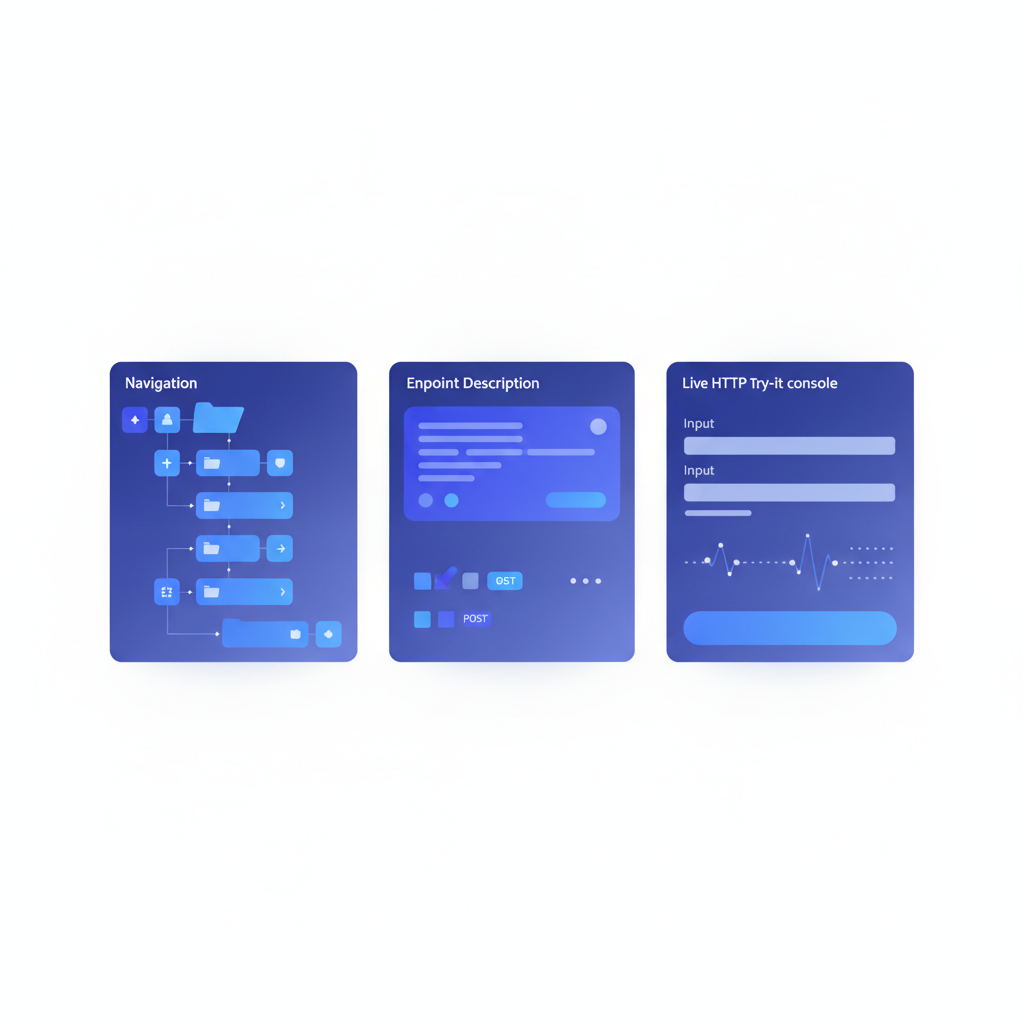
To make this concrete, here is a minimal but complete API Blueprint document that Apidoke renders into a live three-column reference. The left column shows the navigation derived from Groups and Resources; the center column shows the formatted endpoint descriptions; the right column shows the live try-it console where a reader can fire a real request.
FORMAT: 1A
HOST: https://api.example.com

# Example API

A minimal API reference published with Apidoke.

# Group Users

## Users Collection [/users]

### List All Users [GET]

Returns an array of user objects. Requires a valid bearer token.

+ Request (application/json)

    + Headers

            Authorization: Bearer eyJhbGciOiJIUzI1NiJ9...

+ Response 200 (application/json)

    + Body

            [
              { "id": 1, "name": "Ada Lovelace", "email": "ada@example.com" },
              { "id": 2, "name": "Grace Hopper", "email": "grace@example.com" }
            ]

+ Response 401 (application/json)

    + Body

            { "error": "Unauthorized", "message": "Bearer token missing or invalid." }
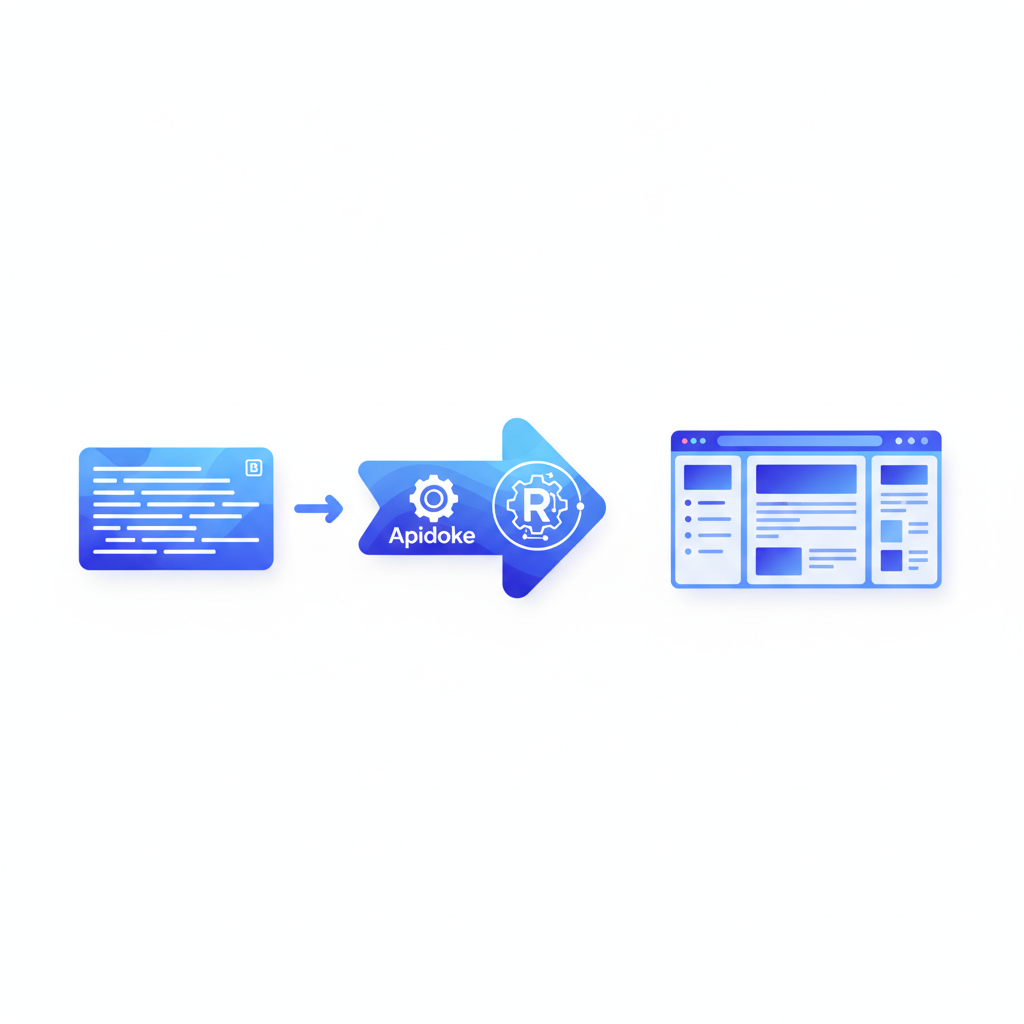
Paste that into Apidoke's split-pane editor and the live preview column updates in real time. Hit publish and the three-column reference is live at your self-hosted URL. A reader who clicks "Try it" in the console sends a real GET request directly to https://api.example.com/users and sees the actual HTTP response, including the 200 or 401 status code, right in the browser.
How to evaluate a hosted API documentation tool: a practical checklist
- Identify your data residency requirements. Does your API accept tokens or personal data? Check whether the tool's try-it console proxies requests through the vendor's servers, and whether that is acceptable under your compliance policy.
- Audit the format. Find out exactly where and in what format the tool stores your documentation source. A proprietary database means migration pain later; an open plain-text format means freedom.
- Model the cost at three growth stages. Price the tool at current team size, then at 5x, then at the point where you might expose public docs to external developers. Some tools charge per page view or per API call through the console.
- Test the try-it console against a real endpoint. Send a
POSTrequest that expects a JSON body, check that headers are set correctly, and verify that the response body and status code (aim for201 Createdor400 Bad Request) display accurately. A console that silently drops headers is not usable in production. - Check version history. API docs that have no version history are a support liability. Readers on an older integration version need to see the docs for that version. Confirm whether versioning is built in or gated behind a higher tier.
- Evaluate the authoring experience. Some teams write docs in a web-based rich editor; others prefer Markdown in a text editor or alongside code in Git. Pick a tool whose authoring model matches your workflow, not the other way around.
- Confirm one-click publishing or an equivalent CI path. The best reference docs are the ones that actually get updated. If publishing requires four manual steps, it will lag behind the API.
Where Apidoke sits in the landscape
Apidoke is not a fully hosted SaaS tool. It is a self-hostable application that produces the same polished, interactive output that paid hosted services charge for. That positioning matters for mid-funnel evaluators who like the idea of a hosted-style experience but have reservations about one or more of: vendor pricing, data control, or format lock-in.
The authoring environment is a browser-based split-pane CodeMirror editor with a live preview pane on the right. You write in API Blueprint Markdown on the left, and the formatted reference updates as you type, no save-and-reload cycle required. Per-project version history is built in from day one, not a paid add-on.
For teams that have been evaluating Mintlify, ReadMe, or Apiary, the honest comparison is that Apidoke trades away a managed CDN and a vendor support team in exchange for zero per-seat pricing, full data ownership, and an open source-compatible format. Whether that trade is right depends on whether you have the ops capacity to run one additional web application. For most teams with any existing server infrastructure, that bar is low.
You can read a deeper breakdown of the tradeoffs in the API documentation tool guide, and if you are specifically weighing the self-hosting path in detail, the self-hosted API documentation guide walks through the deployment steps.
The role of API Blueprint in portability
One reason fully hosted tools create lock-in is that they often store docs in a proprietary database schema. If the vendor raises prices or shuts down, exporting your content in a usable form can be painful.
API Blueprint is a plain Markdown-based format maintained as an open specification. A document written in API Blueprint is just a .apib text file. It diffs cleanly in Git, reads without tooling, and can be validated against the spec independently of any vendor. The API Blueprint specification is publicly available and maintained as an open standard. That is a meaningful portability guarantee that no proprietary format can match.
HTTP semantics are equally standardized. The status codes and methods your docs describe (GET, POST, PUT, DELETE, 200, 201, 400, 401, 404, 500) are defined in RFC 9110, not by any documentation tool vendor. Writing docs against open standards at every layer reduces your dependency on any single tool.
Frequently asked questions
What is the difference between hosted and self-hosted API documentation?
Fully hosted API documentation means a vendor stores and serves your docs on their own infrastructure. Self-hosted means you run the documentation software on servers you control. Apidoke is self-hosted, so the published reference lives on your infrastructure while still rendering as a polished, interactive three-column site.
Is self-hosting API docs significantly more work than using a SaaS tool?
The initial deployment takes longer than signing up for a SaaS, but it is a one-time step. After that, the day-to-day authoring experience in Apidoke, writing in the browser-based editor with live preview and hitting publish, is comparable in speed to any hosted tool. The ongoing operational overhead is roughly equivalent to running any other web application in your stack.
Can I use a self-hosted doc tool for public-facing API documentation?
Yes. Self-hosted means the infrastructure is yours, not that the docs are private. Apidoke lets you publish your reference as a fully public URL. External developers can read the docs and use the live try-it console without any login, just like they would with a fully hosted tool.
Do try-it consoles in hosted tools expose my API keys?
Some hosted tools route try-it requests through their own servers, which means auth tokens pass through vendor infrastructure and could appear in server logs. Apidoke's try-it console fires requests directly from the reader's browser to your API, so authentication headers never reach Apidoke's servers at any point.
What format should I use for hosted API documentation?
API Blueprint is a strong choice if portability matters to you, because your source files are plain Markdown that you own outright. It pairs well with REST APIs and is the native format Apidoke is built around. If your team is already deep in the OpenAPI ecosystem, check out the format comparison at API Blueprint vs OpenAPI vs Swagger for a detailed breakdown of the tradeoffs.
Ready to see how self-hosted, interactive API documentation works in practice? Create your free Apidoke account and publish your first API reference in minutes, no credit card required.