
How to Write API Documentation (2026 Guide)

API documentation is the written reference that tells developers exactly how to integrate with your API: which endpoints exist, what each one expects as input, what it returns, and how errors are communicated. Good API documentation reduces integration time from days to hours. Apidoke lets you write it in API Blueprint format and publish a live, interactive reference without any build pipeline.
- API docs have four core layers: an overview, an authentication guide, an endpoint reference, and code examples. Missing any one of them breaks the developer experience.
- API Blueprint is a Markdown-based format that is readable by humans and parseable by tools. You can write a complete reference in a single
.apibfile. - A live try-it console that fires real HTTP requests from the browser cuts the back-and-forth between docs and Postman, which is the single biggest friction point for new integrators.
- Apidoke is free and self-hostable, so you get interactive, versioned API docs without paying per seat or managing a separate toolchain.
What is API documentation, exactly?
API documentation (sometimes called an API reference, API guide, or developer docs) is the primary artifact that makes an API usable by people who did not build it. It answers three questions: what can I do with this API, how do I authenticate, and what do I send and receive for each operation.
The term covers several distinct document types that often live together:
| Document type | Purpose | Typical location |
|---|---|---|
| API reference | Exhaustive endpoint-by-endpoint specification | Auto-generated or hand-authored from a spec file |
| Getting-started guide | First working request in under 10 minutes | Top of the docs site |
| Authentication guide | How to obtain and send credentials | Second page, before any endpoint docs |
| Conceptual overview | Domain model, rate limits, pagination, versioning | Sidebar section between getting-started and reference |
| Code examples / SDKs | Copy-paste snippets in real languages | Inline in the reference, plus a dedicated page |
| Changelog | Breaking changes, deprecations, new features | Separate page or RSS feed |
Why most API documentation fails developers
The most common failure is treating the reference as the only document. A developer who has never seen your API cannot jump straight into endpoint tables. They need orientation first: what problem does this API solve, what are the core objects, and how do I get a valid token.
The second failure is stale examples. A response body showing {"user_id": 123} when the live API actually returns {"userId": "usr_a1b2c3"} erodes trust immediately. Developers start testing in Postman to verify what is really returned, which doubles the work. A live try-it console eliminates this by letting the docs fire the real request and show the real response.
The third failure is missing error documentation. RFC 9110 defines the HTTP status code semantics that every API should follow, but most docs only document the happy path. Developers integrating in production need to know what a 401 Unauthorized vs a 403 Forbidden means in your system, what a 422 Unprocessable Entity body looks like, and whether a 429 Too Many Requests response includes a Retry-After header.
How to structure API documentation: the four-layer model
Layer 1: The overview
The overview page should answer, in two paragraphs, what the API does and who it is for. Include the base URL, the protocol (HTTPS only in 2026, no exceptions), and the response format (JSON, XML, or both). If your API is versioned, state the versioning scheme here: path-based (/v1/), header-based (API-Version: 2026-01), or query-param-based.
Layer 2: Authentication
This section should be a step-by-step walkthrough, not a reference table. Show how to create an API key, where to send it (most commonly in the Authorization: Bearer <token> header per MDN's HTTP Authorization documentation), and what happens when it is wrong. A concrete example:
GET /v1/users HTTP/1.1
Host: api.example.com
Authorization: Bearer sk_live_abc123xyz
And the error when the token is missing or invalid:
HTTP/1.1 401 Unauthorized
Content-Type: application/json

{
  "error": "unauthorized",
  "message": "No valid API key provided.",
  "docs_url": "https://docs.example.com/authentication"
}
Layer 3: The endpoint reference
Each endpoint entry should include: the HTTP method and path, a one-sentence description, all path parameters, all query parameters, the request body schema (if applicable), at least one full example request, at least two example responses (success and the most common error), and all possible status codes for that endpoint.
The request-response pair is the unit of trust in API docs. Never document an endpoint without both sides.
Layer 4: Conceptual guides and code examples
Pagination, webhooks, rate limiting, idempotency keys, and error handling all deserve their own short guide pages. These are the topics that trip up developers at 2 AM when they are handling edge cases in production. Code examples should be real, runnable, and available in at least three languages: curl (always first), JavaScript or TypeScript, and Python.
Choosing a format: API Blueprint vs OpenAPI
Before you write a single line, you need to choose a machine-readable format. The two main options are API Blueprint and OpenAPI (formerly Swagger). The choice affects your tooling, your authoring experience, and how easy it is to keep docs in sync with code.
| Dimension | API Blueprint | OpenAPI 3.x |
|---|---|---|
| Syntax | Markdown-based, human-readable prose | YAML or JSON, schema-first |
| Learning curve | Low: any writer can contribute | Moderate: requires understanding JSON Schema |
| Tooling | Apidoke, Aglio, Drakov (mock server) | Redoc, Swagger UI, Stoplight, Redocly |
| Request/response examples | Written inline, very natural | Defined separately under examples keys |
| Code generation | Limited | Extensive (SDKs, server stubs) |
| Best for | Teams prioritizing readable, writable docs fast | Teams needing SDK generation or enterprise toolchains |
Apidoke uses API Blueprint as its native format. If your priority is getting well-structured, readable docs published quickly without configuring a build pipeline, API Blueprint is the faster path. You can learn the full syntax at the official API Blueprint specification.
Writing your first API Blueprint document
An API Blueprint file is a plain .apib file. The top-level structure uses Markdown headings with specific keywords that the parser recognizes. Here is a minimal but complete example for a fictional Users API:
FORMAT: 1A
HOST: https://api.example.com/v1

# Users API

The Users API lets you create, read, update, and delete user accounts.
All responses are JSON. All requests must include a valid Bearer token.

# Group Users

Operations on the `/users` resource.

## Users Collection [/users]

### List all users [GET]

Returns an array of user objects. Results are paginated at 100 per page.

+ Request (application/json)

    + Headers

            Authorization: Bearer sk_live_abc123xyz

+ Response 200 (application/json)

    + Body

            {
              "data": [
                {
                  "id": "usr_a1b2c3",
                  "email": "alice@example.com",
                  "created_at": "2026-01-15T09:00:00Z"
                }
              ],
              "meta": {
                "total": 1,
                "page": 1,
                "per_page": 100
              }
            }

+ Response 401 (application/json)

    + Body

            {
              "error": "unauthorized",
              "message": "No valid API key provided."
            }

### Create a user [POST]

Creates a new user account. Returns the created user object with a `201 Created` status.

+ Request (application/json)

    + Headers

            Authorization: Bearer sk_live_abc123xyz

    + Body

            {
              "email": "bob@example.com",
              "name": "Bob Smith"
            }

+ Response 201 (application/json)

    + Body

            {
              "id": "usr_d4e5f6",
              "email": "bob@example.com",
              "name": "Bob Smith",
              "created_at": "2026-07-20T14:30:00Z"
            }

+ Response 422 (application/json)

    + Body

            {
              "error": "validation_failed",
              "fields": {
                "email": ["is already taken"]
              }
            }
A few things to notice in that example. The FORMAT: 1A line at the top identifies the file as API Blueprint version 1A. The HOST line sets the base URL that Apidoke uses when firing real requests from the try-it console. The # Group Users heading creates a navigation group in the sidebar. Each ### action heading contains exactly one HTTP method.
Step-by-step: publishing API docs with Apidoke
- Create an account. Go to apidoke.com/register and sign up. No credit card required for the free tier.
- Create a new project. Give it a name and an optional description. Each project maps to one API product.
- Open the editor. Apidoke's browser-based CodeMirror editor opens with a starter template. You can paste in an existing
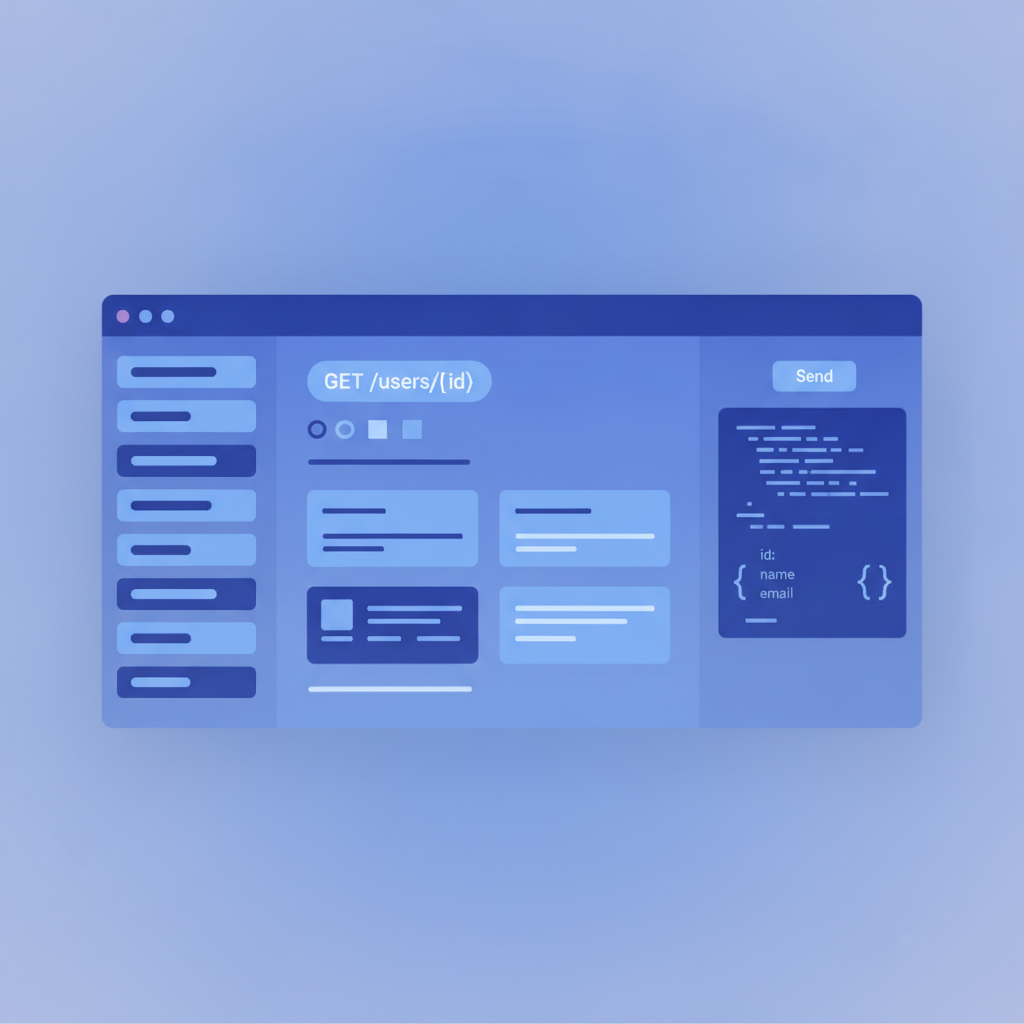
.apibfile or write from scratch. The split-pane live preview renders the three-column layout as you type. - Write your Blueprint. Start with the
FORMAT: 1Aheader, set yourHOST, and add at least one# Groupwith one resource and one action. The preview updates on every keystroke. - Set the HOST for live requests. If your API is publicly reachable (or you are running a local dev server), the HOST value is the URL the try-it console will POST and GET against. Real responses appear inline in the docs.
- Create a version. Apidoke stores version history per project. Tag your first version as
v1.0before sharing the link. Readers can switch between versions using the version selector in the published docs. - Publish and share. Click Publish. Your docs are live at a
apidoke.com/docs/your-project-slugURL (or your custom domain if self-hosting). Share the link with your team or external developers.
What a live try-it console changes for developers
The traditional API docs workflow looks like this: read the docs, copy the endpoint, open Postman or curl, paste in the URL, add the auth header, send the request, compare the response to what the docs said it would be. That context switch happens dozens of times per integration.
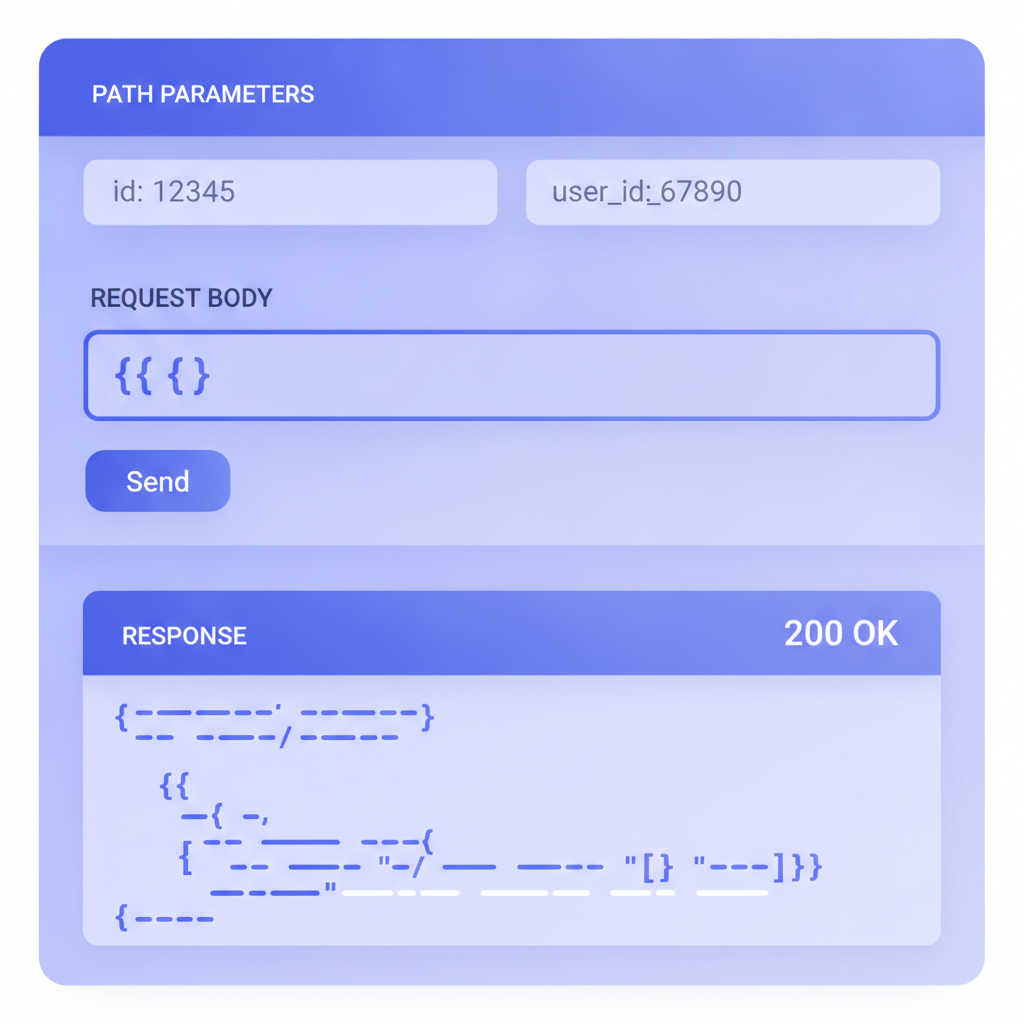
A try-it console collapses that loop. The developer fills in path parameters and request body fields directly in the docs page, hits Send, and sees the real HTTP response, including status code, headers, and body, without leaving the page. When the response matches the documented example, trust goes up. When it does not match, the developer knows immediately that either the docs or the API has drifted, which is useful information either way.
Apidoke's console fires real requests. The HOST you set in your Blueprint is where those requests go. This means you can also use it as a lightweight smoke-test tool: open the docs, try the GET /users endpoint, confirm you get a 200 back. No separate API client needed.
Best practices for API documentation quality
Document every status code the endpoint can return
If an endpoint can return 200, 400, 401, 403, 404, and 500, document all six with example response bodies. Developers writing error-handling code need to know the shape of each error object, not just that errors are possible.
Use real, consistent example values
Use the same fake user ID (usr_a1b2c3) across all your examples so developers can see how objects relate. Avoid generic placeholders like string or integer in example bodies. Those tell a developer nothing about the actual format.
Keep a changelog
Every time you change a field name, remove an endpoint, add a required parameter, or change a response shape, log it with the date and the version. Breaking changes should be flagged explicitly. Developers who integrate with your API need this history to know whether their code is at risk.
Version your docs alongside your API
If you ship v2 of your API, the v1 docs should remain accessible for teams still running on v1. Apidoke's per-project version history makes this straightforward: each version is a snapshot that can be published independently.
Test your own docs
Once a week, open your docs as if you are a developer seeing them for the first time. Run the try-it console on three random endpoints. Check that the example request bodies are still valid. Read the authentication section and confirm the steps still work. Docs rot faster than code because there is no compiler to catch the drift.
How API documentation fits into developer experience
API documentation is the front door of your developer experience. A developer's first impression of your API is almost always the docs, not the API itself. If the docs are confusing, incomplete, or out of date, many developers will not even make their first authenticated request.
This is why investing in documentation tooling that makes the authoring experience fast and the reading experience interactive pays off in adoption, not just in support ticket volume. Teams using Apidoke report that the live preview in the editor and the try-it console in the published docs are the two features that most change how often they actually keep their docs current, because the feedback loop is immediate rather than delayed by a build step.
For a deeper look at how documentation fits the broader developer experience, visit the Apidoke blog where we cover topics from API design to versioning strategy. You can also explore the Apidoke features overview to see how the editor, try-it console, and version history work together in practice.
Frequently asked questions
What should API documentation include?
At minimum: an overview with the base URL and protocol, an authentication guide with a real example request, an endpoint reference with request and response bodies for every operation, all possible HTTP status codes per endpoint, and a changelog. Code examples in at least two languages (curl and one modern language) are strongly recommended.
What is the difference between API documentation and an API reference?
An API reference is the exhaustive, endpoint-by-endpoint specification covering every parameter, response field, and status code. API documentation is the broader set of content that includes the reference plus getting-started guides, authentication walkthroughs, conceptual explanations, and code examples. The reference is one part of the documentation.
How do I keep API documentation up to date?
The most reliable approach is to update the docs in the same pull request as the API change, so they ship together. Using a machine-readable format like API Blueprint or OpenAPI helps because the spec file lives in version control alongside the code. A weekly manual review of your docs using the actual live API (or a try-it console) catches any drift that slips through.
Can I write API documentation without knowing how to code?
Yes. API Blueprint is Markdown-based, so anyone who can write structured text can author it. The hard part is understanding the API's behavior well enough to document it accurately, which usually requires working closely with the engineers who built it. Apidoke's browser-based editor with live preview removes any need to install tools or run build commands.
Is there a free tool to publish API documentation?
Apidoke has a free tier that includes the CodeMirror editor, live preview, try-it console, and version history. It is also self-hostable, so you can run it on your own infrastructure without any per-seat cost. Several other tools offer free plans with seat or feature limits, but most charge once you need a custom domain or multiple team members.
Ready to publish your first interactive API reference? Create your free Apidoke account and have your docs live in under 30 minutes, no build pipeline required.
Related reading: API Documentation Tool: Everything You Need to Know
Related reading: Reference Docs vs Tutorial Docs: Choosing the Right Type of API Documentation