
API Blueprint and Formats: The Complete Category Hub

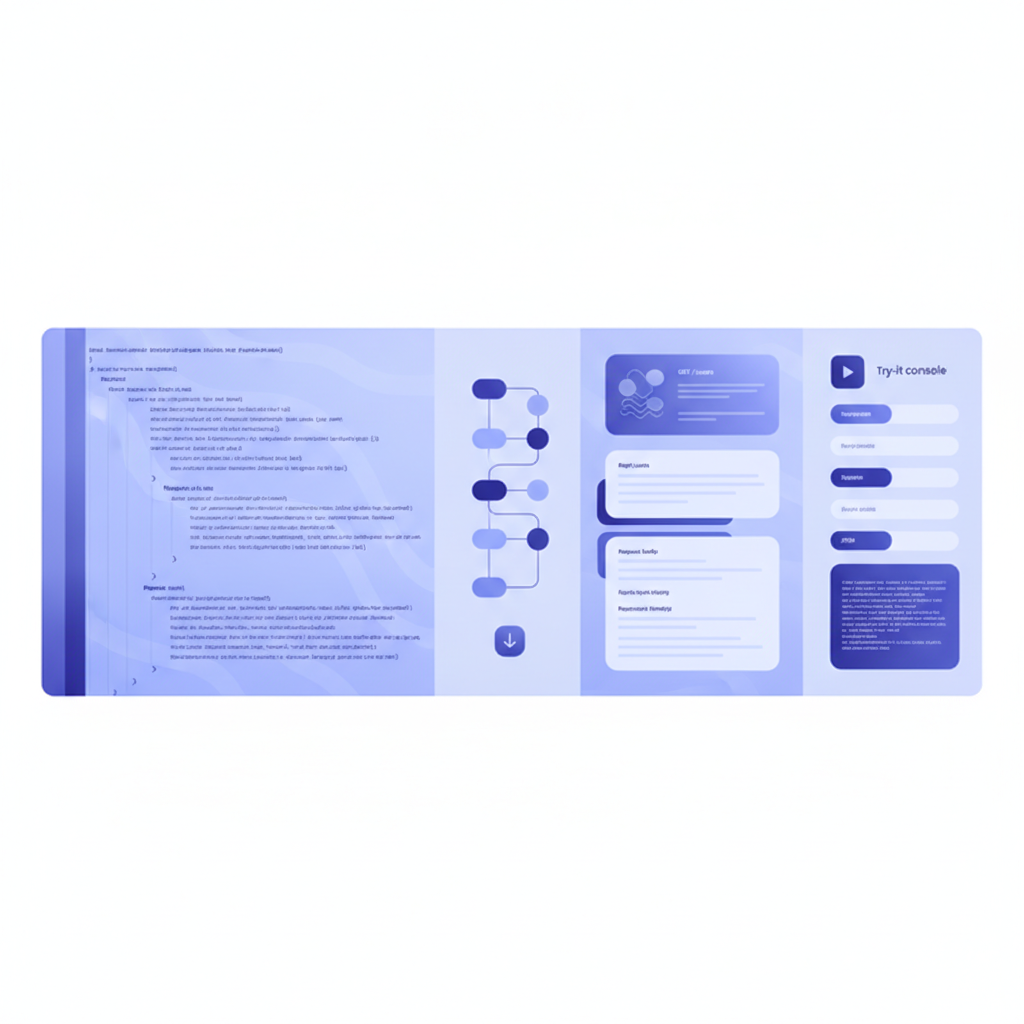
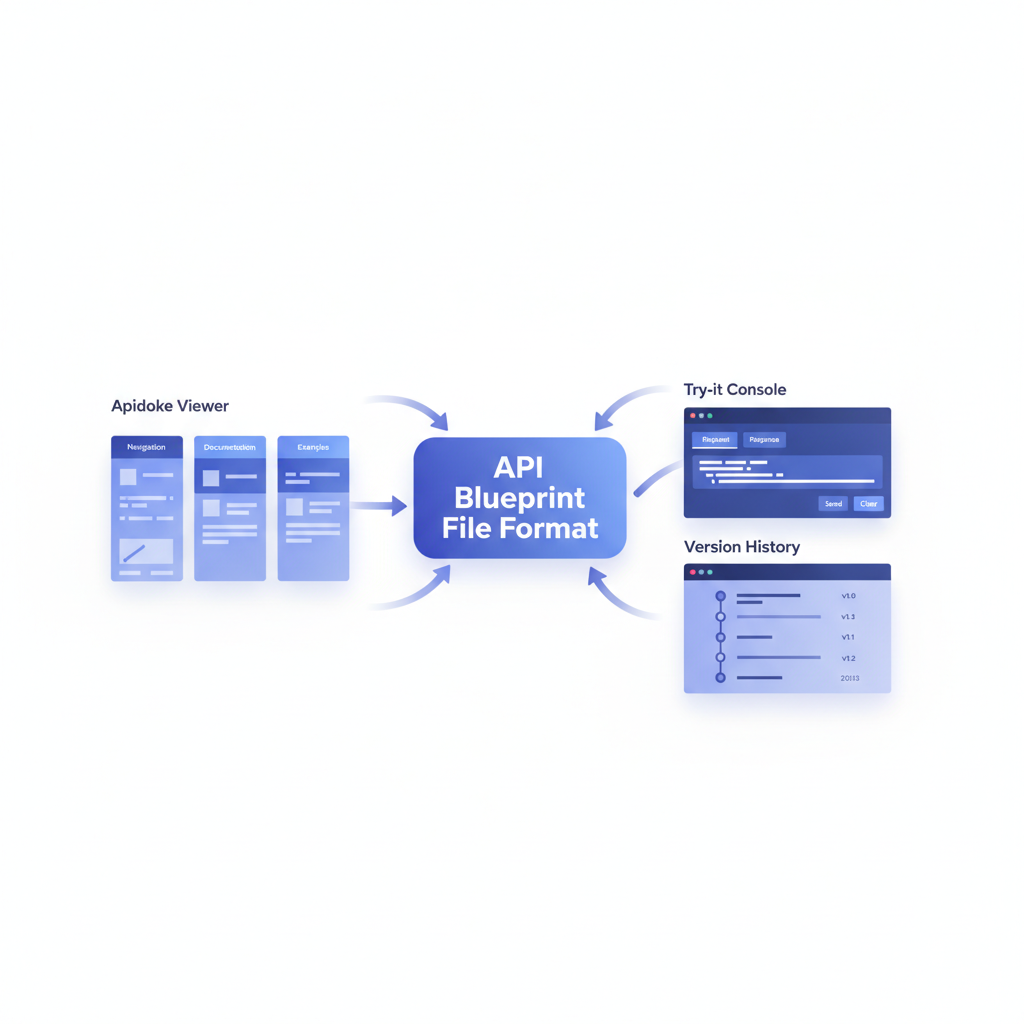
API Blueprint is a Markdown-based, open-source format for describing REST APIs. You write plain-text .apib files using a human-readable syntax, and tools like Apidoke parse them into a fully navigable, three-column API reference with a live try-it console. This hub collects every format-focused guide, comparison, and tutorial published on Apidoke, giving you one place to go from zero to published docs.
- API Blueprint is an open standard maintained at apiblueprint.org, so your docs are never locked to a single vendor.
- Apidoke renders
.apibfiles into a live three-column viewer with navigation, prose, and a browser-side try-it console in one step. - Self-hosting and version history are built in, meaning your team owns the data and can roll back any revision.
- Auth tokens stay in the browser during live requests; they never transit Apidoke servers.
What is this category about?
The API Blueprint and Formats category covers the technical and editorial ground between choosing a description format and shipping production-quality docs. Articles here explain the spec itself, walk through real syntax, contrast API Blueprint with alternative formats, and show how Apidoke's editor and viewer handle each piece of the workflow. If you landed here from a search about the format, the spec, or how different description languages compare, you are in the right place.
Why API Blueprint still matters in 2026
API description formats are essentially contracts. They define what your API does, what it accepts, and what it returns, in a machine- and human-readable way. API Blueprint uses MSON (Markdown Syntax for Object Notation) and a heading hierarchy that reads almost like prose. A minimal resource block looks like this:
# Group Users

## User Collection [/users]

### List All Users [GET]

+ Response 200 (application/json)

        [
          { "id": 1, "name": "Ada Lovelace" },
          { "id": 2, "name": "Grace Hopper" }
        ]
That snippet is valid API Blueprint. Paste it into Apidoke's split-pane CodeMirror editor and the live preview column updates immediately, showing the formatted endpoint card, the HTTP method badge, and the 200 response body. No YAML indentation errors, no schema boilerplate required just to get started.
The format remains relevant because it prioritizes readability over machine-generation. Teams writing docs by hand, or teams migrating from narrative Word documents, find the learning curve significantly shorter than YAML-heavy alternatives. The API Blueprint specification is publicly versioned, openly licensed, and stable.
Articles in this category
What Is API Blueprint? (Complete Guide)
The foundation article. It defines API Blueprint, explains the file format, walks through the # Group, ## Resource, ### Action heading hierarchy, and shows real request and response blocks including headers, query parameters, and status codes like 401 Unauthorized and 404 Not Found. If you are new to the format, start here.
Read the complete API Blueprint guide
API Blueprint Syntax: A Practical Reference
Coming soon. This deep-dive covers every structural keyword in the spec: named types with MSON, request body payloads, multi-response actions, data structures, and the + Attributes block for typed parameters. Concrete copy-paste examples for GET, POST, PUT, PATCH, and DELETE methods, with real JSON request and response bodies throughout.
API Blueprint vs OpenAPI: Which Format Should You Choose?
Coming soon. A structured comparison of the two most popular REST description formats. The article covers authoring experience, tooling ecosystem, schema expressiveness, and the practical tradeoffs for teams of different sizes. The comparison does not declare a winner; it maps each format to the context where it performs best.
How Apidoke fits into the API Blueprint workflow
Most teams writing API Blueprint face the same sequence of problems: authoring the .apib file, previewing the output, hosting the rendered docs, keeping versions in sync with the codebase, and letting developers try live requests without leaving the reference page. Apidoke addresses each of those steps as a single self-hosted application.
- Write your API Blueprint document in the split-pane CodeMirror editor. The left pane is the raw
.apibsource; the right pane is a live-updating preview of the rendered reference. - Preview every change instantly. The three-column viewer shows the navigation tree on the left, the prose and endpoint cards in the center, and the try-it console on the right, all updating as you type.
- Test endpoints directly from the docs. Enter your base URL and any auth headers; the browser fires the real HTTP request and displays the actual response, including status code, response headers, and body. Your credentials never leave the browser.
- Publish with one click. Apidoke generates a clean public URL for the rendered reference. No separate build step, no CI pipeline required to get started.
- Version your project. Every save creates a version snapshot. Browse the history, compare revisions, and restore any earlier state directly from the dashboard.
Key API Blueprint concepts defined
| Term | What it means in API Blueprint | Example |
|---|---|---|
| Group | A top-level navigation section containing related resources | # Group Authentication |
| Resource | A URL path, optionally with a URI template for path parameters | ## Token [/auth/token] |
| Action | An HTTP method on a resource, forming one endpoint card in the viewer | ### Create Token [POST] |
| Request | The payload a client sends, including headers and body | + Request (application/json) |
| Response | The status code and body the server returns | + Response 201 (application/json) |
| MSON | Markdown Syntax for Object Notation; describes typed data structures inline | + Attributes (object) |
| Data Structures | Reusable named types defined once and referenced across multiple actions | # Data Structures section |
Format comparisons: where does API Blueprint sit?
Three formats dominate the REST description space: API Blueprint, OpenAPI (formerly Swagger), and RAML. Each has a different design philosophy. API Blueprint prioritizes human authoring and narrative clarity. OpenAPI prioritizes machine generation and schema precision; it is defined by the OpenAPI Specification and typically written in YAML or JSON. RAML uses YAML with its own inheritance model.
Apidoke is built around API Blueprint. If your team writes docs by hand rather than generating them from code annotations, API Blueprint's Markdown structure tends to produce cleaner, more readable source files. For a broader look at how these format choices fit into a full documentation strategy, the complete guide to writing API documentation covers the end-to-end workflow including format selection.
Who should use this category?
These articles are written for three audiences. First, developers who are new to API description formats and need to understand what API Blueprint actually is before committing to it. Second, teams already writing API Blueprint who want syntax references, real examples, and a publishing workflow that does not require a custom toolchain. Third, decision-makers evaluating formats who want an honest, side-by-side comparison rather than vendor-driven marketing. Every article in this category includes copy-paste code, real HTTP method and status code examples, and Apidoke-specific workflow steps where relevant.
For a wider view of the documentation landscape, including tool comparisons and alternatives to common platforms, see the best API documentation tools guide for 2026.
Frequently asked questions
What is API Blueprint used for?
API Blueprint is used to describe REST APIs in a plain-text Markdown format. Teams write .apib files that document endpoints, request payloads, response bodies, and status codes. Tools like Apidoke then render those files into a navigable, interactive API reference.
Is API Blueprint the same as OpenAPI or Swagger?
No. API Blueprint, OpenAPI, and Swagger are separate specification formats. OpenAPI and Swagger share a lineage (Swagger 2.0 was renamed OpenAPI 3.0), while API Blueprint is an independent Markdown-based format with a different syntax and tooling ecosystem. They solve the same problem but with different design tradeoffs.
Can I publish API Blueprint docs without setting up a build pipeline?
Yes. Apidoke accepts your .apib source directly in its browser-based editor and publishes a rendered three-column reference with one click. There is no separate build step, no CLI tool to install, and no CI pipeline required to get from a blank file to a live public URL.
Where are API Blueprint files stored in Apidoke?
Apidoke stores your API Blueprint source and every version snapshot on your own self-hosted instance. You control the server and the data. The per-project version history lets you browse past states and restore any earlier revision from the dashboard.
Do live try-it requests expose my API keys to Apidoke?
No. The try-it console fires HTTP requests directly from your browser. Auth headers and tokens are sent only to your API's base URL; they never pass through Apidoke's servers.
Ready to turn your first .apib file into a live, self-hosted API reference? Create your free Apidoke account and have a published three-column reference running in minutes, no credit card required.
Related reading: API Blueprint Syntax Cheat-Sheet
Related reading: API Blueprint Cheat-Sheet: Request and Response Bodies (Deep Dive)