
API Blueprint Include Directive: Splitting Large Blueprints Into Files

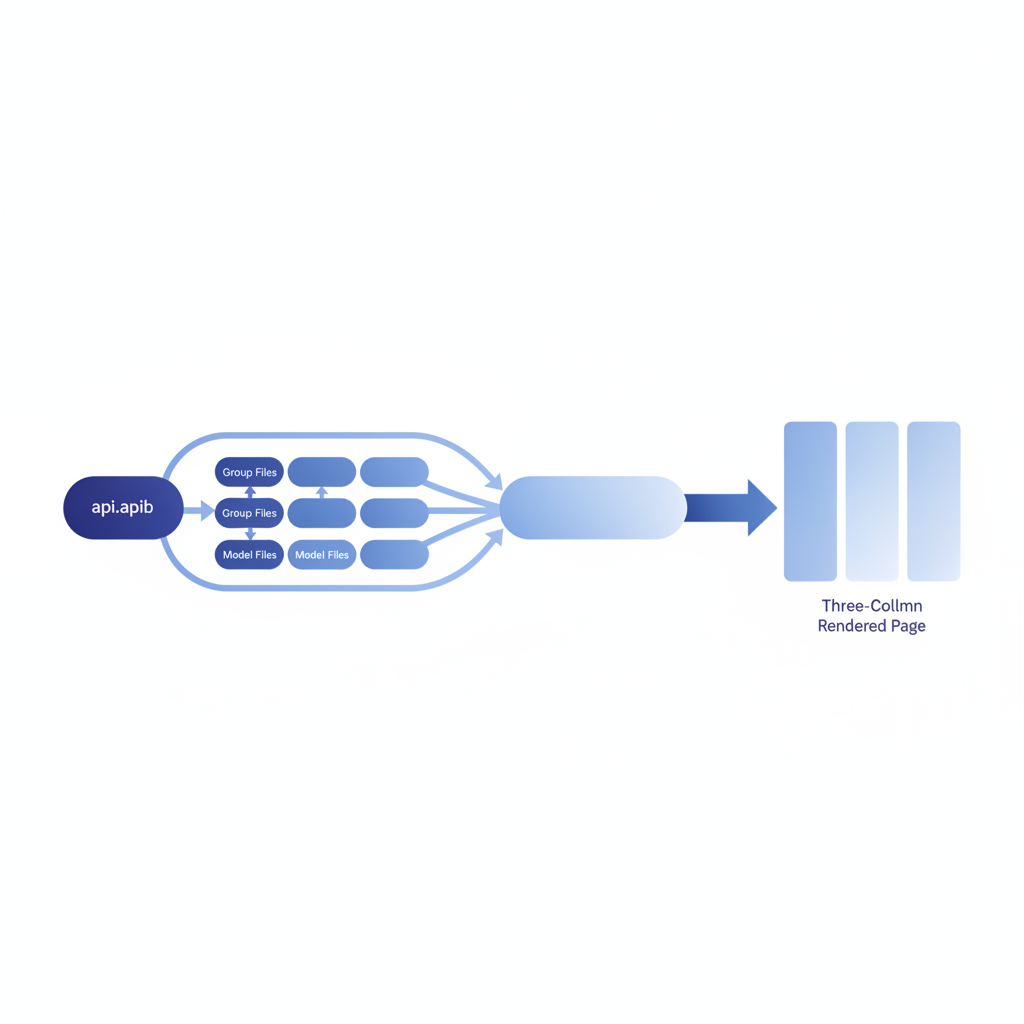
The API Blueprint include directive is a preprocessor instruction, recognized by tools like Drafter and Aglio, that lets you split a single .apib file into multiple smaller files and stitch them together at parse time. In Apidoke, you author your blueprint in the built-in editor, and any comment in your source is resolved before the live preview renders, so large APIs stay modular without losing the three-column published output.
- The include directive syntax is an HTML comment:
<!-- include(path/to/file.apib) -->, and it works in any Drafter-compatible workflow. - Splitting by resource group keeps individual files under 300 lines and makes pull-request reviews far more focused.
- Apidoke resolves includes before rendering the live preview and the published three-column reference, so readers always see a single cohesive document.
- Modular blueprints compose well with per-project version history, because you can track changes to each fragment independently before publishing.
What Is the API Blueprint Include Directive?
API Blueprint is a Markdown-based format for describing REST APIs. Its formal specification lives at apiblueprint.org, and it describes the core grammar: format version, metadata, resource groups, resources, actions, requests, and responses. The specification itself does not define a native include or import statement at the language level. Instead, include support is implemented by the preprocessor layer of tools that consume blueprint files.
Drafter (the reference C++ parser for API Blueprint) and Aglio (a popular HTML renderer) both ship with a preprocessing step that scans your source for comments matching the pattern <!-- include(relative/path.apib) -->, reads the referenced file from disk, and substitutes its content inline before parsing begins. The result is a single in-memory document. Drafter then validates the combined blueprint and emits an AST (Abstract Syntax Tree), which renderers use to produce HTML, JSON, or other output.
Because the include is resolved at the preprocessor stage and not at the parser stage, any valid Markdown or API Blueprint fragment is fair game: metadata blocks, named models (MSON definitions), resource groups, or even plain prose sections.
Why Split a Blueprint Into Multiple Files?
A production API that covers authentication, users, orders, payments, and webhooks can easily reach 2,000 to 5,000 lines in a single .apib file. That creates a few concrete problems:
- Git diffs across the entire file obscure which endpoint actually changed.
- Multiple writers editing one file in parallel produce merge conflicts on lines that have nothing to do with each other's work.
- Code review fatigue sets in when reviewers have to scroll past hundreds of unchanged lines to find the two new response examples.
- Reusing a shared MSON data structure (a named model) means copy-pasting it into every file that needs it, then keeping those copies in sync by hand.
Modular includes solve all four of these. Each resource group lives in its own file, shared models go in a models/ directory, and your root api.apib becomes a lightweight manifest of inclusions. You can read more about how resource groups shape the overall document in the API Blueprint and Formats hub, which covers the broader format landscape this workflow fits into.
The Include Directive Syntax
The directive is a standard HTML comment, so it renders harmlessly in any Markdown viewer that does not preprocess it, and it is invisible in the published output:
<!-- include(relative/path/to/file.apib) -->A few rules govern how the path is resolved:
- Paths are relative to the file that contains the directive, not to the working directory where the tool is invoked. If
api.apibsits at the project root and includesgroups/users.apib, Drafter looks for./groups/users.apibrelative toapi.apib. - Includes are resolved recursively. A file included from the root can itself include other files. There is no built-in cycle detection in all preprocessor versions, so avoid circular references.
- The included content is inserted verbatim. Leading and trailing whitespace matters if your fragment relies on Markdown's indentation rules.
- File extensions are conventionally
.apib, but any plain-text file works because the preprocessor does not validate the extension.
A Practical Directory Layout
Here is a directory structure that works well for a mid-size API with five resource groups and a shared model library:
api.apib                  ← root manifest
groups/
  auth.apib               ← Authentication group
  users.apib              ← Users group
  orders.apib             ← Orders group
  payments.apib           ← Payments group
models/
  user-model.apib         ← Reusable MSON User object
  order-model.apib        ← Reusable MSON Order object
  error-model.apib        ← Standard error envelope
The root api.apib then looks like this:
FORMAT: 1A
HOST: https://api.example.com/v1

# Example API

Welcome to the Example API. Use the sidebar to navigate endpoints.

<!-- include(models/error-model.apib) -->
<!-- include(models/user-model.apib) -->
<!-- include(models/order-model.apib) -->

<!-- include(groups/auth.apib) -->
<!-- include(groups/users.apib) -->
<!-- include(groups/orders.apib) -->
<!-- include(groups/payments.apib) -->
Models are included before groups so that MSON named types are defined before any action references them. That ordering mirrors how Drafter's parser resolves type references in a single pass.
What Each Fragment Looks Like
A shared error model (models/error-model.apib)
Named models (MSON data structures) are defined once and referenced by name in request and response bodies across all groups. Defining the model in a shared file prevents drift between groups:
# Data Structures

## Error (object)
+ code: 404 (number, required) - HTTP-equivalent status code
+ message: `Resource not found` (string, required) - Human-readable description
+ requestId: `req_abc123` (string, optional) - Trace ID for support
A resource group fragment (groups/users.apib)
Each group file starts with a # Group heading. Everything inside belongs to that group in the rendered navigation:
# Group Users

Endpoints for creating, reading, updating, and deleting user accounts.

## User Collection [/users]

### List Users [GET]

Returns a paginated list of users. Requires a valid Bearer token.

+ Request (application/json)
    + Headers

            Authorization: Bearer <token>

+ Response 200 (application/json)
    + Attributes (array[User])

+ Response 401 (application/json)
    + Attributes (Error)

## User [/users/{id}]

+ Parameters
    + id: `usr_42` (string, required) - Unique user identifier

### Get User [GET]

+ Request (application/json)
    + Headers

            Authorization: Bearer <token>

+ Response 200 (application/json)
    + Attributes (User)

+ Response 404 (application/json)
    + Attributes (Error)

### Delete User [DELETE]

+ Request (application/json)
    + Headers

            Authorization: Bearer <token>

+ Response 204

+ Response 404 (application/json)
    + Attributes (Error)
Notice how the 401, 404, and Error type are referenced here but defined once in models/error-model.apib. The preprocessor combines the two files before Drafter parses them, so the named type is available at the point of reference.
How Apidoke Handles Includes
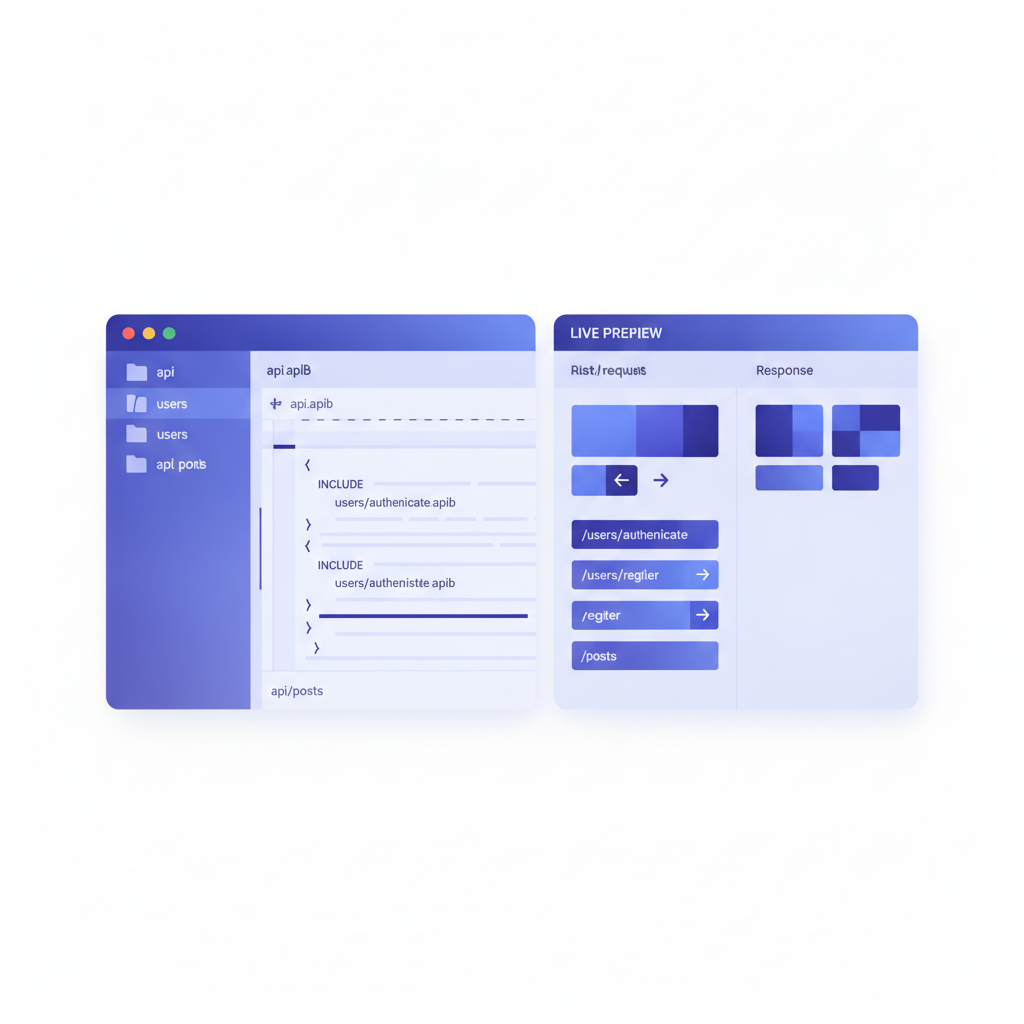
Apidoke's built-in split-pane editor runs the preprocessor and Drafter in the browser. When you paste or type a <!-- include(...) --> comment, the live preview panel resolves it against the other files you have open in the same project. The combined document is parsed in real time, and the three-column preview (navigation, content, try-it console) updates as you type.
When you publish, Apidoke stitches all included files together server-side before generating the public URL, so your readers always receive a single fully-resolved document. There is no risk of a broken include reaching a reader, because the publish step validates the combined blueprint first and surfaces any parse errors back to the editor.
Per-project version history snapshots the resolved combined document at each save, so you can diff any two published versions and see exactly which endpoint changed, even if the change lived inside an included fragment. That workflow is covered in more detail in the article on versioning API documentation.
Working With Includes in a Git Repository
The modular layout maps cleanly to a Git-based review workflow. Each group file corresponds to a domain area, so a pull request that adds a new POST /orders/{id}/refund endpoint only touches groups/orders.apib and possibly models/order-model.apib. Reviewers see a diff of fewer than 60 lines instead of a diff scattered across a 4,000-line file.
A few practices make this work reliably in teams:
- Keep the root manifest (
api.apib) minimal. It should contain only theFORMATline,HOSTmetadata, a short intro paragraph, and the include directives. No endpoint definitions belong in the root. - Name each fragment after its resource group, not after a version. Versions are handled by Apidoke's project-level version history, not by duplicating files.
- Run a local parse check (for example,
drafter api.apib --use-line-num) in a pre-commit hook or CI step. Drafter exits with a non-zero code if any include is unresolvable or the combined blueprint is invalid, which catches problems before they reach review. - Alphabetize models inside
models/. Any other ordering becomes arbitrary as the list grows, and alphabetical order makes it easy to confirm a model exists without opening each file.
Comparison: Monolithic vs. Modular Blueprint Structure
| Aspect | Single monolithic .apib file | Modular files with include directives |
|---|---|---|
| Pull request diff size | Entire file, often 2,000+ lines | Only the changed fragment, typically under 100 lines |
| Merge conflict frequency | High when two writers edit different sections | Low; writers usually touch different files |
| MSON model reuse | Copy-paste with manual sync | Define once in models/, reference everywhere |
| Onboarding a new writer | Must understand the whole file before editing | Can edit one group file with minimal context |
| Drafter parse validation | Runs on the whole file; errors hard to locate | Errors include line numbers relative to each fragment |
| Published output | Single resolved document | Single resolved document (identical to reader) |
Common Mistakes and How to Avoid Them
Including a file that defines a Group heading inside another Group
If groups/users.apib starts with # Group Users and you include it inside a section that is already under another group heading, Drafter will start a new top-level group, which may or may not be what you want. Keep group-level includes at the root level only.
Using absolute paths
Absolute paths break the blueprint the moment the project is cloned to a different machine or mounted inside a container. Always use paths relative to the including file.
Forgetting that the preprocessor is not the parser
Syntax errors inside an included file produce parser errors that reference the combined document's line numbers, not the fragment's line numbers, in some older tool versions. The --use-line-num flag in Drafter 4+ maps errors back to original lines. Keep fragments short so that even without that flag, errors are easy to locate by inspection.
Placing the Data Structures section in a group file
The # Data Structures section is a top-level section in API Blueprint, not nested under a group. If you put it inside a group fragment, Drafter may warn or behave unexpectedly. Always keep MSON data structure definitions in the models/ files that are included before any group.
Frequently Asked Questions
Does the API Blueprint include directive work in Apidoke's editor?
Yes. Apidoke's editor resolves <!-- include(path.apib) --> directives against the other files in your project before rendering the live preview and before publishing. You do not need to install Drafter or any other local tool to use includes.
Can I nest includes inside included files?
Yes, the preprocessor resolves includes recursively, so a file included from your root manifest can itself include other files. Keep the nesting depth shallow (one or two levels) to avoid making the dependency graph hard to follow during code review.
What happens if an included file is missing?
Drafter and Aglio both treat a missing include target as a fatal preprocessor error and stop processing. In Apidoke, a missing file reference surfaces as a validation error in the editor panel before you can publish, so a broken include can never reach your readers.
Do I still get a single-page published output when I use includes?
Yes. The include directive is a preprocessor concern only. By the time the document is published, all fragments are merged into one blueprint, and Apidoke renders a single three-column page with a unified navigation sidebar, exactly as it would from a monolithic file.
Should I split by resource group, by HTTP method, or by some other boundary?
Splitting by resource group (one # Group per file) is the most common and maintainable approach because it mirrors the navigation structure of the published output. Splitting by HTTP method creates too many small files with too little context per file, which makes models harder to locate and includes harder to manage.
Start Authoring Modular Blueprints in Apidoke
If your .apib file has grown past the point where a single writer can hold its structure in their head, the include directive is the practical fix. Sketch out a models/ directory, move your # Group sections into individual files, wire them together in a root manifest, and paste the whole thing into Apidoke's editor to see the live three-column preview update in real time. No toolchain installation needed.
Create a free Apidoke account and start splitting your blueprint into maintainable modules today.
Related reading: API Blueprint Named Examples and Data Structures: Advanced Patterns