
How to Migrate from Apiary to Apidoke

To migrate from Apiary to Apidoke, copy your existing API Blueprint (.apib) files directly into Apidoke's built-in CodeMirror editor, publish with one click, and your live 3-column reference with a try-it console is ready. Because both platforms share the same API Blueprint format, there is no conversion step, no new syntax to learn, and no toolchain to install.
- API Blueprint files from Apiary work in Apidoke without modification: the format is an open standard, not a proprietary one.
- Apidoke gives you a live try-it console where HTTP requests fire directly from the browser, keeping auth tokens client-side only.
- Self-hosting is built in, so you are never dependent on a third-party service staying online.
- Per-project version history means you can track every change to your docs the same way you track code.
Why teams are moving away from Apiary
Apiary was one of the first platforms to popularize the API Blueprint format and the three-column doc layout. For years it was the default choice for teams who wanted to write docs in Markdown-style syntax and get a hosted reference page without building anything custom. The problem is that the platform has received little active development for some time, and many teams are looking for an alternative that still centers API Blueprint rather than forcing a migration to OpenAPI or Swagger.
If you check the API Blueprint specification on apiblueprint.org, you will notice it is an open standard maintained independently of any single vendor. That matters because your .apib files are portable. You do not owe them to Apiary, and you do not need to rewrite them to move.
The teams that land on Apidoke are usually in one of two situations: they want a self-hosted instance they fully control, or they want an interactive try-it console that fires real HTTP requests rather than displaying code snippets. Apidoke covers both without requiring a paid plan or a complex deployment pipeline. For a broader look at where Apidoke fits in the landscape, the API documentation alternatives and comparisons hub covers the full shortlist.
What you are actually migrating
Before running through the steps, it helps to be clear about what lives on Apiary and what you need to bring across.
| Apiary asset | Migrates to Apidoke? | Notes |
|---|---|---|
API Blueprint source (.apib) | Yes, directly | Paste as-is; no conversion needed |
| Mock server | Not applicable | Apidoke's try-it console fires real requests to your actual API |
| Team members and roles | Not applicable | Apidoke does not currently ship team or role management |
| Version history | Partially | Apidoke has per-project version history going forward; past Apiary history stays on Apiary |
| Custom domain | Not applicable | Apidoke does not currently support custom domains on the hosted option |
| Public doc URL | Yes | Apidoke generates a public URL on one-click publish |
The migration is essentially: grab your source, paste it, configure a base URL for the try-it console, and publish. Everything else is optional polish.
Step-by-step: migrating your API Blueprint from Apiary
- Export your API Blueprint source from Apiary. In your Apiary project, open the editor. Select all the text in the left pane and copy it. Alternatively, if your project is connected to a GitHub repository, pull the
.apibfile directly from there. Save it locally asmyapi.apib. - Create a free Apidoke account. Go to /register. No credit card is required. Once you are in, create a new project and give it a name.
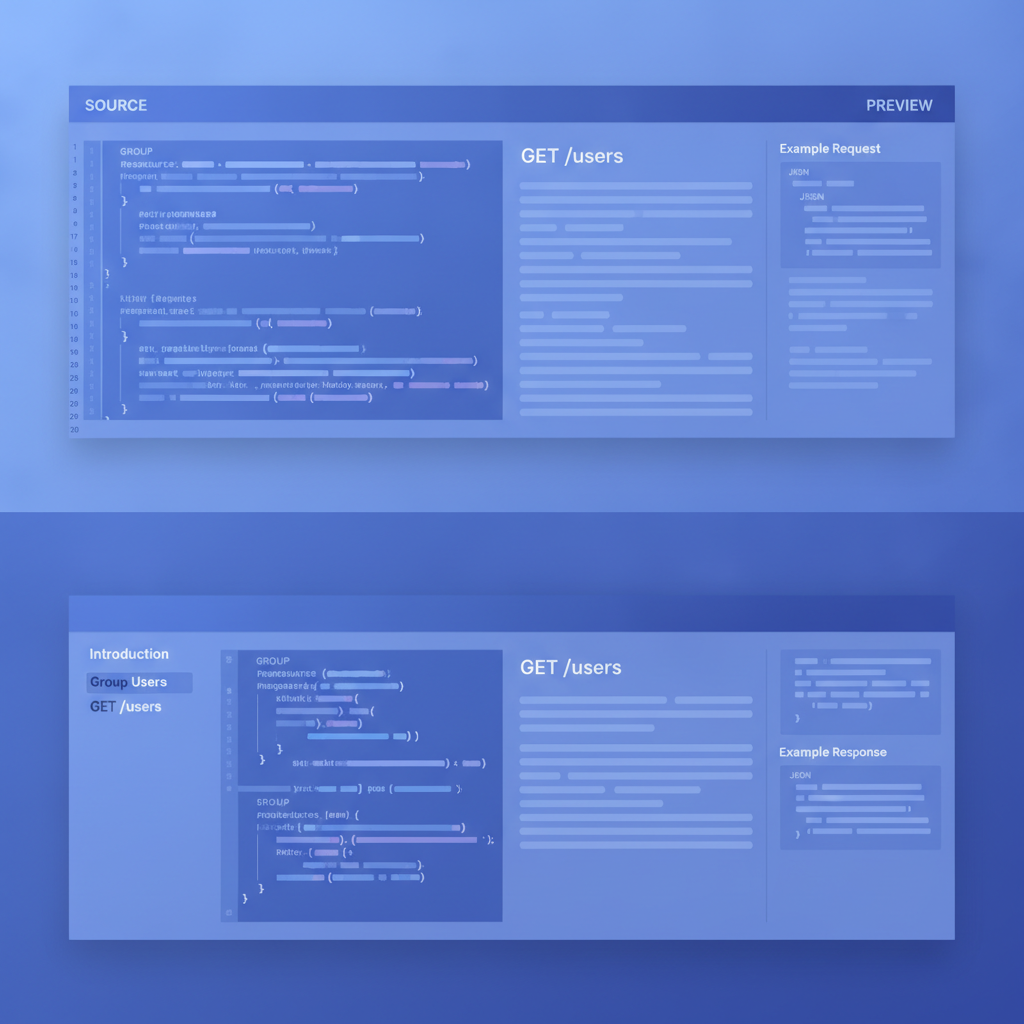
- Open the split-pane editor and paste your source. Apidoke's editor is a CodeMirror-based split pane: your API Blueprint on the left, a live rendered preview on the right. Paste the entire contents of your
.apibfile into the left pane. The preview should render immediately. If you see a parsing error, the most common cause is a missing blank line between a resource heading and its first action, which is required by the API Blueprint specification. - Verify your structure renders correctly. Check that your
# Groupsections appear in the left navigation column, your resource descriptions appear in the centre content column, and your request and response bodies appear correctly. A well-formed API Blueprint file looks like this:
TheFORMAT: 1A HOST: https://api.example.com # My API # Group Users ## User Collection [/users] ### List Users [GET] + Response 200 (application/json) [ { "id": 1, "name": "Alice" }, { "id": 2, "name": "Bob" } ] ### Create User [POST] + Request (application/json) { "name": "Carol" } + Response 201 (application/json) { "id": 3, "name": "Carol" } + Response 422 (application/json) { "error": "name is required" }HOSTmetadata field at the top is important: it tells the try-it console where to send real requests. Update it to point to your actual API base URL. - Test an endpoint in the try-it console. Switch to the published preview and open any endpoint. The try-it panel lets you set headers (for example
Authorization: Bearer YOUR_TOKEN), fill in path parameters, add a request body forPOSTorPUTactions, and fire the request. The browser sends the HTTP request directly to your API; Apidoke's servers never see your auth token. Watch for200 OKor201 Createdon success, and check that401 Unauthorizedor404 Not Foundresponses are documented in your Blueprint so the console can display them accurately. - Publish your docs. Click the one-click publish button. Apidoke generates a public URL. Share that URL with your API consumers. If you want to run this on your own infrastructure instead, follow the self-hosting path described in the self-hosted API docs guide.
- Set up version history going forward. Apidoke stores per-project version history automatically as you save changes. This means you can roll back to an earlier version of your docs if a release introduces breaking changes, which mirrors the kind of audit trail your API consumers depend on. For strategies on how to structure versions in the Blueprint itself, the API versioning strategies guide covers both URL-based and header-based approaches.
Common API Blueprint issues to fix before you publish
Most Apiary projects paste cleanly into Apidoke, but a few patterns cause rendering problems worth checking before you share the URL.
Indentation in request and response bodies
API Blueprint requires body content to be indented by exactly 8 spaces (or 2 tabs) after the + Request or + Response line. If your Apiary source used tabs and spaces inconsistently, the parser may not recognise the body. Fix this by ensuring the body JSON or text is consistently indented. The API Blueprint syntax cheat-sheet has the exact indentation rules in a quick-reference format.
Missing HOST or wrong base URL
The try-it console reads the HOST metadata field to construct request URLs. If you leave it pointing to a staging URL from Apiary's mock server, every request will fail. Update it to your real API base URL (for example https://api.yourcompany.com/v1) before publishing.
CORS headers on your API
Because the try-it console fires requests from the reader's browser, your API must return appropriate CORS headers (specifically Access-Control-Allow-Origin). If your API is internal or does not yet return CORS headers, requests from the console will be blocked by the browser with a network error, not a meaningful HTTP status code. This is a browser security constraint, not an Apidoke limitation. The fix is to add Access-Control-Allow-Origin: * (or a specific origin) to your API's response headers for the endpoints you want to be testable.
Apiary-specific extensions
Apiary added a few non-standard extensions to API Blueprint over the years, including some MSON (Markdown Syntax for Object Notation) features for describing data structures. Standard MSON is part of the API Blueprint specification and renders in Apidoke. If you used any Apiary-specific editor features outside the spec, those sections may need to be rewritten as plain description text or standard MSON blocks.
How Apidoke compares to Apiary for API Blueprint teams
| Feature | Apiary | Apidoke |
|---|---|---|
| API Blueprint authoring | Yes | Yes, with live split-pane preview |
| 3-column doc layout | Yes | Yes |
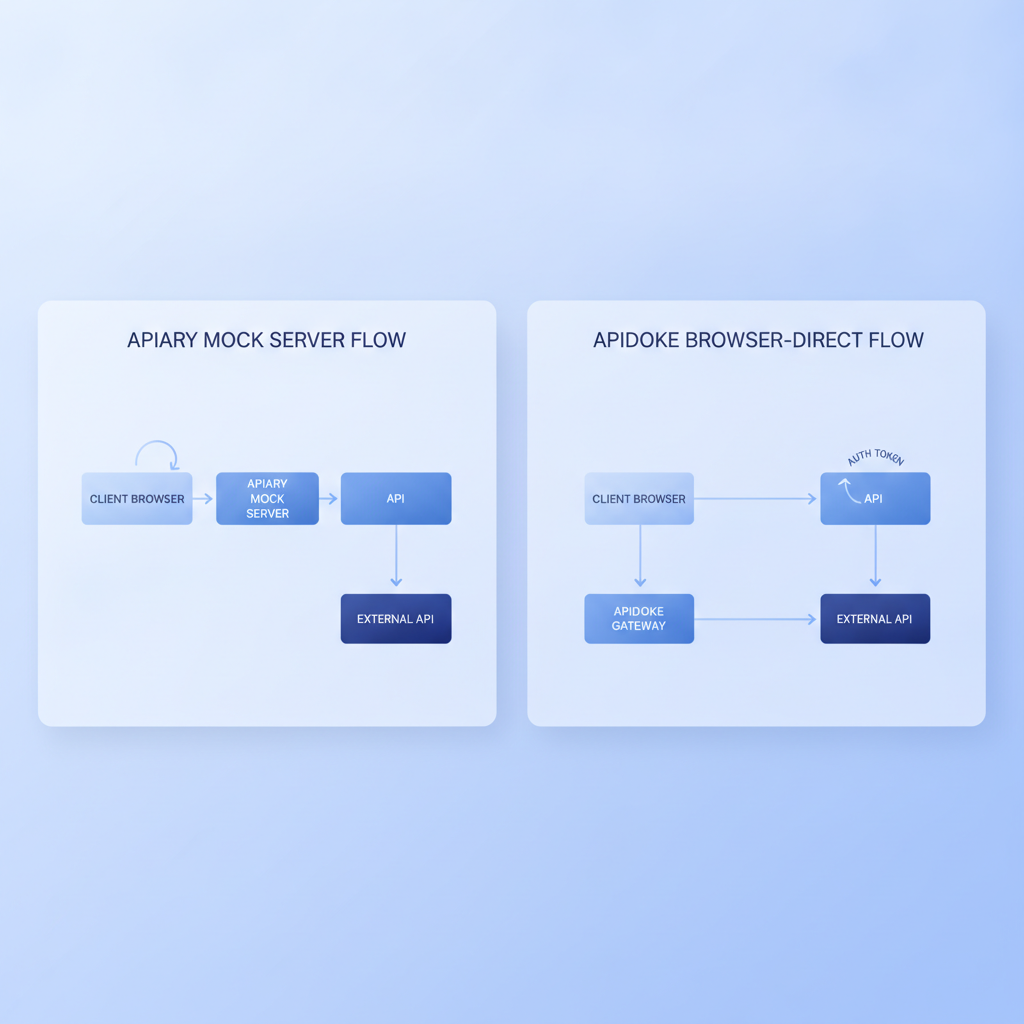
| Try-it console (real HTTP requests) | Mock server only | Real requests from the browser |
| Auth tokens visible to the platform | Sent to Apiary mock | Never leave the browser |
| Self-hosting | No | Yes |
| Per-project version history | Limited | Built in |
| One-click public publishing | Yes | Yes |
| No credit card to start | Varies by plan | Yes |
The most meaningful practical difference is the try-it console. Apiary's approach to interactive testing was built around its mock server, which means requests go to Apiary's infrastructure and return canned responses rather than hitting your real API. Apidoke's console fires directly at your HOST URL, so you and your API consumers are testing actual behaviour, not a simulation. That is a genuine difference in how useful the docs are during integration.
A note on verifying Apiary's current status
This post is written for teams who are actively evaluating their options, whether Apiary has already become unavailable for them or they are planning ahead. The migration steps above are valid regardless of Apiary's current state because they rely only on the portability of the open API Blueprint format, not on any specific Apiary feature being broken or removed.
If you are still able to access your Apiary projects, export your source files now and keep local copies. Depending on a single hosted platform for your only copy of documentation source is a risk worth addressing independent of any shutdown timeline.
Frequently asked questions
Do I need to convert my API Blueprint files to OpenAPI to use Apidoke?
No. Apidoke is built around API Blueprint natively. You paste your existing .apib files directly into the editor and they render without any conversion. If you want to understand the differences between the two formats, the API Blueprint vs OpenAPI vs Swagger comparison covers the trade-offs in detail.
Will my auth tokens be sent to Apidoke's servers when I use the try-it console?
No. The try-it console runs entirely in the reader's browser. HTTP requests go directly from the browser to your API's HOST URL. Apidoke's servers are not in the request path, so tokens, API keys, and credentials never reach Apidoke.
Can I self-host Apidoke so I am not dependent on another external platform?
Yes. Self-hosting is a first-class feature in Apidoke. You run it on your own infrastructure, which means you control availability and data entirely. The self-hosted API docs guide walks through the setup process.
What happens to my old version history from Apiary after I migrate?
Apidoke's per-project version history starts tracking from the moment you begin editing in Apidoke. Your Apiary history stays on Apiary and is not imported. If historical versions matter, export specific snapshots from Apiary as separate .apib files before you migrate.
Does Apidoke support MSON data structure definitions from my Apiary Blueprint?
Standard MSON (Markdown Syntax for Object Notation), which is part of the official API Blueprint specification, is supported. Any data structures you defined using standard MSON syntax should render correctly. Non-standard or editor-only Apiary extensions outside the specification may need to be rewritten as plain text descriptions.
Ready to move your API Blueprint docs to a platform you control? Create a free Apidoke account and have your first project published in minutes, no credit card required.
Related reading: Apidoke vs Redocly: Self-Hosted API Docs Without the Complexity
Related reading: Is There a Free API Documentation Tool? (2026 Answer)