
API Blueprint URI Templates: Documenting Path Parameters Correctly

API Blueprint URI templates are expressions embedded in resource headings that mark dynamic path segments, following RFC 6570 Level 1 through Level 4. In a Blueprint file, writing ## User [/users/{userId}] tells every parser, renderer, and try-it console, including Apidoke's, that userId is a required path parameter that must be substituted before the request fires.
- URI templates in API Blueprint use curly-brace expressions from RFC 6570; simple substitution (
{param}) covers the vast majority of REST path parameters. - Every path parameter you embed in a template should have a matching
+ Parametersblock that declares its type, description, and an example value. - Apidoke renders declared parameters as editable fields in its live try-it console, so readers can send real HTTP requests without leaving the docs.
- Undeclared path parameters still appear in the URL, but the try-it console cannot validate or pre-fill them; always document every segment explicitly.
What is a URI template in API Blueprint?
A URI template is a compact string that describes a family of URLs by marking variable parts with curly braces. The concept is specified in RFC 6570 (URI Template), and API Blueprint adopts the simplest subset: Level 1 simple string expansion. When a parser like Drafter reads /orders/{orderId}/items/{itemId}, it extracts orderId and itemId as named path variables and expects them to be described in a + Parameters block beneath the resource heading.
API Blueprint places the URI template on the same line as the resource name, separated by a space:
## Order Item [/orders/{orderId}/items/{itemId}]That single line is enough for Apidoke to draw a left-column navigation entry, a center-column description, and an editable try-it form in the right column with two input fields already labeled orderId and itemId.
RFC 6570 expression types you will actually use in Blueprint
RFC 6570 defines several operators inside curly braces. API Blueprint parsers understand them all, but in practice only a handful matter for REST path documentation.
| Expression | Operator | Expansion example (param = "42") | Common use case |
|---|---|---|---|
{param} | None (simple) | 42 | Standard path segment: /users/42 |
{+param} | Reserved expansion | 42 (allows slashes, colons) | File paths or sub-resources that contain forward slashes |
{?param,other} | Query expansion | ?param=42&other=x | Query strings (most teams use the Parameters block instead) |
{#param} | Fragment expansion | #42 | URL fragments; rarely needed in REST API docs |
{param*} | Explode modifier | 42 or multi-value list | Array path segments (uncommon in REST APIs) |
For everyday REST documentation, {param} is almost always what you need. The reserved expansion {+param} matters when a path segment may itself contain slashes, for example a file key like reports/2024/q4/summary.pdf.
Declaring path parameters with a Parameters block
Writing the template is only half the job. Every variable in a URI template should be formally described in a + Parameters list immediately beneath the resource heading. The structure follows API Blueprint's MSON (Markdown Syntax for Object Notation) conventions.
Here is a complete, copy-paste-ready example for a user resource:
# Group Users

## User [/users/{userId}]

+ Parameters
    + userId: `a1b2c3d4` (string, required) - The unique identifier for the user.
        UUID v4 format. A request with a non-existent ID returns 404.

### Retrieve a User [GET]

Returns a single user record identified by `userId`.

+ Response 200 (application/json)

    + Body

            {
              "id": "a1b2c3d4",
              "name": "Alice Nguyen",
              "email": "alice@example.com",
              "createdAt": "2024-03-01T09:00:00Z"
            }

+ Response 404 (application/json)

    + Body

            {
              "error": "user_not_found",
              "message": "No user exists with the given userId."
            }
Breaking down the parameter declaration syntax:
userIdis the parameter name, must match the curly-brace variable exactly (case-sensitive).a1b2c3d4is the example value, wrapped in backticks. Apidoke pre-fills this into the try-it console's path field.stringis the type hint. Valid types includestring,number,integer, andboolean.requiredmarks the parameter as mandatory. Path parameters should always be required because omitting them changes the URL to a different resource entirely.- The indented line after the declaration is a free-text description rendered as helper text in the docs.
How to document multiple path parameters
Nested resources, like an item inside an order inside a store, often have two or three path variables. Declare all of them in a single + Parameters block, one per line:
## Store Order Item [/stores/{storeId}/orders/{orderId}/items/{itemId}]

+ Parameters
    + storeId: `store_99` (string, required) - Unique store identifier.
    + orderId: `ord_1234` (string, required) - Unique order identifier within the store.
    + itemId: `item_7` (string, required) - Line-item identifier within the order.

### Update an Item [PATCH]

+ Request (application/json)

    + Body

            {
              "quantity": 3
            }

+ Response 200 (application/json)

    + Body

            {
              "itemId": "item_7",
              "quantity": 3,
              "updatedAt": "2024-11-15T14:22:00Z"
            }

+ Response 400 (application/json)

    + Body

            {
              "error": "invalid_quantity",
              "message": "quantity must be a positive integer."
            }
In Apidoke's three-column layout, the try-it console renders each path variable as its own labeled text input, filled with the example value you supplied. A reader can swap store_99 for a real store ID, hit Send, and see the actual HTTP response without writing a single line of curl.
Path parameters vs query parameters: the Blueprint distinction
A question that comes up frequently: when should a variable live in the URI template versus the + Parameters block without a curly-brace counterpart in the path?
The rule is straightforward. If removing the value changes which resource you are addressing (the noun), it belongs in the path as a URI template variable. If removing the value only changes how the resource is filtered, sorted, or paginated (modifiers on the same noun), it belongs as a query parameter documented in + Parameters at the action level, not the resource level.
| Scenario | Correct placement | Example |
|---|---|---|
| Identify a specific record | URI template variable | /users/{userId} |
| Filter a collection by status | Query parameter on the action | GET /users?status=active |
| Pagination cursor or page number | Query parameter on the action | GET /users?page=2&limit=25 |
| File path containing slashes | Reserved URI template variable | /files/{+filePath} |
Placing URI templates on resource groups correctly
API Blueprint uses # Group headings to organize resources into navigation sections. The URI template always goes on the resource line, not the group line. Groups carry no URL:
# Group Products

All endpoints related to the product catalog.

## Product Collection [/products]

### List Products [GET]

## Product [/products/{productId}]

+ Parameters
    + productId: `prod_abc` (string, required) - Product identifier.

### Get Product [GET]

### Delete Product [DELETE]

+ Response 204
Apidoke renders the group label in the left-column navigation with its resources nested beneath it, each showing the verb badges (GET, DELETE, and so on). A 204 No Content response has no body, which is exactly right for a DELETE that succeeds.
For a broader look at how groups, resources, and actions relate to each other in the Blueprint data model, see the API Blueprint action and resource model explained.
Common mistakes and how to fix them
Mismatch between the template variable and the Parameters block name
If your resource heading says /users/{user_id} but your Parameters block declares userId, Drafter reports an unresolved parameter warning and Apidoke's try-it console may not pre-fill the field. The variable name inside curly braces and the parameter name in the list must match character for character, including underscores and camelCase.
Declaring a path parameter as optional
Writing (string, optional) for a path variable is technically parseable but logically wrong. A URL like /users/ with no ID maps to a different endpoint than /users/{userId}, so the parameter is always required. Mark every path variable as required.
Putting query parameters inside the URI template
Some teams write /users/{userId}{?fields,embed} using the RFC 6570 query expansion operator. API Blueprint parsers accept this, but it produces duplicated documentation if you also list fields and embed under + Parameters at the action level. Keep query parameters out of the resource-level URI template and document them under the specific action that supports them.
Omitting example values
A declaration like + userId (string, required) - User ID. with no example value leaves the try-it console with an empty field. Always supply a realistic example (a real-looking ID, not 123 or foo) so readers can fire a test request in one click.
A full working Blueprint with URI templates: end-to-end example
Below is a self-contained Blueprint covering two resource levels. You can paste this directly into Apidoke's CodeMirror editor and watch the live preview populate immediately.
FORMAT: 1A
HOST: https://api.example.com

# Inventory API

Manage warehouses and their stock items.

# Group Warehouses

## Warehouse Collection [/warehouses]

### List Warehouses [GET]

+ Response 200 (application/json)

    + Body

            [
              { "id": "wh_us_east", "name": "US East", "country": "US" },
              { "id": "wh_eu_west", "name": "EU West", "country": "DE" }
            ]

## Warehouse [/warehouses/{warehouseId}]

+ Parameters
    + warehouseId: `wh_us_east` (string, required) - Unique warehouse identifier.

### Get Warehouse [GET]

+ Response 200 (application/json)

    + Body

            {
              "id": "wh_us_east",
              "name": "US East",
              "country": "US",
              "capacity": 50000
            }

+ Response 404 (application/json)

    + Body

            { "error": "warehouse_not_found" }

# Group Stock Items

## Stock Item Collection [/warehouses/{warehouseId}/items]

+ Parameters
    + warehouseId: `wh_us_east` (string, required) - Parent warehouse identifier.

### List Stock Items [GET]

+ Parameters
    + limit: `20` (number, optional) - Maximum items to return. Default is 50.
    + cursor: `eyJpZCI6MTAwfQ` (string, optional) - Pagination cursor from the previous response.

+ Response 200 (application/json)

    + Body

            {
              "items": [
                { "sku": "WIDGET-A", "quantity": 1200 },
                { "sku": "WIDGET-B", "quantity": 340 }
              ],
              "nextCursor": "eyJpZCI6MTIwfQ"
            }

## Stock Item [/warehouses/{warehouseId}/items/{sku}]

+ Parameters
    + warehouseId: `wh_us_east` (string, required) - Parent warehouse identifier.
    + sku: `WIDGET-A` (string, required) - Stock-keeping unit; URL-safe string up to 64 characters.

### Get Stock Item [GET]

+ Response 200 (application/json)

    + Body

            { "sku": "WIDGET-A", "quantity": 1200, "reorderThreshold": 200 }

+ Response 404 (application/json)

    + Body

            { "error": "sku_not_found" }

### Update Stock Item [PUT]

+ Request (application/json)

    + Body

            { "quantity": 1500, "reorderThreshold": 250 }

+ Response 200 (application/json)

    + Body

            { "sku": "WIDGET-A", "quantity": 1500, "reorderThreshold": 250 }

+ Response 400 (application/json)

    + Body

            { "error": "invalid_payload", "message": "quantity must be a non-negative integer." }
Notice how warehouseId appears in the URI template of both /warehouses/{warehouseId} and /warehouses/{warehouseId}/items. In each case it has its own + Parameters block with the same example value, so the try-it console always knows what to pre-fill regardless of which resource the reader opens first.
How Apidoke renders URI templates in the try-it console
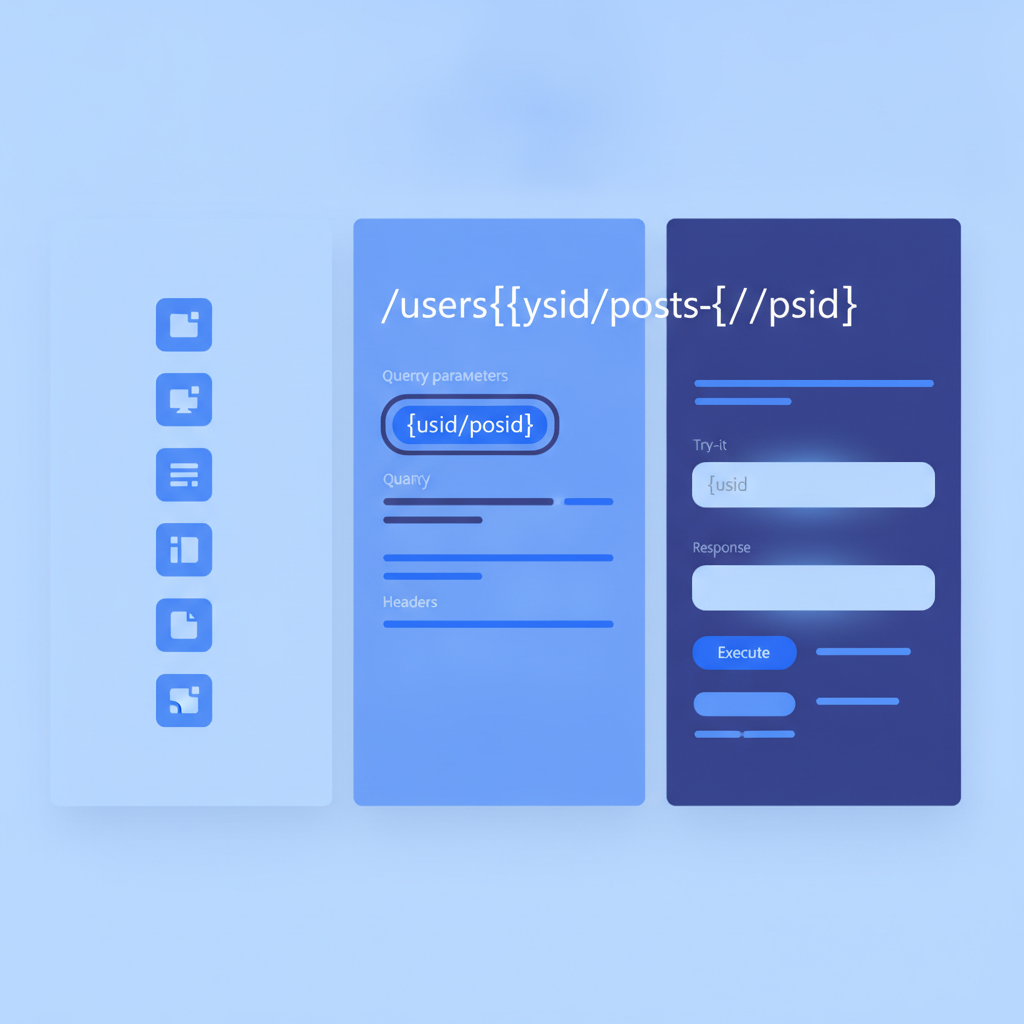
When you publish a Blueprint in Apidoke, the three-column layout handles URI template variables in a specific way. The left column shows the resource path with its variables, for example GET /warehouses/{warehouseId}/items/{sku}, styled to make the dynamic segments visually distinct. The center column renders your parameter descriptions in a table. The right column, the live try-it console, builds the actual request URL by substituting the example values (or whatever the reader types) and fires a real HTTP request from the browser.
Auth tokens you enter in the console stay in your browser's memory and never pass through Apidoke's servers. The request goes directly from your browser to the API host declared in your Blueprint's HOST metadata. That matters for security-sensitive integrations where you would not want credentials logged by a third-party proxy.
If you want to see how the try-it console behaves for live HTTP calls across different parameter types, the article on what makes API docs interactive covers the mechanics in detail.
URI templates and version history in Apidoke
Because URI template changes are breaking changes (renaming {userId} to {id} changes the parameter contract), it is worth treating them with the same care as response schema changes. Apidoke's per-project version history stores each saved state of your Blueprint, so you can see when each change was saved (with its comment) and restore an earlier state if a renamed path variable needs to be undone. For a line-by-line diff, keep the .apib source in Git as well. This audit trail is particularly useful when coordinating deprecation notices or rolling out a v2 path alongside a v1 path.
For the mechanics of managing those snapshots, see how to use Apidoke's version history feature.
Tips for keeping URI templates consistent across a large API
Consistency across dozens of endpoints prevents the kind of confusion where some resources use {id}, others use {userId}, and others use {user_id}. A few practical rules:
- Choose one casing style for all path variables (camelCase or snake_case) and document it in your API style guide.
- Use the resource type as a prefix:
{orderId}not{id}, because nested resources often carry multiple ID variables and ambiguity causes bugs. - Never use consecutive path variables without a static segment between them:
/a/{x}/{y}is confusing;/a/{x}/b/{y}is clear. - Agree on whether UUIDs, slugs, or sequential integers are your primary key format, then stick to it. Document the format in the parameter description, not just the name.
- Treat a URI template rename as a major version bump. Changing
/users/{userId}to/users/{uuid}is a breaking change even if the semantics are identical, because any client generating URLs from your documented template will stop working.
Frequently asked questions
What is the difference between a path parameter and a query parameter in API Blueprint?
Path parameters appear inside curly braces in the URI template (for example {userId}) and identify which specific resource you are addressing. Query parameters are documented in the + Parameters block of an action without a template variable and modify how the resource is returned, such as filtering or pagination. Path parameters should always be marked required; query parameters are often optional.
Do all URI template variables need a Parameters block in API Blueprint?
Yes. The API Blueprint specification requires that every variable in a URI template be matched by an entry in the + Parameters list. Parsers like Drafter emit warnings for undeclared variables, and Apidoke's try-it console cannot display a labeled input field or pre-fill an example value without the declaration.
Can I use the RFC 6570 reserved expansion operator in API Blueprint?
Yes. {+filePath} is valid in a Blueprint resource heading and is useful when the variable may contain forward slashes, such as a nested folder path. Drafter parses it correctly. Just ensure your parameter description notes that the value may contain slashes, since that affects how clients encode the URL.
How does Apidoke pre-fill path parameters in the try-it console?
Apidoke reads the example value from the backtick literal in your + Parameters declaration and inserts it into the corresponding URL input field when the reader opens the try-it panel. The reader can overwrite that value with a real ID before sending the request. This is why providing a realistic example value matters: a placeholder like 123 will produce a 404 if your staging API uses UUID keys.
Is it valid to repeat the same path parameter in both the resource and a nested resource URI template?
Yes, and it is the correct approach. If /warehouses/{warehouseId}/items/{sku} is a separate resource from /warehouses/{warehouseId}, each resource heading needs its own + Parameters block that declares warehouseId again. Blueprint resources are self-contained, so the parser does not inherit parameter declarations from a parent resource.
Ready to start writing Blueprint files with well-declared URI templates and publish them as interactive docs? Create a free Apidoke account and paste your first Blueprint into the live editor in under a minute.
Related reading: API Blueprint Response Codes: Documenting HTTP Status Codes and Error Bodies