
API Rate Limiting Explained: 429 Errors, Headers, and How to Document Limits

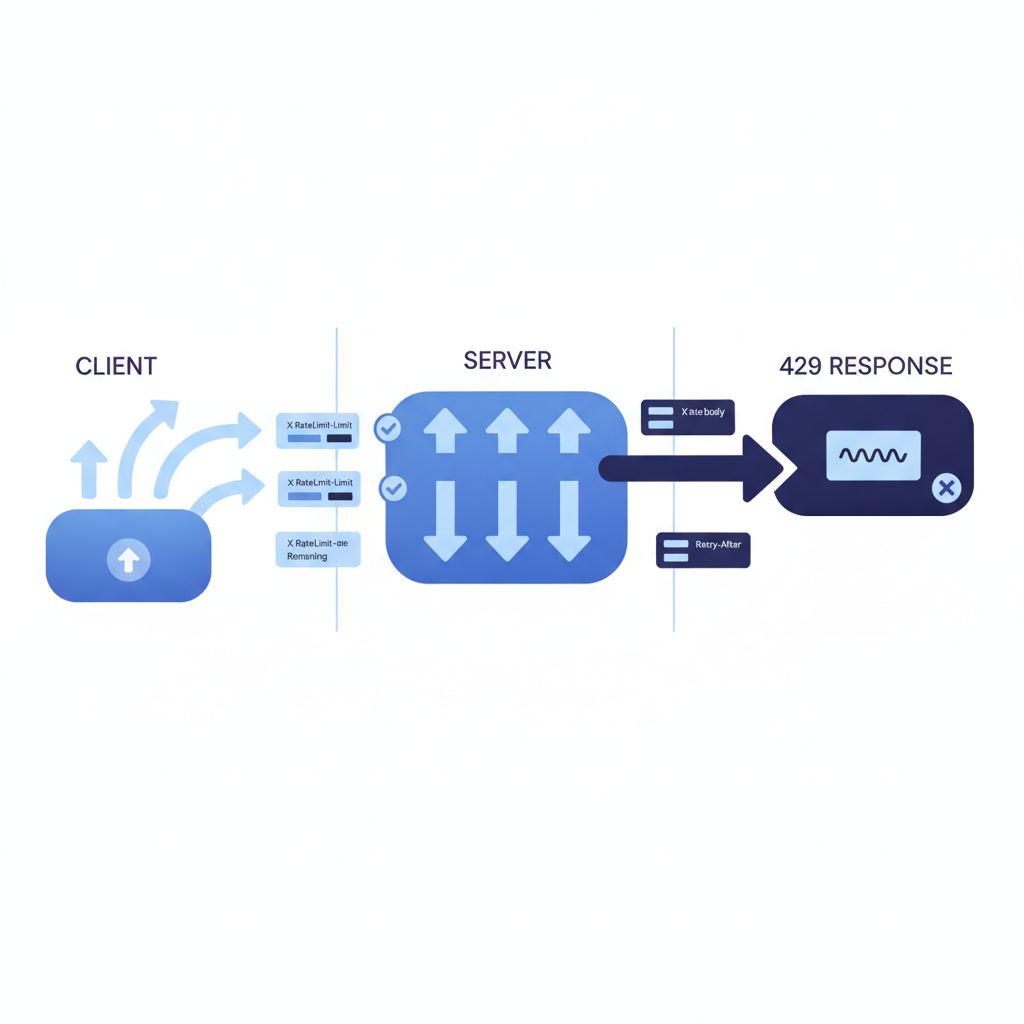
API rate limiting is a server-side policy that caps how many HTTP requests a single client can make within a defined time window. When a client exceeds the cap, the server returns a 429 Too Many Requests status code. Documenting these limits precisely, including the headers the server sends and what clients should do next, is one of the most practical things you can add to any API reference. Apidoke lets you write and publish that documentation in API Blueprint format, with a live try-it console so developers can observe rate limit behavior directly in the browser.
- A
429response means the client sent too many requests; the server will tell you when to retry via theRetry-Afterheader. - Standard headers such as
X-RateLimit-Limit,X-RateLimit-Remaining, andX-RateLimit-Resetlet clients track their quota in real time. - Good rate limit documentation shows the limit value, the window type (fixed or sliding), all relevant headers, a sample
429response body, and the retry strategy. - Apidoke's API Blueprint editor and try-it console give you a single place to write, preview, and publish those limits as interactive, versioned API docs.
What is API rate limiting?
Rate limiting (also called throttling) is a server policy that restricts how often an API client, identified by an API key, IP address, OAuth token, or some combination of the three, can call an endpoint within a rolling or fixed time window. The goal is to protect backend infrastructure from overload, prevent abuse, and ensure fair resource allocation across all consumers.
A time window can be as short as one second or as long as a calendar month. Common choices are:
| Window type | How it works | Typical use case |
|---|---|---|
| Fixed window | Counter resets at a hard clock boundary (e.g., top of each minute) | Simple billing quotas |
| Sliding window | Counter covers the last N seconds from the current moment | Burst protection |
| Token bucket | Tokens refill at a steady rate; unused tokens accumulate up to a cap | Burst-friendly APIs |
| Leaky bucket | Requests queue at a fixed drain rate; overflow is rejected | Smooth, constant throughput |
The algorithm choice affects how you document limits, because a token bucket allows short bursts beyond the per-second rate while a fixed window does not. That nuance belongs in your API reference, not buried in a blog post developers will never find.
What does a 429 Too Many Requests response look like?
The 429 Too Many Requests status code is defined in RFC 6585, Section 4. The response MUST include a Retry-After header whenever the server knows when the limit will reset, though many implementations also send a JSON body with machine-readable details.
A minimal but complete 429 response looks like this:
HTTP/1.1 429 Too Many Requests
Content-Type: application/json
Retry-After: 30
X-RateLimit-Limit: 100
X-RateLimit-Remaining: 0
X-RateLimit-Reset: 1735689600

{
  "error": "rate_limit_exceeded",
  "message": "You have sent too many requests. Please wait 30 seconds before retrying.",
  "limit": 100,
  "window": "60s",
  "reset_at": "2026-01-01T00:00:00Z"
}
Breaking down each part:
Retry-After: 30tells the client to wait 30 seconds. The value can be a number of seconds or an HTTP date string.X-RateLimit-Limit: 100is the total allowed requests per window.X-RateLimit-Remaining: 0shows zero tokens left.X-RateLimit-Reset: 1735689600is a Unix timestamp when the counter resets.- The JSON body duplicates the information in a human-readable form and adds a stable machine-readable
errorcode.
Which rate limit headers should your API send?
There is no single IETF-mandated standard for rate limit headers yet, though the IETF HTTP APIs working group draft proposes RateLimit-Limit, RateLimit-Remaining, and RateLimit-Reset as the preferred names. In practice the X-RateLimit-* prefix remains the most widely deployed convention. Whatever you choose, document the exact header names and formats your API actually sends, because guessing from common patterns is a major source of integration bugs.
| Header | Contains | Example value |
|---|---|---|
X-RateLimit-Limit | Total requests allowed per window | 100 |
X-RateLimit-Remaining | Requests left in the current window | 42 |
X-RateLimit-Reset | Unix timestamp when the window resets | 1735689600 |
Retry-After | Seconds to wait (or an HTTP date) before retrying | 30 |
X-RateLimit-Policy | Human-readable description of the active policy | 100;w=60 |
Include X-RateLimit-Limit and X-RateLimit-Remaining on every successful response, not only on 429 responses. This lets clients throttle themselves proactively, which produces a much better developer experience than waiting for a rejection.
How to handle a 429 on the client side
Client-side retry logic is the other half of the rate limiting story and your documentation should address it directly. The recommended pattern is exponential backoff with jitter:
- Receive a
429response. - Read the
Retry-Afterheader. If it is absent, default to a short delay (commonly 1 second). - Wait at least the number of seconds specified, then add a small random jitter (for example, 0 to 500 ms) to prevent synchronized retries from multiple clients hammering the server at the same instant.
- Resend the original request.
- If you receive another
429, double the wait time and repeat up to a maximum retry count (commonly 3 to 5 attempts). - After exhausting retries, surface a clear error to the caller rather than silently failing.
Distinguish 429 from 503 Service Unavailable. Both can carry a Retry-After header, but 503 signals a server-side outage, not a quota violation. Treating them identically in your retry code is correct; treating them identically in your error messages confuses developers.
How do you document API rate limits properly?
Rate limit documentation belongs in at least two places in your API reference: a dedicated section that explains the overall policy, and inline on each endpoint that has a distinct limit. Many teams document the global limit once and say nothing about per-endpoint overrides, which is exactly where integrations break.
A complete rate limit section should include:
- The limit value and the window (e.g., 100 requests per 60 seconds per API key).
- The algorithm type (fixed window, sliding window, token bucket), because it affects burst behavior.
- The scope of the limit: per API key, per IP, per authenticated user, or per endpoint group.
- Every header the server returns, with the exact name and the format of its value.
- A complete
429response example with headers and body. - The recommended retry strategy, including whether
Retry-Afteris always present. - Any endpoints with higher or lower limits than the default.
Writing rate limit documentation in API Blueprint
API Blueprint (the Markdown-based API description format that Apidoke uses natively) gives you a clean way to document rate limits inline with every resource and action. You write the response headers and body in the same document as the endpoint itself, so the limits are always visible alongside the endpoint they apply to. For more on the format's fundamentals, see the API Fundamentals category or the complete API Blueprint guide.
Here is a minimal but realistic example showing a rate-limited endpoint, including both a successful 200 response with quota headers and a 429 response with a full error body:
FORMAT: 1A
HOST: https://api.example.com

# Example API

## Rate Limiting

All endpoints share a default limit of **100 requests per 60-second window** per API key,
using a fixed-window algorithm. The window resets at the UTC minute boundary.

Every response includes the following headers:

| Header | Description |
|---|---|
| `X-RateLimit-Limit` | Total requests allowed in the current window |
| `X-RateLimit-Remaining` | Requests remaining before you are throttled |
| `X-RateLimit-Reset` | Unix timestamp when the counter resets |

When the limit is exceeded the server returns `429 Too Many Requests`
with a `Retry-After` header indicating how many seconds to wait.

# Group Widgets

## Widget Collection [/widgets]

### List Widgets [GET]

Returns all widgets owned by the authenticated API key.
This endpoint shares the global rate limit of 100 req / 60 s.

+ Request (application/json)

    + Headers

            Authorization: Bearer eyJhbGciOiJIUzI1NiJ9...

+ Response 200 (application/json)

    + Headers

            X-RateLimit-Limit: 100
            X-RateLimit-Remaining: 73
            X-RateLimit-Reset: 1735689600

    + Body

            {
              "data": [
                { "id": "w_01", "name": "Sprocket" },
                { "id": "w_02", "name": "Cog" }
              ]
            }

+ Response 401 (application/json)

    + Body

            {
              "error": "unauthorized",
              "message": "Missing or invalid API key."
            }

+ Response 429 (application/json)

    + Headers

            Retry-After: 23
            X-RateLimit-Limit: 100
            X-RateLimit-Remaining: 0
            X-RateLimit-Reset: 1735689600

    + Body

            {
              "error": "rate_limit_exceeded",
              "message": "You have exceeded 100 requests in a 60-second window. Retry after 23 seconds.",
              "limit": 100,
              "window": "60s",
              "reset_at": "2026-01-01T00:00:00Z"
            }
A few things worth noticing in that example. The + Response 429 block appears at the same level as + Response 200, so Apidoke renders it as a selectable tab in the three-column viewer. Developers can click between the success and error cases without leaving the page. The Retry-After: 23 header is in the response headers block, not buried in prose, so it appears in the live documentation exactly where a developer expects to find it.
Also notice that 401 Unauthorized is documented separately. Many teams conflate authentication errors with rate limit errors, but they require different client behavior: a 401 means fix your credentials, while a 429 means wait and retry with the same credentials. Keeping them as distinct response blocks in your Blueprint makes this obvious.
Per-endpoint rate limits and how to signal them
Some APIs apply tighter limits to expensive endpoints. A search endpoint might be capped at 10 requests per minute while a simple read endpoint allows 500. Document this by adding a note in the endpoint description and by showing the specific limit value in the response headers for that endpoint.
In API Blueprint, repeat the response blocks with the endpoint-specific header values:
## Widget Search [/widgets/search{?q}]

### Search Widgets [GET]

Searches widgets by name. **Rate limit: 10 requests per 60 seconds per API key**,
independent of the global quota.

+ Parameters

    + q (required, string) - Search term

+ Request (application/json)

    + Headers

            Authorization: Bearer eyJhbGciOiJIUzI1NiJ9...

+ Response 200 (application/json)

    + Headers

            X-RateLimit-Limit: 10
            X-RateLimit-Remaining: 9
            X-RateLimit-Reset: 1735689600

    + Body

            {
              "data": [
                { "id": "w_01", "name": "Sprocket" }
              ]
            }

+ Response 429 (application/json)

    + Headers

            Retry-After: 47
            X-RateLimit-Limit: 10
            X-RateLimit-Remaining: 0

    + Body

            {
              "error": "rate_limit_exceeded",
              "message": "Search is limited to 10 requests per 60 seconds. Retry after 47 seconds.",
              "limit": 10,
              "window": "60s"
            }
Showing X-RateLimit-Limit: 10 in this endpoint's example (rather than the global 100) signals immediately that a different policy applies. No amount of prose is as clear as the actual header value in context.
How Apidoke helps you document rate limits interactively
When you paste the Blueprint above into Apidoke's split-pane editor, the live preview on the right shows the rendered three-column reference instantly: navigation on the left, content in the center, and the try-it console on the right. A developer can click the GET /widgets action, enter their real API key into the try-it console, fire the request, and watch the actual X-RateLimit-Remaining value count down in the response headers pane.
Because the try-it console runs entirely in the browser and sends requests directly from the developer's machine to your API, any Authorization headers or API keys the developer types never pass through Apidoke's servers. That matters for rate limit testing: the requests are real, they count against the actual quota, and the headers in the response reflect the live server state.
Once published with one-click public publishing, every reader of your docs sees the same rate limit information at a stable public URL. If you change a limit, update the Blueprint in the editor, save (Apidoke retains the last 50 saves per project with timestamps, author names, and optional comments), and the published docs update immediately. Any previous version can be restored in a single click if you need to roll back. For more on how that works in practice, see how to use Apidoke's version history feature.

Common rate limiting mistakes and how documentation prevents them
Most rate limiting integration bugs trace back to documentation gaps, not engineering failures. Here are the most common ones:
| Mistake | What breaks | Documentation fix |
|---|---|---|
| Not documenting the window type | Clients assume sliding when it is fixed and get burst-rejected unexpectedly | State the algorithm explicitly in the rate limits section |
Omitting Retry-After from the 429 example | Clients guess retry intervals and hit the limit again immediately | Show Retry-After in the response headers block of every 429 example |
| Different limits per endpoint but only one global doc | Clients hit unexpected 429s on expensive endpoints with no explanation | Add a note and show the endpoint-specific header value inline |
| Machine-unreadable error body | Clients parse the message string and break when wording changes | Include a stable error code field in every error body |
| No documentation of the quota scope | Multi-tenant integrations share one API key and exhaust the quota unpredictably | State whether the limit is per key, per IP, or per user |
Rate limiting versus authentication errors: 429 vs 401 vs 403
These three status codes are regularly confused in both implementation and documentation. Here is a quick reference:
401 Unauthorized: The request lacks valid credentials or the credentials have expired. The client must fix authentication before retrying.403 Forbidden: The credentials are valid but the authenticated identity does not have permission for this resource. Retrying with the same credentials will not help.429 Too Many Requests: The credentials are valid and the client is authorized, but it has sent too many requests. Retrying after the specified delay will succeed.
Document all three in your error reference, and make the retry behavior explicit for each. For a deeper look at the distinction between 401 and 403, the broader API fundamentals coverage on this site covers authentication and authorization concepts in full.
Frequently asked questions
What is the difference between rate limiting and throttling?
The terms are often used interchangeably. Technically, rate limiting rejects requests outright once a threshold is crossed (returning 429), while throttling may queue or slow requests rather than rejecting them. In practice, most public REST APIs use the word rate limiting and return 429 on violation, so your documentation should use whichever term your API actually implements and define it clearly on first mention.
Should I include rate limit headers on successful responses, not only on 429 responses?
Yes. Sending X-RateLimit-Remaining on every 200 response lets clients slow down before they hit the wall, which is far better than waiting for a 429. Document both the success response headers and the 429 headers so developers know the counter is always visible.
What should the Retry-After header contain: seconds or a date?
Both formats are valid under RFC 9110. Seconds (a plain integer) are simpler to parse and are the most common choice. An HTTP date (for example, Fri, 01 Jan 2027 00:00:00 GMT) is useful when the reset aligns with a calendar boundary. Document which format you use and show a real example value in your API reference.
How do I document different rate limits for different API tiers or plans?
Add a table in the rate limits section that maps each tier to its limit and window. In the endpoint examples, use the most restrictive tier's values so developers building against the free or starter plan are not surprised. If limits vary significantly, consider a note on each endpoint that links back to the tier table.
Can I document rate limits in API Blueprint without a separate schema tool?
Yes. API Blueprint's + Headers and + Body blocks inside a + Response section are all you need. You write the header names and example values directly in Markdown, and Apidoke renders them as formatted documentation with selectable response tabs. No separate schema tool or JSON Schema definition is required for headers.
Ready to publish rate limit documentation that developers will actually use? Open Apidoke, paste your Blueprint, and hit publish. Sign in to Apidoke and start documenting your API rate limits now.
Related reading: 401 vs 403: The Difference, With Real API Examples
Related reading: Query Parameters vs Path Parameters vs Headers vs Body: Where Each Goes