
401 vs 403: The Difference, With Real API Examples
The difference between 401 and 403 comes down to one question: does the server know who you are? A 401 Unauthorized response means the server cannot identify the caller (authentication is missing or invalid), while a 403 Forbidden response means the server knows exactly who you are but has decided you are not allowed to do what you asked (authorization failed). Apidoke's live try-it console makes this distinction visible in real time, because you can fire actual HTTP requests and inspect every status code without leaving your docs.
- 401 signals a missing or invalid identity: the client must authenticate and try again.
- 403 signals a valid identity with insufficient permission: re-authenticating will not help.
- Returning the wrong code breaks OAuth retry logic and forces client developers to guess what went wrong.
- Both codes should be documented with real example request headers and response bodies, not just listed in a table.
What do 401 and 403 actually mean?
HTTP status codes in the 4xx range signal client errors, meaning the problem is on the caller's side. RFC 9110, Section 15.5.2 defines 401 as "Unauthorized" and states that the request lacked valid authentication credentials. Despite the word "Unauthorized," the code really means unauthenticated. The server is saying: I do not know who you are, so I cannot decide whether you are allowed in.
RFC 9110, Section 15.5.4 defines 403 as "Forbidden" and states that the server understood the request but refuses to fulfill it. This time the server does know who the caller is; it just does not like what they are trying to do. The distinction matters because a client library that blindly retries on 401 (after refreshing a token) would loop forever on a 403 instead of surfacing the real problem to the user.
A concrete mental model
Picture a building with a key card system. You walk up to the door:
- If you forgot your key card, the reader shows a red light. That is a 401. Present credentials and try again.
- If you tap your valid key card but your access level only covers floors 1 through 3 and you are heading to floor 10, the reader shows a red light for a different reason. That is a 403. A new key card will not help; your permissions need to change.
Real HTTP request and response examples
401: missing token
A client calls a protected endpoint without sending an Authorization header:
GET /v1/orders HTTP/1.1
Host: api.example.com
Accept: application/json
The server responds:
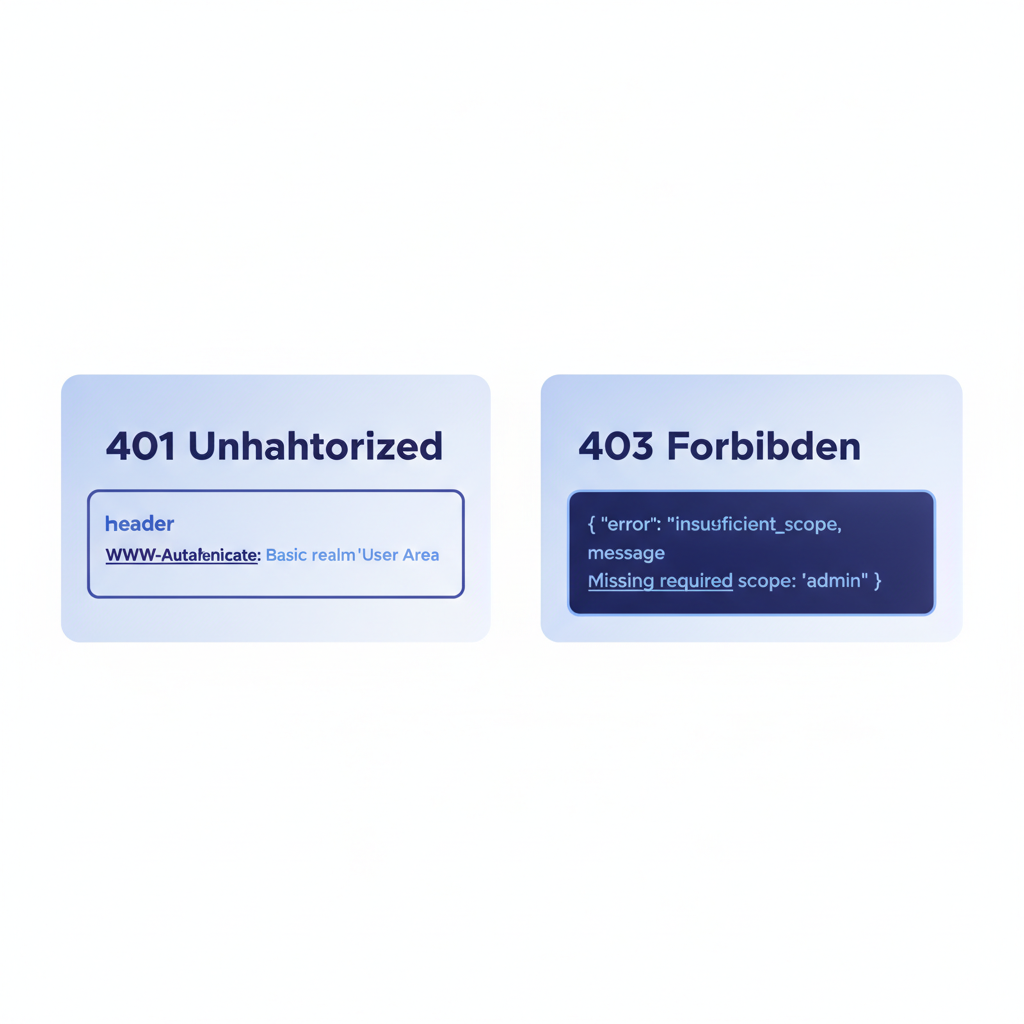
HTTP/1.1 401 Unauthorized
WWW-Authenticate: Bearer realm="api.example.com"
Content-Type: application/json

{
  "error": "unauthorized",
  "message": "No valid Bearer token was supplied.",
  "docs": "https://api.example.com/docs#authentication"
}
Notice the WWW-Authenticate response header. RFC 9110 requires servers to include this header with every 401 so the client knows which authentication scheme to use. If your API omits it, you are technically non-compliant. The client should acquire a token and retry the exact same request.
401: expired JWT
A JSON Web Token (JWT, pronounced "jot") carries an exp claim encoding an expiry timestamp. When that timestamp passes, the server rejects the token with 401, not 403, because the identity can no longer be verified:
GET /v1/orders HTTP/1.1
Host: api.example.com
Authorization: Bearer eyJhbGciOiJSUzI1NiIsInR5cCI6IkpXVCJ9...
Accept: application/json
HTTP/1.1 401 Unauthorized
WWW-Authenticate: Bearer error="invalid_token", error_description="Token has expired"
Content-Type: application/json
{
"error": "token_expired",
"message": "Your access token expired at 2026-11-01T14:00:00Z. Obtain a new token and retry."
}403: authenticated but not permitted
Now the client sends a valid token but tries to delete a resource belonging to a different account:
DELETE /v1/orders/ord_9821 HTTP/1.1
Host: api.example.com
Authorization: Bearer eyJhbGciOiJSUzI1NiIsInR5cCI6IkpXVCJ9...
Accept: application/json
HTTP/1.1 403 Forbidden
Content-Type: application/json
{
"error": "forbidden",
"message": "You do not have permission to delete order ord_9821."
}No WWW-Authenticate header here, because authentication succeeded. Sending a fresh token produces exactly the same 403. The caller needs a different scope or role, and no amount of re-authenticating changes that.
Side-by-side comparison
| Property | 401 Unauthorized | 403 Forbidden |
|---|---|---|
| What went wrong | Identity could not be established | Identity known, permission denied |
| Common causes | Missing token, expired token, bad signature, wrong API key | Insufficient scope, wrong account, read-only key on a write action |
| WWW-Authenticate header | Required by RFC 9110 | Not applicable |
| Client retry strategy | Refresh or re-acquire credentials, then retry | Do not retry; escalate or inform the user |
| Logging priority | Often expected during token refresh flows | Always worth investigating; may indicate misconfiguration or an intrusion attempt |
| Body content recommendation | Tell the client where to get credentials | Name the specific permission or scope that is missing |
Common mistakes that invert these codes
Returning 403 for a missing token
Some APIs return 403 for every access failure because the developer reasoned "the request is forbidden, so 403 applies." This breaks OAuth client libraries that watch for 401 to trigger a token refresh. The client silently fails instead of refreshing.
Returning 401 for a scope problem
Sending 401 when the token is valid but lacks the required scope confuses clients into an infinite refresh loop. The token will never gain the missing scope; only a new authorization grant with the correct scope will help.
Silently substituting 404 for 403
Some APIs return 404 instead of 403 when a resource exists but the caller is not allowed to see it. This is intentional in security-sensitive contexts (you should not confirm the resource exists), but it means your documentation must explain when 404 means "not found" versus "found but forbidden." Never substitute 403 with 404 without documenting the deliberate choice.
How to document 401 and 403 in API Blueprint
If you document your API in API Blueprint format, each action should explicitly list the error responses it can return, with a representative response body. Here is a complete example for a protected orders endpoint:
FORMAT: 1A
HOST: https://api.example.com

# Orders API

## Orders Collection [/v1/orders]

### List Orders [GET]

Returns all orders for the authenticated account.

+ Request (application/json)

    + Headers

            Authorization: Bearer {token}

+ Response 200 (application/json)

    + Body

            {
              "orders": [
                { "id": "ord_9820", "status": "shipped" },
                { "id": "ord_9821", "status": "pending" }
              ]
            }

+ Response 401 (application/json)

    Authentication credentials are missing or invalid.
    Include a valid Bearer token in the Authorization header.

    + Headers

            WWW-Authenticate: Bearer realm="api.example.com"

    + Body

            {
              "error": "unauthorized",
              "message": "No valid Bearer token was supplied."
            }

+ Response 403 (application/json)

    The token is valid but lacks the `orders:read` scope.
    Contact your account owner to update your token permissions.

    + Body

            {
              "error": "forbidden",
              "message": "Your token does not have the orders:read scope."
            }
Writing out both response codes like this, with real bodies and an explanation of why each fires, is the kind of documentation that saves your consumers hours of debugging. For a broader look at structuring error responses in blueprints, see the guide on documenting HTTP status codes and error bodies in API Blueprint.
How to test 401 and 403 responses in a live try-it console
Reading about status codes is one thing. Seeing them fire in a real response is another. Apidoke's built-in try-it console lets you send live HTTP requests directly from your published docs. Because the console runs entirely in the browser, any Bearer tokens or API keys you enter never pass through Apidoke's servers; they go straight to your API endpoint.
To trigger a 401 deliberately:
- Open the endpoint in the Apidoke try-it panel.
- Clear the Authorization header or leave it blank.
- Click Send. The response pane shows the 401 status code, the
WWW-Authenticateheader, and the JSON body.
To trigger a 403:
- Paste a valid token that lacks the required scope (for example a read-only key on a DELETE action).
- Click Send. The 403 response appears with the error body you documented in your blueprint.
This kind of interactive exploration is exactly what a live try-it console is designed for: it turns abstract status codes into observable behavior so your consumers understand them before they write a single line of integration code.
Writing error messages that distinguish 401 from 403
The status code tells a machine what happened. The body tells a human. Good error bodies for each code have different jobs.
For a 401, the body should tell the caller where to get credentials and what format they should take. If your API uses Bearer tokens, link to the token endpoint or the authentication section of your docs:
{
  "error": "unauthorized",
  "message": "Include a Bearer token: Authorization: Bearer <your_token>",
  "token_url": "https://api.example.com/oauth/token"
}
For a 403, the body should name the specific permission or scope that is missing. Avoid vague messages like "Access denied." A developer staring at a 403 at midnight needs to know exactly what to request:
{
  "error": "forbidden",
  "message": "The orders:delete scope is required for this action.",
  "required_scope": "orders:delete",
  "current_scopes": ["orders:read", "orders:write"]
}
Including required_scope and current_scopes in the body lets client developers display a meaningful upgrade prompt rather than a generic error dialog.
When is it acceptable to use 404 instead of 403?
There is a legitimate security pattern of returning 404 when a resource exists but the caller must not know it exists. The logic: a 403 confirms the resource is there, which could help an attacker enumerate private data. A 404 gives nothing away.
This trade-off is worth documenting explicitly. If your API uses 404 as a deliberate privacy screen, say so in the relevant endpoint's description so that legitimate consumers do not waste time assuming the resource was deleted. RFC 9110's definition of 404 acknowledges this directly: servers may return 404 instead of 403 if they do not want to reveal the existence of a resource.
How 401 and 403 interact with token refresh flows
OAuth 2.0 clients typically implement automatic token refresh. When a 401 arrives, the client uses a refresh token to get a new access token and retries the original request. That is correct behavior for 401.
The same client should not retry on 403. A refresh produces a token with the same scopes as before, unless the grant explicitly requests new ones. An automatic retry loop on 403 wastes API quota and clutters logs. Well-written client SDKs distinguish the two codes at the library level, which is only possible when the API uses them correctly in the first place.
This is why the 401-vs-403 distinction is not pedantic. It directly controls how retry logic, error reporting, and user-facing messages behave in every client that integrates with your API.
Frequently asked questions
Is 401 or 403 returned when an API key is invalid?
An invalid or malformed API key should return 401, because the server cannot establish who the caller is. A valid API key with insufficient permissions for the requested action should return 403. Some APIs return 403 for both cases; this is incorrect and breaks automatic retry logic in clients.
Should I return 401 or 403 when a JWT token is expired?
Return 401. An expired JWT cannot reliably prove identity, so authentication has failed. The WWW-Authenticate header should include error="invalid_token" and an error_description explaining the expiry, so OAuth clients know to refresh rather than give up.
Can a single endpoint return both 401 and 403?
Yes, and it should. A missing or invalid token produces 401; a valid token without the right scope produces 403. Document both response codes in your API reference with separate example bodies, so consumers know which situation they are in and what to do next.
Why does HTTP say "Unauthorized" when it really means "unauthenticated"?
The name is a historical artifact from early HTTP drafts. The word "unauthorized" was intended to mean "not properly authenticated," but in modern English it more naturally means "not permitted." RFC 9110 inherited the name, but its definition is clear: 401 specifically covers the failure to provide valid authentication credentials, not a permissions failure.
Does returning 404 instead of 403 improve security?
It can. Returning 404 when a resource exists but is off-limits prevents information leakage, because the caller cannot confirm the resource exists. The trade-off is that legitimate consumers may be confused, so if you use this pattern, document it explicitly in your API reference so authorized users know why they might see 404 for resources they expect to find.
Ready to publish an API reference that documents every status code with real request and response examples? Sign in to Apidoke and start writing in API Blueprint today. No credit card required, and your docs are live in minutes.
Related reading: Query Parameters vs Path Parameters vs Headers vs Body: Where Each Goes
Related reading: Free Public APIs for Testing (No Sign-Up), With Live Docs You Can Try