
Free Public APIs for Testing (No Sign-Up), With Live Docs You Can Try

A free API (also called a public API or open API) is an application programming interface that any developer can call without paying a fee or creating an account. Dozens of well-maintained public APIs accept unauthenticated or lightly authenticated requests right now, making them ideal for learning, prototyping, and testing. Apidoke's built-in live try-it console lets you fire real HTTP requests directly from a documentation page so you can explore these APIs without installing anything.
- Many free public APIs require no account or API key at all; others issue free keys in under a minute.
- You can point Apidoke's try-it console at any base URL and test endpoints live, with auth tokens kept entirely in your browser.
- Writing a quick API Blueprint document in Apidoke gives you a live 3-column reference page you can share publicly with one click.
- The APIs below are reliable starting points for demos, learning HTTP, and testing your documentation toolchain.
What makes a free API good for testing?
Not all free APIs are created equal. A useful one for testing has predictable responses, returns standard HTTP status codes (200, 201, 400, 401, 404), and does not throttle aggressively or change its contract without notice. Ideally it supports multiple HTTP methods so you can practice GET, POST, PUT, PATCH, and DELETE. The table below scores the most popular options across those dimensions.
| API | Base URL | Auth required? | Methods supported | Best for |
|---|---|---|---|---|
| JSONPlaceholder | https://jsonplaceholder.typicode.com | No | GET, POST, PUT, PATCH, DELETE | Learning REST verbs; fake CRUD data |
| httpbin | https://httpbin.org | No | GET, POST, PUT, DELETE, PATCH | Inspecting headers, auth, redirects |
| Open Library | https://openlibrary.org/api | No (read); account for write | GET, POST | Real-world search and book data |
| RestCountries | https://restcountries.com/v3.1 | No | GET | Filtering, field selection, pagination patterns |
| The Cat API | https://api.thecatapi.com/v1 | Free key (instant) | GET, POST, DELETE | API key auth flow, paginated lists |
| PokéAPI | https://pokeapi.co/api/v2 | No | GET | Nested resource relationships |
| DummyJSON | https://dummyjson.com | No (GET); token for mutations | GET, POST, PUT, PATCH, DELETE | Realistic payload shapes; auth testing |
| IP-API | http://ip-api.com/json | No (non-commercial) | GET | Geolocation, single-purpose endpoints |
Real request and response examples
Running examples in your head is less useful than running them for real. Here are copy-paste curl commands and the exact responses you should see for each API, covering both success and common error codes.
JSONPlaceholder: GET a resource
JSONPlaceholder is a fake online REST API maintained by Typicode. It is stateless, so POST and DELETE calls return realistic shapes but do not persist anything.
curl https://jsonplaceholder.typicode.com/posts/1Expected 200 response body:
{
  "userId": 1,
  "id": 1,
  "title": "sunt aut facere repellat provident",
  "body": "quia et suscipit...\n"
}
Ask for a resource that does not exist and you get a 404 with an empty object ({}), not an error message. That is a deliberate design choice worth documenting when you use it in examples.
JSONPlaceholder: POST a new resource
curl -X POST https://jsonplaceholder.typicode.com/posts \
  -H "Content-Type: application/json" \
  -d '{"title": "my post", "body": "hello", "userId": 1}'
Returns 201 Created with the echoed body plus a fake id of 101. No resource is actually stored.
httpbin: Inspect your own request
httpbin.org mirrors everything you send it back in the response, which is invaluable for verifying that your client is sending the headers you think it is.
curl https://httpbin.org/getYou will see your own User-Agent, Accept headers, and origin IP in the response JSON. Try the authenticated endpoint:
curl https://httpbin.org/bearer \
  -H "Authorization: Bearer my-test-token"
Returns 200 with {"authenticated": true, "token": "my-test-token"}. Remove the header and you get 401 Unauthorized, which makes this perfect for documenting auth failure flows.
DummyJSON: Login and use a JWT
DummyJSON simulates token-based auth. POST to /auth/login with a valid test credential and you receive a short-lived JWT (JSON Web Token) in the response. You can then use that token as a Bearer header on subsequent requests, practicing a realistic auth flow with no real account.
curl -X POST https://dummyjson.com/auth/login \
  -H "Content-Type: application/json" \
  -d '{"username": "emilys", "password": "emilyspass"}'
Response includes accessToken, refreshToken, and a full user object. A wrong password returns 400 with a plain-text error body. A missing token on a protected route returns 401.
Documenting a free API in API Blueprint
Once you have explored an endpoint manually, writing a formal API Blueprint document around it takes minutes and gives you a shareable reference page. API Blueprint is a Markdown-based format for describing REST APIs. Here is a minimal blueprint covering two JSONPlaceholder endpoints:
FORMAT: 1A
HOST: https://jsonplaceholder.typicode.com

# JSONPlaceholder Sandbox

A read-only public API for testing HTTP clients.

# Group Posts

## Posts Collection [/posts]

### List All Posts [GET]

+ Response 200 (application/json)

        [
          {
            "userId": 1,
            "id": 1,
            "title": "sunt aut facere",
            "body": "quia et suscipit"
          }
        ]

### Create a Post [POST]

+ Request (application/json)

        {
          "title": "my post",
          "body": "hello world",
          "userId": 1
        }

+ Response 201 (application/json)

        {
          "id": 101,
          "title": "my post",
          "body": "hello world",
          "userId": 1
        }

## Post [/posts/{id}]

+ Parameters
    + id (number, required) - Numeric post ID

### Get a Post [GET]

+ Response 200 (application/json)

        {
          "userId": 1,
          "id": 1,
          "title": "sunt aut facere",
          "body": "quia et suscipit"
        }

+ Response 404 (application/json)

        {}
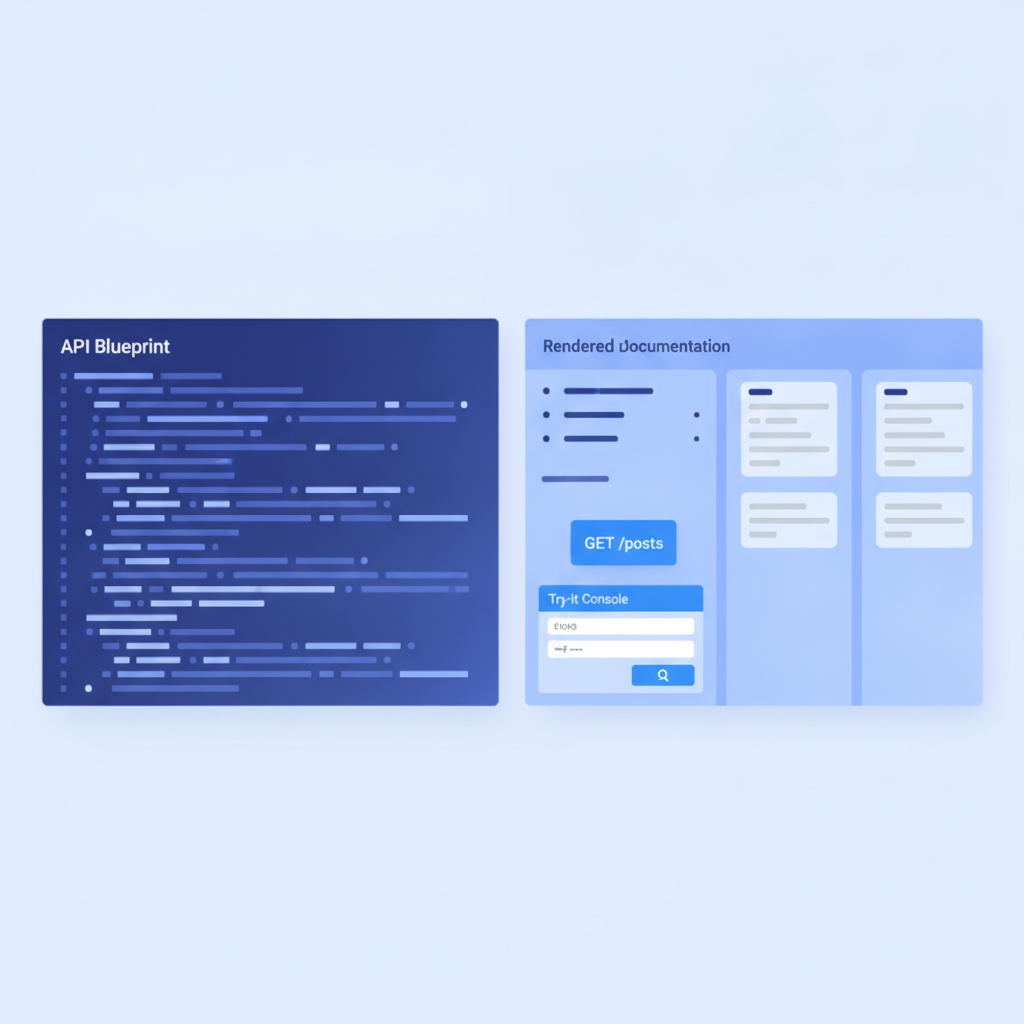
Paste that into Apidoke's split-pane editor and the 3-column live preview renders immediately on the right. No build step, no CLI, no config file. The # Group Posts line creates a navigation section; ## Posts Collection [/posts] defines the resource; each ### List All Posts [GET] block is an action with its own try-it button in the published view.
How the try-it console works with public APIs
Apidoke's try-it console fires actual HTTP requests from your browser directly to the target API. No proxy, no Apidoke server in the middle. When you enter a Bearer token or an API key into the console, that credential lives only in your browser session and never touches Apidoke's infrastructure. This matters when you are exploring APIs that return anything sensitive, even in a testing context.
To test the Cat API (which needs a free key), set the base URL to https://api.thecatapi.com/v1 in your blueprint's HOST field, add an x-api-key header field in your Blueprint's Request block, and the try-it console will prompt you to fill in the value before firing. The raw HTTP exchange appears inline, showing the request method, URL, headers sent, the response status code, latency, and the full response body.
For learning HTTP, this is a faster feedback loop than switching between a terminal and a browser. The article on testing API endpoints in the browser without Postman walks through the same workflow in more detail.
Writing a blueprint that covers error responses
A common mistake when documenting free APIs is showing only the happy path. Real clients encounter 400, 401, 404, and 422 responses, and those need documenting too. API Blueprint supports multiple response blocks per action, so you can capture all of them:
### Get a Post [GET]

+ Response 200 (application/json)

        {
          "userId": 1,
          "id": 1,
          "title": "sunt aut facere",
          "body": "quia et suscipit"
        }

+ Response 404 (application/json)

        {
          "error": "Not found"
        }
In Apidoke's rendered output, each response code appears as a selectable tab in the right column, so a reader can switch between the 200 shape and the 404 shape without scrolling. For a thorough treatment of documenting status codes, see the API Blueprint response codes guide.
Free APIs that test specific HTTP concepts
Different APIs are ideal for learning different concepts. Here is a targeted breakdown:
Testing HTTP headers and content negotiation
httpbin's /headers endpoint returns every header your client sent. This is the fastest way to verify that your documentation examples use the right header names. The /response-headers endpoint lets you specify what headers the server should return, which is useful for testing how your client handles Content-Type: application/xml versus application/json.
Testing query parameters and filtering
RestCountries is good here. A request to GET /v3.1/all?fields=name,capital,population returns only the three fields you asked for, demonstrating sparse fieldsets. Try:
curl "https://restcountries.com/v3.1/name/germany?fields=name,capital,area"Returns 200 with a trimmed object. Ask for a country that does not exist and you get 404 with {"status":404,"message":"Not Found"}, which is a cleaner error shape than JSONPlaceholder's empty object.
Testing pagination
PokéAPI uses limit and offset query parameters on most list endpoints:
curl "https://pokeapi.co/api/v2/pokemon?limit=5&offset=10"Response includes count, next (a full URL to the next page), previous, and results. This is the cursor-less offset pattern described in RFC 5988 Web Linking, and documenting next and previous as first-class fields teaches readers how to implement pagination clients correctly.
Testing rate limiting
IP-API enforces a 45-request-per-minute rate limit on the free tier. Exceed it and you receive 429 Too Many Requests with a Retry-After header. That makes it one of the few free APIs where you can intentionally trigger a rate limit response in a controlled way, which is valuable when you want to document how your client should back off. The API rate limiting guide covers how to document 429 responses and retry logic in your blueprints.
Publishing your test API docs publicly
Once your blueprint is written, publishing in Apidoke is a single click. Each project gets one public URL that always reflects its current content. You can use that URL to share a live reference page with teammates, embed it in a README, or link to it from a tutorial. There is no credit card required and no account tier blocking public publishing.
Every time you save the blueprint, Apidoke keeps that version in the project's history (up to 50 saves per project), each with its timestamp and an optional comment. If you accidentally break the document, you can restore any previous save in one click. This is the same workflow described in the version history feature guide.
A note on CORS when testing from the browser
CORS (Cross-Origin Resource Sharing) is the browser security policy that controls whether a web page running at one origin can fetch data from a different origin. All the APIs in this article return permissive CORS headers (Access-Control-Allow-Origin: *), which is exactly why they work from Apidoke's browser-based try-it console without a proxy. If you later point the console at an API that does not send CORS headers, the browser will block the response even though the server received the request. The network tab in browser DevTools will show a CORS error rather than the HTTP status code. This is a browser constraint, not an Apidoke limitation, and it is documented in detail on MDN's CORS guide.
From testing to production docs
Free public APIs are a fast path to learning HTTP, but the real payoff is applying that knowledge to your own API. The same API Blueprint syntax you use to document JSONPlaceholder maps directly to documenting your own endpoints. You can start with a single resource group and a handful of actions, publish the page immediately, and iterate. The live preview in Apidoke's editor means you see the rendered 3-column output as you type, so formatting mistakes are caught before you publish rather than after.
If you want a structured path from first blueprint to a complete API reference, the getting started guide for publishing your first interactive API doc walks through the process from an empty editor to a live public URL.
Frequently asked questions
What is a free API and where can I find one?
A free API is any HTTP API that developers can call at no cost, typically with no account required or with a free registration tier. JSONPlaceholder, httpbin, PokéAPI, and RestCountries are well-known examples that need no sign-up at all. Sites like the Public APIs GitHub list catalogue hundreds more by category.
Can I use Apidoke's try-it console with any public API, not just my own?
Yes. You set the HOST in your API Blueprint document and the try-it console fires requests to that base URL. As long as the target API returns CORS headers permitting browser requests, the console works with any public API, including JSONPlaceholder, DummyJSON, or The Cat API.
Do my API keys or tokens get sent to Apidoke when I test an API?
No. The try-it console runs entirely in your browser. Any credentials you enter go directly to the target API in the HTTP request and are never sent to or stored on Apidoke's servers.
How do I document both a 200 and a 404 response for the same endpoint in API Blueprint?
Add multiple + Response blocks under the same action, one for each status code. Apidoke renders them as selectable tabs in the published docs so readers can inspect each response shape separately.
Is there a rate limit on how many requests Apidoke's try-it console can send?
Apidoke does not impose any rate limit on the try-it console itself. Any throttling you encounter comes from the target API, not from Apidoke. For example, IP-API enforces 45 requests per minute on its free tier and returns 429 Too Many Requests if you exceed it.
Ready to write your first API Blueprint document and publish a live try-it reference page? Open Apidoke at docs.apidoke.com/login, no credit card required, and have your first public API page live in minutes.