
Apidoke vs Postman: Which Is Better for Publishing API Documentation?

Apidoke is a dedicated API documentation publishing tool and a strong Postman alternative for teams whose primary goal is publishing readable, interactive reference docs. Postman is a full API development client built around testing and automation; its documentation feature is a secondary add-on. If you need a clean three-column reference your consumers can read and try in a browser, Apidoke is the more direct fit.
- Postman publishes docs as a side effect of its collection format; Apidoke is built solely to author and publish API reference documentation.
- Apidoke renders a live try-it console that fires real HTTP requests entirely from the visitor's browser, so auth tokens never leave their machine.
- Apidoke is self-hostable with no credit card required, and stores up to 50 saved versions per project with one-click restore.
- The authoring format is API Blueprint, an open, human-readable Markdown-based standard, so your docs are never locked in a proprietary schema.
What is Postman actually for?
Postman started as a Chrome extension for sending HTTP requests manually. Today it is a full API development platform covering request building, automated test runners, mock servers, monitors, and team collaboration on request collections. Its documentation feature generates a web page from an existing Postman Collection, which is a JSON structure designed for testing workflows, not for describing an API surface to external consumers.
That origin shapes what Postman-generated docs look like. The output is organized around the folders and requests a developer already built for internal testing. Fields like pre-request scripts, test assertions, and variable bindings appear in the collection but have no meaningful place in a reference doc. The end result often reads more like an exported workspace than a polished reference.
What is Apidoke built for?
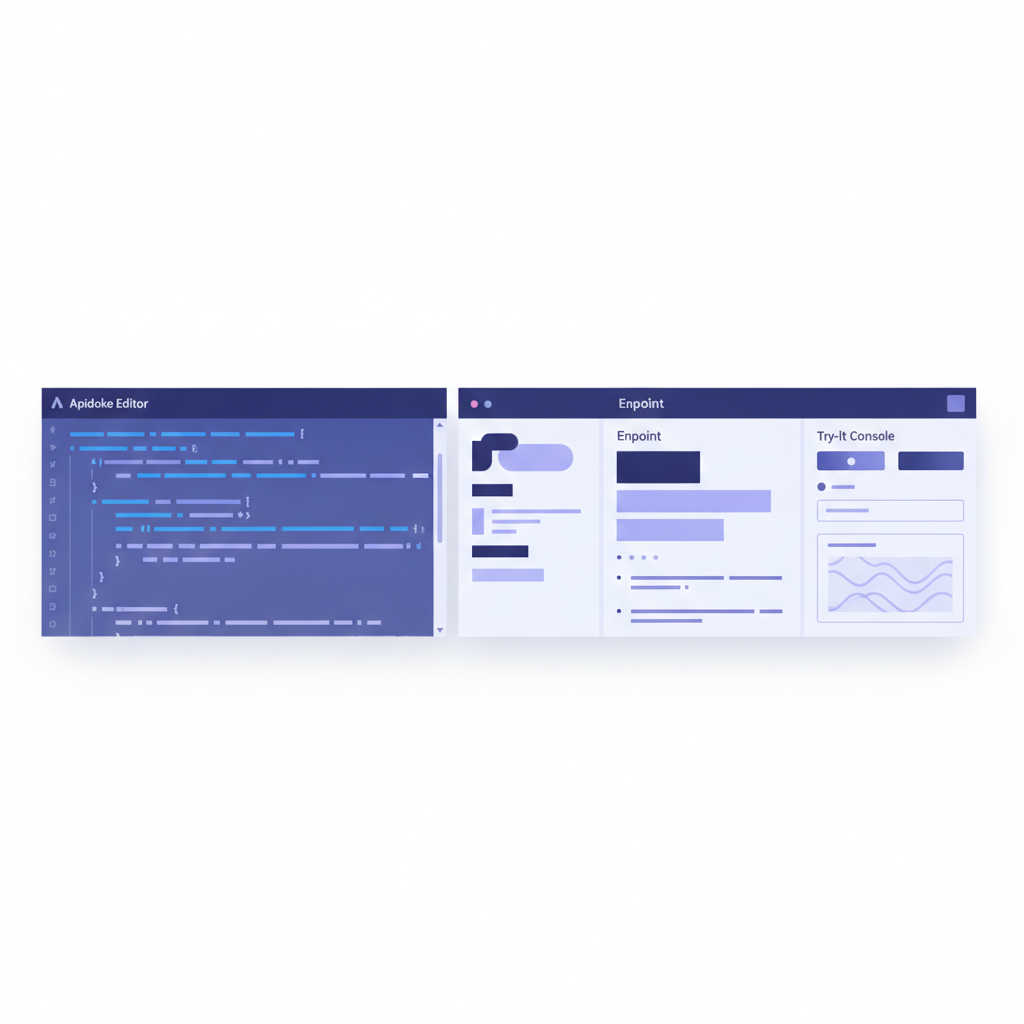
Apidoke is built around one job: take an API Blueprint document and publish it as a clean, three-column interactive reference. The left column is navigation derived from your Blueprint's # Group and ## Resource headings. The center column shows each endpoint's description, parameters, request bodies, and response examples. The right column is a live try-it console that lets a visitor fill in real values and fire actual HTTP requests from the browser.
That architecture means every design decision in Apidoke serves the reader, not the internal tester.
Head-to-head comparison
| Capability | Postman | Apidoke |
|---|---|---|
| Primary purpose | API testing and automation | API documentation publishing |
| Authoring format | Proprietary Postman Collection (JSON) | API Blueprint (open Markdown standard) |
| Published doc layout | Single-column list of requests | Three-column reference: nav, content, try-it |
| Live try-it console | Requires Postman app or logged-in browser session | Runs entirely client-side in visitor's browser, no login needed |
| Auth token handling | Tokens stored in Postman cloud environment | Tokens stay in the visitor's browser only, never sent to Apidoke servers |
| Self-hosting | No | Yes, full self-hosting supported |
| Version history | Collection version control via Postman cloud | Last 50 saves per project, each with timestamp and optional comment, one-click restore |
| Live editor with preview | No dedicated doc editor | Split-pane CodeMirror editor with real-time rendered preview |
| One-click public publishing | Publish from collection, URL tied to Postman domain | One-click publish, your Apidoke-hosted URL |
| No credit card required | Free tier available, paid plans for more features | No credit card required to start |
| Format lock-in | Postman Collection JSON is Postman-only | API Blueprint is an open standard; your file works independently of Apidoke |
Where Postman docs fall short for publishing
The collection format is built for testing, not reading
A Postman Collection organizes requests into folders that match a tester's mental model: Auth flows, Happy path, Error cases. That hierarchy rarely matches what an API consumer wants to read: Resources grouped by domain, with every response code explained. Converting a testing collection into clean reference documentation requires manual restructuring that Postman does not automate.
The try-it experience requires Postman itself
When a visitor hits a Postman-published doc page, the in-page runner either opens the Postman desktop app or requires the visitor to log into Postman's cloud. That is friction most external API consumers will not accept. Apidoke's try-it console fires real GET, POST, PUT, PATCH, and DELETE requests directly from the page using the browser's Fetch API. No account, no install. If the server returns a 200 OK with a JSON body, the visitor sees it inline. If it returns 401 Unauthorized or 404 Not Found, that too appears immediately with the full response headers and body.
Because the console runs client-side, any Authorization: Bearer <token> or X-API-Key header the visitor enters stays in their browser's memory for that session and is never transmitted to Apidoke's servers. That matters for teams whose security posture prohibits sending credentials to third-party services.
No dedicated authoring surface
Postman's documentation text lives as descriptions attached to individual requests. Writing a coherent narrative about an endpoint, its error codes, its rate limit behavior, and its authentication requirements means copying text across many small fields in the collection editor. Apidoke gives you a split-pane CodeMirror editor where the left pane is your full API Blueprint document and the right pane renders the final three-column view in real time. You see exactly what your consumers will see as you type.
Writing the same endpoint in API Blueprint
To show what Apidoke's authoring format looks like in practice, here is a minimal but complete example for a single authenticated endpoint:
FORMAT: 1A
HOST: https://api.example.com

# Example API

# Group Users

## User Collection [/users]

### List Users [GET]

Returns a paginated list of users. Requires a bearer token.

+ Request (application/json)

    + Headers

            Authorization: Bearer eyJhbGci...

+ Response 200 (application/json)

    + Body

            {
              "users": [
                { "id": "u_01", "email": "alice@example.com" },
                { "id": "u_02", "email": "bob@example.com" }
              ],
              "page": 1,
              "per_page": 20
            }

+ Response 401 (application/json)

    + Body

            { "error": "unauthorized", "message": "Bearer token missing or invalid." }

+ Response 403 (application/json)

    + Body

            { "error": "forbidden", "message": "Your token does not have users:read scope." }
Paste that into Apidoke, click Publish, and visitors get a formatted reference with a nav entry for Users, a readable description block, the request headers, three labelled response tabs (200, 401, 403), and a try-it panel where they can drop their own bearer token and fire the real request. The difference between a 401 (bad or missing credentials) and a 403 (valid credentials but insufficient scope) is immediately visible in the doc, which is exactly the kind of detail that reduces support load. For more on response code documentation, see the best API documentation tools comparison.
Version history: how Apidoke handles doc changes
Every time you save a project in Apidoke, the system stores that save as a version entry. The last 50 saves per project are kept, each showing its timestamp, the author who made the change, and an optional comment you can add before saving (for example: "Added DELETE /users/{id} with 204 and 404 responses"). If a change breaks something or turns out to be wrong, you pick the version you want from the list and click Restore. The project reverts instantly.
There is no diff view or side-by-side compare. The model is deliberate: save often, label your saves clearly, restore when needed. It is simpler and faster than a full revision-control UI for a single-document workflow.
Who should use Postman, and who should use Apidoke?
These two tools are not really competitors. They address different stages of the API lifecycle:
- Use Postman when you need to build and run automated test suites, chain requests, write pre-request scripts, or set up monitors and mock servers for internal QA work.
- Use Apidoke when you need to publish a human-readable, interactive API reference that external or internal consumers can read in a browser and try against a live server without installing anything.
Many teams use both. Postman handles their testing workflow; Apidoke handles the documentation that ships to developers. The API Blueprint document in Apidoke is the source of truth for what the API does, described in terms a reader needs, not in terms a test runner needs.
Why open format matters
API Blueprint is an open specification maintained independently of any single vendor. Your .apib file is a plain Markdown-based text document. If you decide to change tools later, your documentation moves with you. Postman Collections are a proprietary JSON format: readable in theory, but practically tied to the Postman ecosystem. When Postman changes pricing tiers or sunsets a feature, teams locked into Collection-based docs have few graceful exit paths.
Format independence is worth factoring into any long-term documentation strategy, particularly for teams that care about self-hosting their API documentation and avoiding vendor lock-in.
A quick look at the authoring workflow in Apidoke
- Sign in at docs.apidoke.com/login. No credit card required.
- Create a new project and give it a name. Each project holds one API Blueprint document.
- Write or paste your API Blueprint content into the left pane of the split CodeMirror editor. The right pane renders the three-column doc in real time.
- Add a save comment (optional but recommended) and save. That save is stored as version 1.
- Click Publish. Your doc goes live at a public URL immediately. Share the URL with anyone; they can read the reference and use the try-it console without an account.
- Keep editing. Each save adds a new version entry. The public URL always shows the current saved state.
- If you need to roll back, open Version History, find the entry you want, and click Restore.
Security posture: where do auth tokens go?
This question comes up consistently when teams evaluate any hosted doc tool with a try-it console. The answer for Apidoke is straightforward: the try-it console uses the browser's native fetch() API (defined in the MDN Fetch API documentation) to send requests directly from the visitor's browser to the target API server. Apidoke's servers are not in that request path. An Authorization: Bearer header typed into the console goes to your API, not to Apidoke. The same applies to API keys sent as X-Api-Key or any other header.
That architecture is worth spelling out explicitly in internal security reviews, because it removes the class of risk where a third-party SaaS platform sits as a proxy and could theoretically log credentials.
Frequently asked questions
Can I import a Postman Collection into Apidoke?
No. Apidoke does not support Postman Collection import. You author documentation in API Blueprint format directly in Apidoke's editor. If you have existing Postman Collections, you can use them as a reference while writing your Blueprint, but there is no automated conversion path.
Is Apidoke free?
Apidoke does not require a credit card to get started. You can create projects, write API Blueprint docs, and publish a live interactive reference without paying anything upfront. Check the pricing page for the current plan details.
Does Apidoke have a mock server like Postman?
No. Apidoke does not include a built-in mock server. Its try-it console fires real requests to real servers. If you need API mocking during development, that is a separate tool concern and outside what Apidoke does.
What happens to my docs if I stop using Apidoke?
Your API Blueprint document is a plain text file in an open format. You own it and can copy it out at any time. The documentation content is never locked inside a proprietary schema you cannot read without Apidoke's tooling.
Can visitors use the try-it console without creating an Apidoke account?
Yes. The published doc URL is public. Anyone with the link can read the reference and use the try-it console to fire live requests. No account, no login, no install required on their end.
If you have been using Postman to share API docs and found it awkward, you are solving a publishing problem with a testing tool. Try Apidoke for what it was built for: sign in and publish your first interactive API reference in a few minutes, with no credit card and no toolchain setup required.
Related reading: Swagger UI Try It Out: How It Works, Why It Fails, and Alternatives