
What Is an API Endpoint? The Anatomy of an API Request

An API endpoint is a unique URL that represents a specific resource or action in a web service. When a client (a browser, a mobile app, or a script) sends an HTTP request to that URL, the server processes it and returns a structured response. Apidoke lets you document every endpoint in API Blueprint format and publish an interactive reference where developers can read the spec and fire live requests in the same view.
- An endpoint combines a base URL, a path, and an HTTP method to identify exactly one operation on one resource.
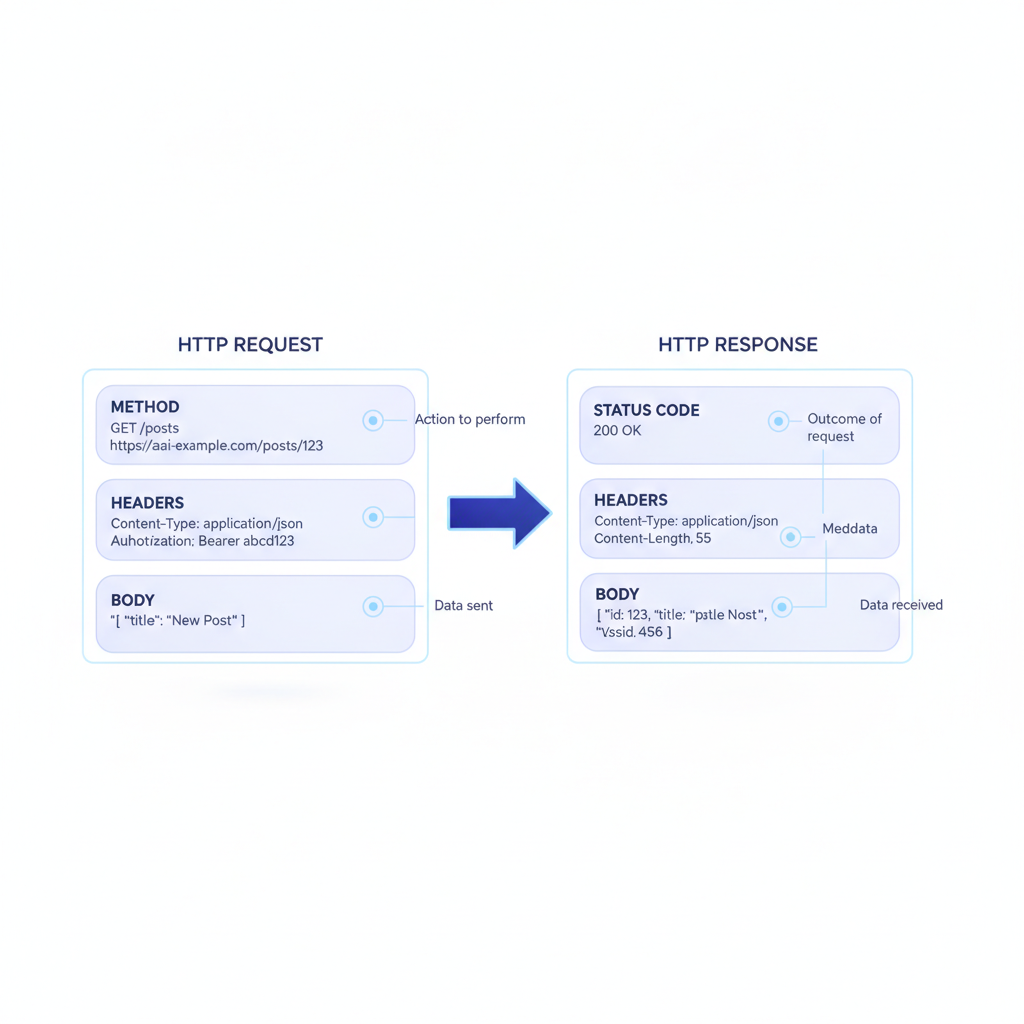
- Every request carries a method, headers, an optional body, and optional query parameters; every response carries a status code, headers, and usually a body.
- HTTP status codes are the primary signal of success or failure: 200 OK, 201 Created, 400 Bad Request, 401 Unauthorized, 404 Not Found, and so on.
- Good API documentation names each endpoint, describes its inputs and outputs, and shows at least one real request and response pair so a developer can integrate without guessing.
What does an API endpoint actually look like?
Take this URL:
https://api.example.com/v1/users/42It has four parts:
| Part | Example value | What it means |
|---|---|---|
| Scheme | https | Protocol; always HTTPS in production |
| Base URL (host) | api.example.com | Server that handles all requests for this API |
| Path | /v1/users/42 | Identifies the resource; 42 is a path parameter (user ID) |
| Version prefix | /v1 | Signals which contract version the client expects |
An endpoint is not just the URL in isolation. It is the URL plus the HTTP method. GET /v1/users/42 and DELETE /v1/users/42 are two different endpoints on the same path.
The HTTP methods every developer needs to know
REST APIs (Representational State Transfer APIs) use standard HTTP methods to express intent. The IETF HTTP Semantics specification (RFC 9110) defines these methods and their expected behavior.
| Method | Typical use | Has request body? | Idempotent? |
|---|---|---|---|
| GET | Retrieve a resource or collection | No | Yes |
| POST | Create a new resource | Yes | No |
| PUT | Replace a resource entirely | Yes | Yes |
| PATCH | Partially update a resource | Yes | Conditional |
| DELETE | Remove a resource | Rarely | Yes |
| HEAD | Retrieve headers only (no body) | No | Yes |
| OPTIONS | Discover allowed methods (used in CORS preflight) | No | Yes |
Idempotent means you can call the endpoint multiple times with the same input and the server state ends up identical each time. GET, PUT, and DELETE are idempotent. POST is not, which is why submitting a payment form twice can charge a card twice.
Anatomy of an HTTP request
When a client contacts an endpoint, it sends a request with up to four distinct sections.
1. The request line
This is the first line the client sends. It states the method, the path with any query parameters, and the HTTP version:
GET /v1/users?role=admin&page=2 HTTP/1.1Query parameters (role=admin and page=2) are key-value pairs appended after a ? and separated by &. They filter, sort, or paginate results without changing the resource path itself.
2. Request headers
Headers are metadata sent alongside the request body. Common ones include:
| Header | Example value | Purpose |
|---|---|---|
Authorization | Bearer eyJhbGci... | Proves the caller's identity (bearer token or API key) |
Content-Type | application/json | Tells the server how to parse the request body |
Accept | application/json | Tells the server what format the client wants back |
X-Request-ID | a3f8-bc12 | Client-generated ID for tracing requests across systems |
3. The request body
GET and DELETE requests rarely carry a body. POST, PUT, and PATCH almost always do. A minimal JSON body for creating a user might look like this:
{
  "name": "Ada Lovelace",
  "email": "ada@example.com",
  "role": "admin"
}
4. Query parameters vs. path parameters vs. body fields
These three input locations serve different purposes and mixing them up is one of the most common API design mistakes:
| Input location | When to use it | Example |
|---|---|---|
| Path parameter | Identifies a specific resource | /users/{userId} |
| Query parameter | Filters, sorts, paginates, or configures | ?status=active&limit=20 |
| Body field | Carries the data being created or updated | {"name": "Ada"} |
Anatomy of an HTTP response
The server always replies with a status code, headers, and usually a body. Each part has a job.
HTTP status codes: what they mean in practice
Status codes are three-digit numbers grouped by their first digit. Learning the groups is faster than memorizing every code.
| Range | Category | Key codes to know |
|---|---|---|
| 2xx | Success | 200 OK, 201 Created, 204 No Content |
| 3xx | Redirection | 301 Moved Permanently, 304 Not Modified |
| 4xx | Client error | 400 Bad Request, 401 Unauthorized, 403 Forbidden, 404 Not Found, 409 Conflict, 422 Unprocessable Entity, 429 Too Many Requests |
| 5xx | Server error | 500 Internal Server Error, 503 Service Unavailable |
A few worth calling out specifically:
- 401 Unauthorized: The request had no valid credentials, or the token is expired. The server cannot identify the caller.
- 403 Forbidden: The server knows who you are, but you do not have permission for this action.
- 404 Not Found: The resource at that path does not exist (or the server is hiding it for security reasons).
- 429 Too Many Requests: The caller has exceeded the API rate limit. Well-designed APIs include a
Retry-Afterheader with the number of seconds to wait. - 422 Unprocessable Entity: The body was syntactically valid JSON but failed semantic validation (a required field was missing, a date was out of range, and so on).
A complete response example
HTTP/1.1 201 Created
Content-Type: application/json
Location: https://api.example.com/v1/users/99

{
  "id": 99,
  "name": "Ada Lovelace",
  "email": "ada@example.com",
  "role": "admin",
  "createdAt": "2026-11-01T10:30:00Z"
}
The Location header tells the client where to find the newly created resource, a convention described in RFC 9110. The body confirms what was stored.
How to document an API endpoint in API Blueprint
API Blueprint is a Markdown-based format for describing REST APIs. Each endpoint maps to a Resource (a URL) containing one or more Actions (method plus behavior). Here is a complete, copy-paste-ready example for a user creation endpoint:
FORMAT: 1A
HOST: https://api.example.com/v1

# Users API

## Group Users

### Create a User [POST /users]

Create a new user account. Returns the full user object on success.

+ Request (application/json)

    + Headers

            Authorization: Bearer <token>

    + Body

            {
                "name": "Ada Lovelace",
                "email": "ada@example.com",
                "role": "admin"
            }

+ Response 201 (application/json)

    + Headers

            Location: /users/99

    + Body

            {
                "id": 99,
                "name": "Ada Lovelace",
                "email": "ada@example.com",
                "role": "admin",
                "createdAt": "2026-11-01T10:30:00Z"
            }

+ Response 400 (application/json)

    + Body

            {
                "error": "validation_failed",
                "message": "email is required"
            }

+ Response 401 (application/json)

    + Body

            {
                "error": "unauthorized",
                "message": "Missing or invalid bearer token"
            }
Paste this into Apidoke's split-pane editor and the live preview renders the 3-column reference view instantly. The # Group Users directive creates a navigation section; the + Request and + Response blocks produce the collapsible examples developers expect. For a broader look at the syntax, the API Blueprint syntax cheat-sheet covers every directive in one place.
What makes a well-documented endpoint?
Developers decide whether to trust an API in the first few minutes. A well-documented endpoint answers these questions without anyone having to ask:
- What is the full URL, including any path parameters?
- Which HTTP method does it use?
- What headers does it require (authentication, content type)?
- What does the request body look like, with real field names and types?
- What does a successful response look like (status code, headers, body)?
- What error responses are possible, and what do the error bodies mean?
- Are there rate limits or pagination to handle?
Skipping any of these forces the developer to guess, test, fail, and ask for support. The API documentation best practices guide goes deeper on making each of those seven answers useful, not just present.
Endpoints in a live try-it console
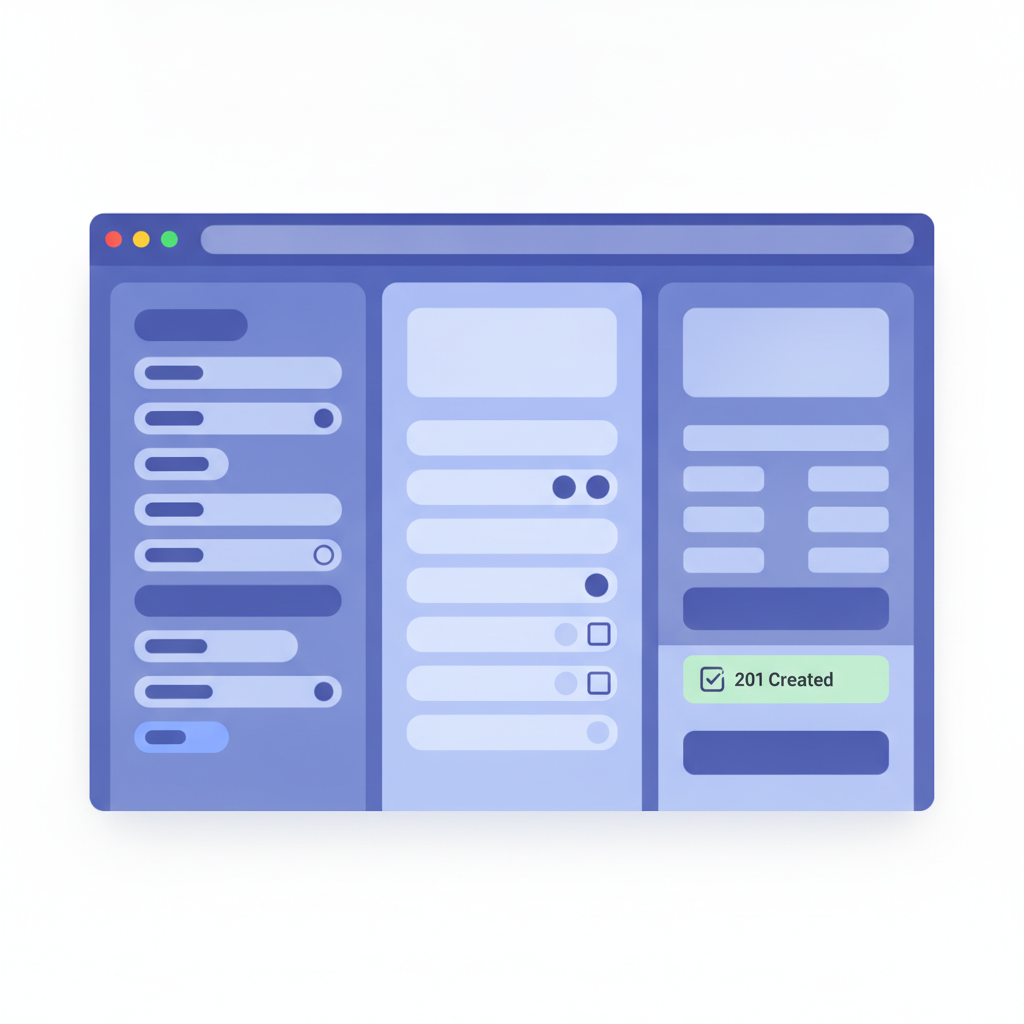
Reading a spec is useful. Firing a real request against it is faster for understanding. Apidoke's built-in try-it console renders next to the documentation, lets a developer paste their bearer token or API key, fill in path and query parameters, edit the request body, and hit Send. The raw HTTP response (status code, headers, body) appears immediately in the same view.
One privacy note worth mentioning: Apidoke's try-it console fires requests directly from the developer's browser. The auth token you paste never travels through Apidoke's servers. It goes straight from your machine to your API. That matters for teams documenting internal or sensitive APIs.
Common endpoint patterns in REST APIs
Most REST APIs repeat a small set of patterns. Recognizing them makes reading unfamiliar API docs much faster:
| Pattern name | Method and path | What it does | Success code |
|---|---|---|---|
| List collection | GET /resources | Returns an array of items, usually paginated | 200 |
| Get single item | GET /resources/{id} | Returns one item by its unique identifier | 200 |
| Create item | POST /resources | Creates a new item, returns it with its assigned ID | 201 |
| Replace item | PUT /resources/{id} | Replaces the entire item; missing fields are set to defaults | 200 |
| Partial update | PATCH /resources/{id} | Updates only the supplied fields | 200 |
| Delete item | DELETE /resources/{id} | Removes the item; often returns 204 with no body | 204 |
Authentication at the endpoint level
Most endpoints require the caller to prove identity. The two most common mechanisms in REST APIs are bearer tokens (a short-lived credential issued after login, sent as Authorization: Bearer <token>) and API keys (a long-lived secret, often sent as Authorization: ApiKey <key> or a custom header like X-API-Key). Some APIs accept both, depending on the use case.
When a request arrives with no credentials, or with an expired token, the server should return 401 Unauthorized. When credentials are valid but the caller lacks permission for that specific resource, it should return 403 Forbidden. Confusing these two codes is one of the most common documentation errors because it misleads developers about whether the problem is their token or their account permissions.
The MDN HTTP status code reference is the fastest way to look up the precise meaning of any code you encounter.
Frequently asked questions
What is the difference between an API and an API endpoint?
An API (Application Programming Interface) is the full contract between a service and its callers, including authentication rules, data models, and error conventions. An endpoint is one specific URL-plus-method pair within that API. A single API typically exposes dozens or hundreds of endpoints.
Can an API endpoint accept multiple HTTP methods?
Yes. The same path, like /users/42, commonly accepts GET to retrieve, PUT to replace, PATCH to update, and DELETE to remove. Each method is a separate endpoint from the documentation standpoint, with its own inputs and expected responses.
What is a base URL and how does it relate to an endpoint?
The base URL is the host and optional prefix shared by all endpoints in an API, for example https://api.example.com/v1. An endpoint's full URL is the base URL plus its resource path, like https://api.example.com/v1/users/42. API Blueprint lets you declare the base URL once at the top of a document with the HOST metadata key.
What should a 404 response body include?
A 404 response body should include at minimum a machine-readable error code (like "error": "not_found") and a human-readable message explaining which resource was not found. Avoid exposing internal paths or database identifiers in the message, since that leaks implementation details.
How do I test an API endpoint without writing code?
Apidoke's built-in try-it console lets you send real HTTP requests directly from the browser, filling in parameters and headers in a form UI. No Postman, no terminal, no code required. The raw response appears immediately alongside the documentation for that endpoint.
Ready to document your first endpoint with a live try-it console? Create a free Apidoke account and publish your API reference in minutes, no toolchain required.
Related reading: What Is an API Key? How It Works and Where to Send It
Related reading: API Rate Limiting Explained: 429 Errors, Headers, and How to Document Limits